Reader setup
Before you diagnose
Start with one observed symptom, then isolate one layer at a time.
- Use one approved synthetic agent and campaign; do not troubleshoot by changing a live production cohort.
- Obtain read-only Asterisk CLI and database access through the installation's approved credential files.
- Write down the test agent, campaign, conference and local timestamp before opening a terminal.
- What you will prove
- You will identify whether the browser session, phone conference, live-agent row, campaign gate, list gate or hopper is the first broken layer, using the real fields VICIdial itself reads.
- Safety boundary
- All examples are observations. Do not delete runtime rows, raise a dial level or restart shared services from this guide.
Reader path
How to use this article
- Use it when: You are investigating a live symptom and need to narrow the failure quickly.
- Expected result: Pinpoint the first failing layer, then repair only that layer.
- Start here: Use the sections as a diagnostic sequence: prove scope, then isolate and validate.
Define the symptom before touching the campaign
Fast answer: a green or live label on the Agent screen proves only one layer of the session. The browser, the phone, the Asterisk conference — MeetMe or ConfBridge, decided per server by the conf_engine column on the servers table, not by how old the install is — the vicidial_live_agents row, and the campaign's own dial process can disagree for several seconds, or stay split after an interrupted login.
Start with one affected agent and one timestamp. Confirm whether the agent can hear the conference, whether a lead is attached, and whether the campaign gate, the list gate or the hopper itself is what is actually empty, before you touch a dial-level setting.
Two terms carry the checks below. The hopper is VICIdial's own staging queue of leads a campaign is currently allowed to dial, refreshed on a fixed schedule rather than the instant a lead is loaded. The dial level (auto_dial_level) is the pacing number that controls how many outbound calls the dialer keeps in flight for every available agent — see vicidial-dialing-modes-pacing for what raising it actually does.
See vicidial-terminology-for-complete-beginners for the rest of this glossary.
- Record the agent ID, campaign, extension, conference and exact local time.
- Check whether the agent is READY, PAUSED, INCALL or attached to a stale lead.
- Confirm the list has callable leads for the campaign and the local call time window.
Visual walkthrough
Follow three real demo screens
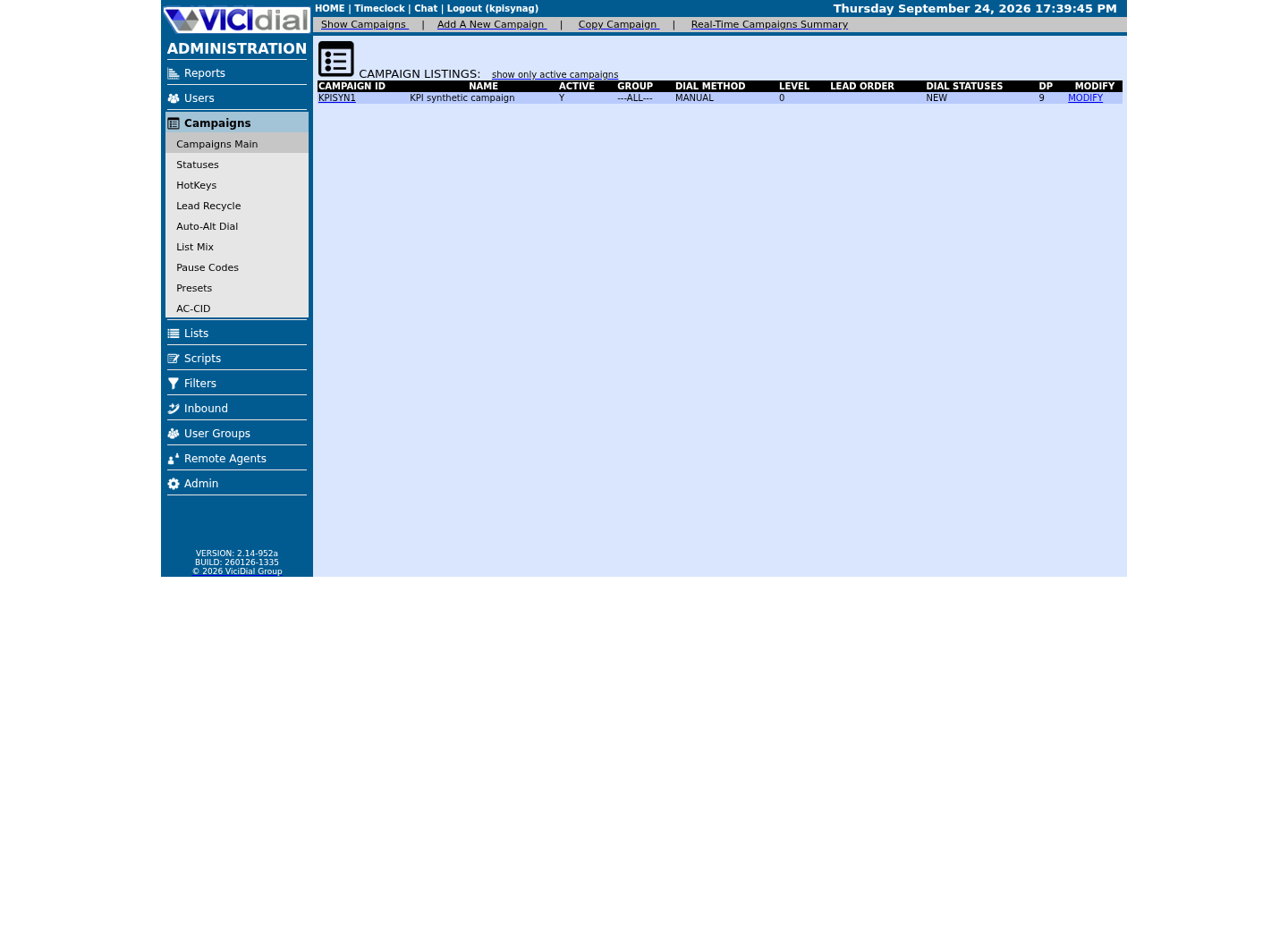
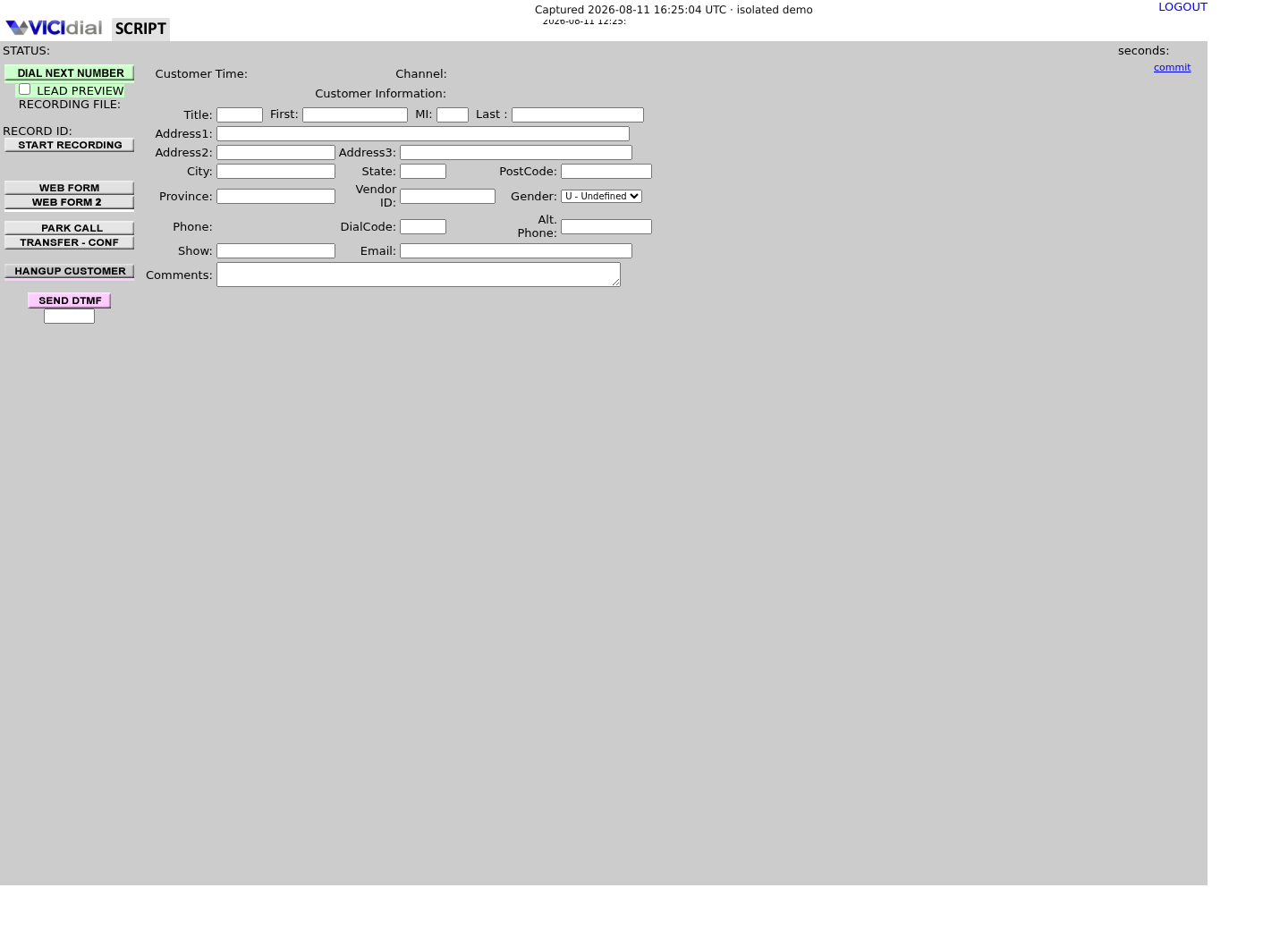
Captured on an isolated VICIdial demo: Administration screens on September 24, 2026, and the idle Agent screen on August 11, 2026. Each caption states its own capture time, and every sanitized image helps you recognize a related screen; none proves that this article's call, command, or result occurred.Keep phones and users separate
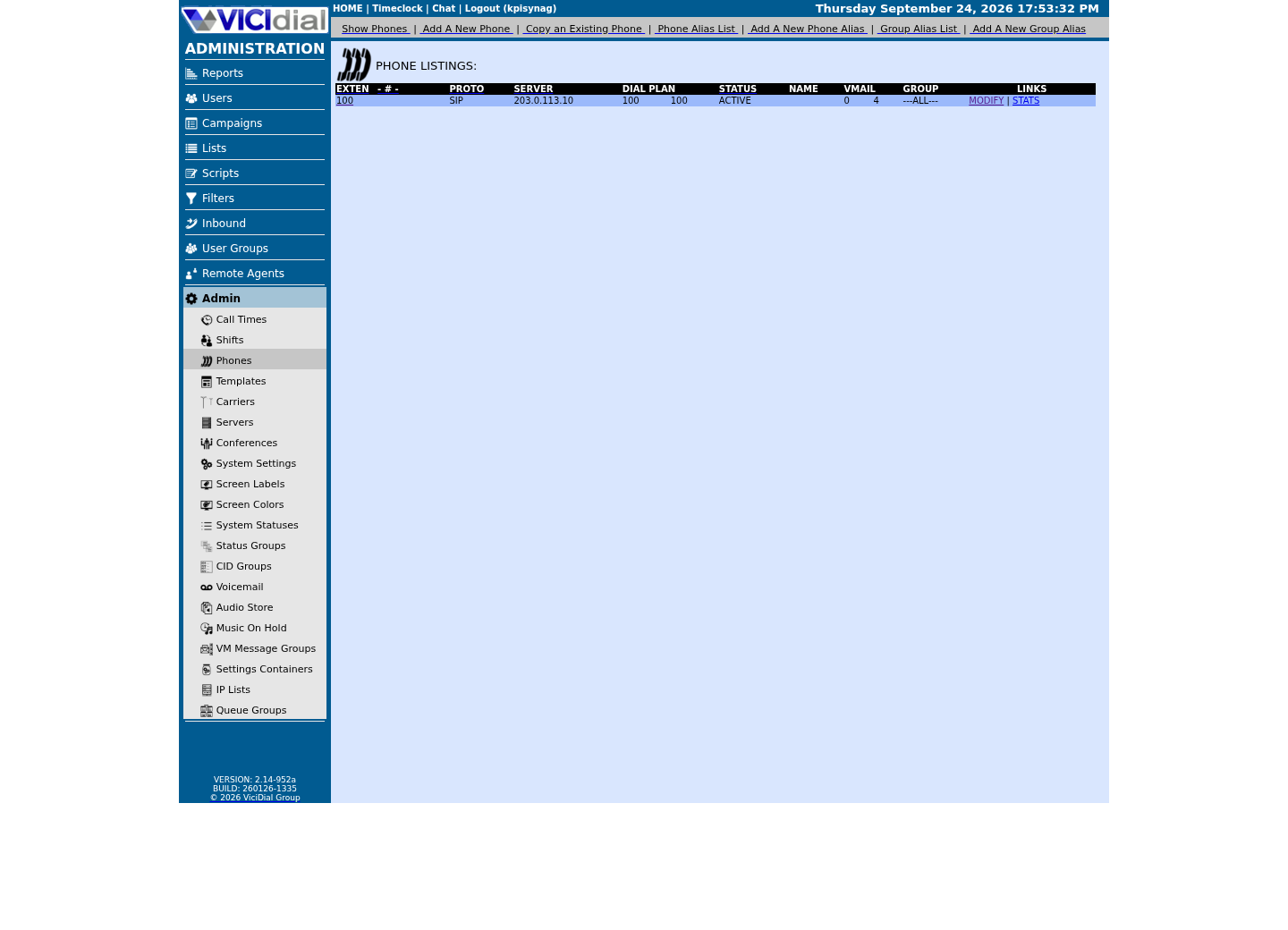
Find the campaign the agent should use
Read the real Agent screen in an idle state
Understand the four layers in plain language
The Agent page is the browser session; the phone is the SIP or WebRTC endpoint; the conference is the Asterisk audio room; and the live-agent row is VICIdial's current database view. The hopper is simply the queue of leads eligible to be dialed next.
The browser session itself is two logins, not one: the Agent screen's first page takes only the phone login and password, and only once that succeeds does a second page ask for the agent user, password and campaign. A rejection at the first page is a phone-credential problem, not a dialer problem — see vicidial-phone-login-not-active for that specific failure and vicidial-first-agent-call for the full two-step walkthrough — and it will look identical to "not dialing" if you only glance at the final screen.
The browser phone's own audio leg registers over a secure WebSocket straight to Asterisk's listener on 8089, with no reverse proxy in front of it on this build. What actually gates a remote agent is the firewall, not the listener: firewalld's asterisk service opens 8089/tcp only to addresses in the whitelist and dynamic-list ipsets, so an agent connecting from outside both can still reach the login pages, look READY, and hear nothing — a firewall symptom wearing a dialer-not-working disguise.
Check the layers in that order. When one layer fails, later layers can look wrong as a consequence, so changing campaign settings before locating the first mismatch hides the useful evidence.
- Browser: the approved synthetic agent is logged in once.
- Audio: the endpoint is registered and joined to the expected conference.
- Dialer: the live row and hopper belong to the same approved campaign.
Correlate Asterisk and the conference with the live-agent row
Read the channel table and the conference list together. A database row without a matching conference party is evidence of a stale session, not proof the phone itself is broken.
Do not clear rows in bulk. Both app_meetme and app_confbridge can be loaded on the same Asterisk instance at once, so a meetme list or confbridge list that finds nothing is not, on its own, evidence that the other one is the real engine — confirm that from servers.conf_engine instead, the exact check vicidial-first-agent-call already walks through. Use the two list commands here only to see whether a specific party is actually present, not to discover which engine is authoritative.
asterisk -rx 'core show channels concise'asterisk -rx 'meetme list'asterisk -rx 'confbridge list'This sample changes a system, contacts an outside service, needs a live call, or would print real data from a shared server, so it was not run on the demo. Run it only where you are authorized, and compare the result with the success and stop guidance.
- Before you run it
- Run all three on the VICIdial/Asterisk server during the approved synthetic test. Only the command matching this server's own conf_engine will list a real party; the other returns cleanly empty because its module is loaded but unused, not because it errored.
- Success looks like
- The endpoint's channel and the conference command matching this server's conf_engine agree: one party, matching the test agent's extension, inside the expected conference.
- Stop if
- Stop if more than one party matches the synthetic agent, if the channel shows a different extension than expected, or if neither conference command lists a party at all — that last case means the phone leg never joined anything, a registration problem, not a dialer problem.
Confirm the agent is actually READY, then look at the carrier separately
A live-agent row that never reaches READY cannot receive an automatic call, no matter how healthy the campaign or hopper are. vicidial_live_agents.status is VICIdial's own real-time view of every session on the server right now; aggregate it by status rather than reading individual rows, so a shared lab or production server's other sessions never appear in the result.
A carrier problem produces the same outward symptom — the agent is READY, the hopper has work, and still nothing rings — for a different reason. This article does not re-teach carrier setup or SIP registration: see vicidial-add-sip-carrier for connecting a trunk and carrier-dns-failure for a carrier that stops routing after it previously worked.
SELECT status, COUNT(*) AS agentsFROM vicidial_live_agents WHERE campaign_id = '<CAMPAIGN_ID>' GROUP BY statusORDER BY status;Captured demo response · 2026-09-24 22:25 UTC. The displayed command is the command that ran; a safe subset label means it was filtered, redacted, or fixture-scoped. Replays only after you select Replay transcript.
- Before you run it
- Run through the read-only database account. This is an aggregate count only, so it never lists another session's identity.
- Success looks like
- The synthetic agent's own expected status — READY while idle, INCALL on the test call, PAUSED right after login — is represented in the count, and the total matches how many sessions you actually expect open right now.
- Stop if
- Stop if the total is higher than every session you can account for, or if the synthetic agent's status never reaches READY at all — that points back at registration or login, not at a dialer setting.
Confirm the campaign itself is willing to dial
A campaign that is inactive, on the wrong dial method, or already at dial level 0 will never pull a lead out of the hopper for an agent, no matter how healthy that agent's session is. dial_method names the pacing method — MANUAL, RATIO, or one of the three ADAPT_* methods — and auto_dial_level is VICIdial's own pacing number for it; on a MANUAL campaign, VICIdial locks auto_dial_level at 0 by design, not as a fault to fix. See vicidial-dialing-modes-pacing for what each method and level actually does; this check only confirms which one is configured.
dial_prefix is a separate setting from the dial method. A literal x in the prefix means no prefix is added at all, deliberate on a no-carrier lab setup, while a real carrier route built on this build's own shipped pattern expects a literal 9 (see vicidial-add-sip-carrier). A lead that never dials at all is sometimes a prefix left set for the wrong one of those two situations.
SELECT campaign_id, active, dial_method, auto_dial_level, dial_prefix, manual_dial_prefix, omit_phone_codeFROM vicidial_campaignsWHERE campaign_id = '<CAMPAIGN_ID>';Captured demo response · 2026-09-24 22:25 UTC. The displayed command is the command that ran; a safe subset label means it was filtered, redacted, or fixture-scoped. Replays only after you select Replay transcript.
- Before you run it
- Run through the read-only database account, replacing <CAMPAIGN_ID> with the approved synthetic campaign.
- Success looks like
- active reads Y, dial_method matches what Campaign Detail shows in Admin, and auto_dial_level is 0 only if dial_method is MANUAL — any other combination is a real gate, not a display quirk.
- Stop if
- Stop if active reads N, if an ADAPT_* method shows a nonzero auto_dial_level you did not expect, or if the row does not exist at all — confirm the campaign ID before assuming a deeper fault.
Confirm the list is active and the lead belongs to it
A campaign can be perfectly healthy and still have nothing to dial if its list is inactive, or if the lead you are testing with was loaded under a different list or campaign than you think. Join the two tables instead of trusting either one in isolation.
SELECT list_id, active, campaign_id, COUNT(*) AS leadsFROM vicidial_listsJOIN vicidial_list USING (list_id)WHERE list_id = '<LIST_ID>'GROUP BY list_id, active, campaign_id;Captured demo response · 2026-09-24 22:25 UTC. The displayed command is the command that ran; a safe subset label means it was filtered, redacted, or fixture-scoped. Replays only after you select Replay transcript.
- Before you run it
- Run through the read-only database account, replacing <LIST_ID> with the approved synthetic list.
- Success looks like
- Exactly one list_id/active/campaign_id combination returns, active reads Y, campaign_id matches the campaign under test, and the lead count is what you expect.
- Stop if
- Stop if active reads N, if campaign_id does not match the campaign under test, or if more than one combination returns for the same list_id — that means leads were loaded under more than one campaign for this list, worth its own investigation before you touch dialing.
Confirm dial statuses, hopper limit and the call-time window
Three more campaign settings gate the hopper directly. Dial Statuses is the campaign's own allow-list of which lead statuses are even eligible to be dialed — VICIdial's own campaigns_list function documents it in its output as dial_statuses, and update_campaign edits it through dial_status_add and dial_status_remove rather than one field you overwrite directly; confirm the literal column name on your own build before selecting it, since no reference doc shipped with this build states that raw spelling. hopper_level, from 1 to 2000, caps how many leads AST_VDhopper.pl is allowed to stage at once, and lead_filter_id points at a saved filter that narrows the hopper further, reading blank rather than a fixed placeholder string when none applies.
local_call_time decides the window itself, and it is not a fixed clock: it names a call_time_id VICIdial looks up, and every lead's own local time is computed once, at load time, from vicidial_list.gmt_offset_now rather than derived live from a timezone service. AST_VDhopper.pl refreshes the hopper every two minutes, and only for leads whose computed local time actually falls inside that window right now — a perfectly healthy campaign outside its own calling hours will show an empty hopper and nothing else. See vicidial-geo-gating-zip-validation for the full gmt_offset_now and local_call_time mechanism; this check only confirms which values this campaign is currently using.
A separate table, vicidial_campaign_statuses, holds this campaign's own status and disposition definitions — which codes exist, whether each counts as complete or human-answered — not the dial-eligible allow-list; see vicidial-statuses-dispositions for that full model. Confusing the two tables is an easy, and different, way to spend time looking at the wrong evidence.
SHOW COLUMNS FROM vicidial_campaigns WHERE Field LIKE '%dial_status%'; SELECT campaign_id, hopper_level, lead_filter_id, local_call_timeFROM vicidial_campaignsWHERE campaign_id = '<CAMPAIGN_ID>';Captured demo response · 2026-09-24 22:25 UTC. The displayed command is the command that ran; a safe subset label means it was filtered, redacted, or fixture-scoped. Replays only after you select Replay transcript.
- Before you run it
- Run both through the read-only database account. The first confirms the exact column your build uses for the dial-status allow-list before you ever select it by name; the second reads the three settings this article can name directly from NON-AGENT_API.txt's own update_campaign field list.
- Success looks like
- On our ViciBox 12 lab the SHOW COLUMNS statement returns seven columns matching that pattern, not one — dial_status_a through dial_status_e, auto_alt_dial_statuses and dial_statuses. dial_statuses is the allow-list column: it is the same field name campaigns_list documents in its own output, so select that one by name in a follow-up query, not any of the other six. hopper_level, lead_filter_id and local_call_time all match what Campaign Detail shows in Admin.
- Stop if
- Stop if hopper_level is 0 or implausibly low for your lead volume, if lead_filter_id points at a filter you did not expect, or if local_call_time does not resolve to a window that covers the current test time.
Check whether the hopper actually has staged work
A healthy agent cannot receive a call when the hopper has no eligible entries for this campaign, even once every gate above checks out. Use the Admin reports first, then a read-only query only when you are authorized to inspect the synthetic campaign directly.
On a MANUAL campaign this same hopper is exactly what Dial Next Number pulls from — an empty hopper is why the button does nothing, not a broken control.
The placeholder is intentionally not a real campaign ID. A non-zero count shows queued work by hopper status; it does not, on its own, prove local call time, list eligibility, carrier routing or consent — those are the checks above and the carrier articles this section links to.
SELECT campaign_id, status, COUNT(*) AS queued_leadsFROM vicidial_hopperWHERE campaign_id = '<CAMPAIGN_ID>'GROUP BY campaign_id, statusORDER BY status;Captured demo response · 2026-09-24 22:25 UTC. The displayed command is the command that ran; a safe subset label means it was filtered, redacted, or fixture-scoped. Replays only after you select Replay transcript.
- Before you run it
- Run this through an approved read-only database session and replace <CAMPAIGN_ID> with the isolated synthetic campaign. Do not remove the WHERE clause or paste returned lead rows into a ticket.
- Success looks like
- The query returns only aggregate status counts for the one test campaign, which you can compare with the campaign's expected synthetic workload.
- Stop if
- Stop if the campaign is not isolated, the query returns another campaign, permissions allow writes, or the count cannot be reconciled with the approved fixture.
Recover narrowly, then prove the next call
After identifying the broken layer, re-establish that layer only: reconnect the phone, log the agent out cleanly from the Agent screen, or clear a proved stale session from Reports → Real-Time Report using its EMERGENCY LOG AGENT OUT control — the screen that actually owns live session state. Do not delete the vicidial_live_agents row by hand.
A recovery is complete only when a new lead leaves the hopper, an outbound channel appears, the bridge is audible, and the disposition returns the agent to the expected state.
- Watch one fresh call from hopper selection through disposition.
- Confirm the campaign dial level and drop metrics remain stable.
- Write the exact cause and evidence into the incident note.
Evidence ledger
Verification basis
- On our ViciBox 12 lab, servers.conf_engine reads CONFBRIDGE, and both app_meetme and app_confbridge are loaded at once — module show cannot tell you which one VICIdial actually uses; the servers table can.
- MANUAL locks auto_dial_level at 0, and AST_VDhopper.pl refills the hopper every two minutes, only for leads inside the Local Call Time window, both confirmed on our ViciBox 12 lab.
Primary references
Sources
- VICIdial Non-Agent APIVICIdial · accessed September 23, 2026
- VICIdial status and disposition reference (VICIDIAL_statuses.txt)VICIdial · accessed September 23, 2026
- Drop list calls not dialing after login into campaignVICIdial forum · accessed September 23, 2026
- Postal Code Time Zone dialing failingVICIdial forum · accessed September 23, 2026
- Agent not getting called on scratch installVICIdial forum · accessed September 23, 2026