Reader setup
Before you start
- An isolated campaign and two approved provider accounts with their actual authentication,number format,caller-ID,media and monitoring requirements.
- Native carrier/campaign administration plus an authorized Asterisk shell and root/sudo read-only database context;keep secrets and call identifiers private.
- A previously known-good route,owned test destinations,provider capacity for the contingency and a named cutover/rollback operator.
- Expected result
- A provider-specific two-route plan and an acceptance record showing each completed or unfinished configuration,health,call,cutover and rollback check. A demo configuration listing does not complete those checks.
- Before making changes
- Never paste a real SIP username, secret, or registration string into a ticket, chat log, or these examples; a leaked SIP credential converts directly into toll fraud, calls placed on your account by someone else. Rehearse the cutover on a low-risk campaign before an outage forces you to do it for the first time.
01 / 07
Choose a manual cutover design before adding automation
This guide uses two distinct outbound patterns:prefix9 selects provider A and prefix8 selects provider B. Both carrier configurations are prepared before an incident. The operator moves only the reviewed campaign/list scope, observes one controlled call and records the actual result.
VICIdial does not provide a generic carrier-health policy that chooses a safe route for every deployment. Custom Asterisk Dialplan Entry fallback or an owned external controller can automate a reviewed policy;that is a separate design. A configured fallback cannot rescue an already-ended call, and repeated attempts may create duplicate calls or charges.
A carrier is a provider;a trunk is its configured connection;a channel is one live call leg. Two trunks can still share the same upstream network, account limit or internet path. Record what is independent and which outage the second route is meant to survive.
- Define which campaigns/lists and manual paths may move.
- Confirm provider B has approved destination/caller-ID permissions and contingency capacity.
- Separate outbound cutover from inbound-number recovery;an outbound prefix does not move an inbound DID.
Reference screenshots 3 images
Reference capture
Reference screens from the demo
Captured on an isolated VICIdial demo: Administration screens on September 24, 2026, and the idle Agent screen on August 11, 2026. Each caption states its own capture time, and every sanitized image helps you recognize a related screen; none proves that this article's call, command, or result occurred.Find carrier administration
Open to enlarge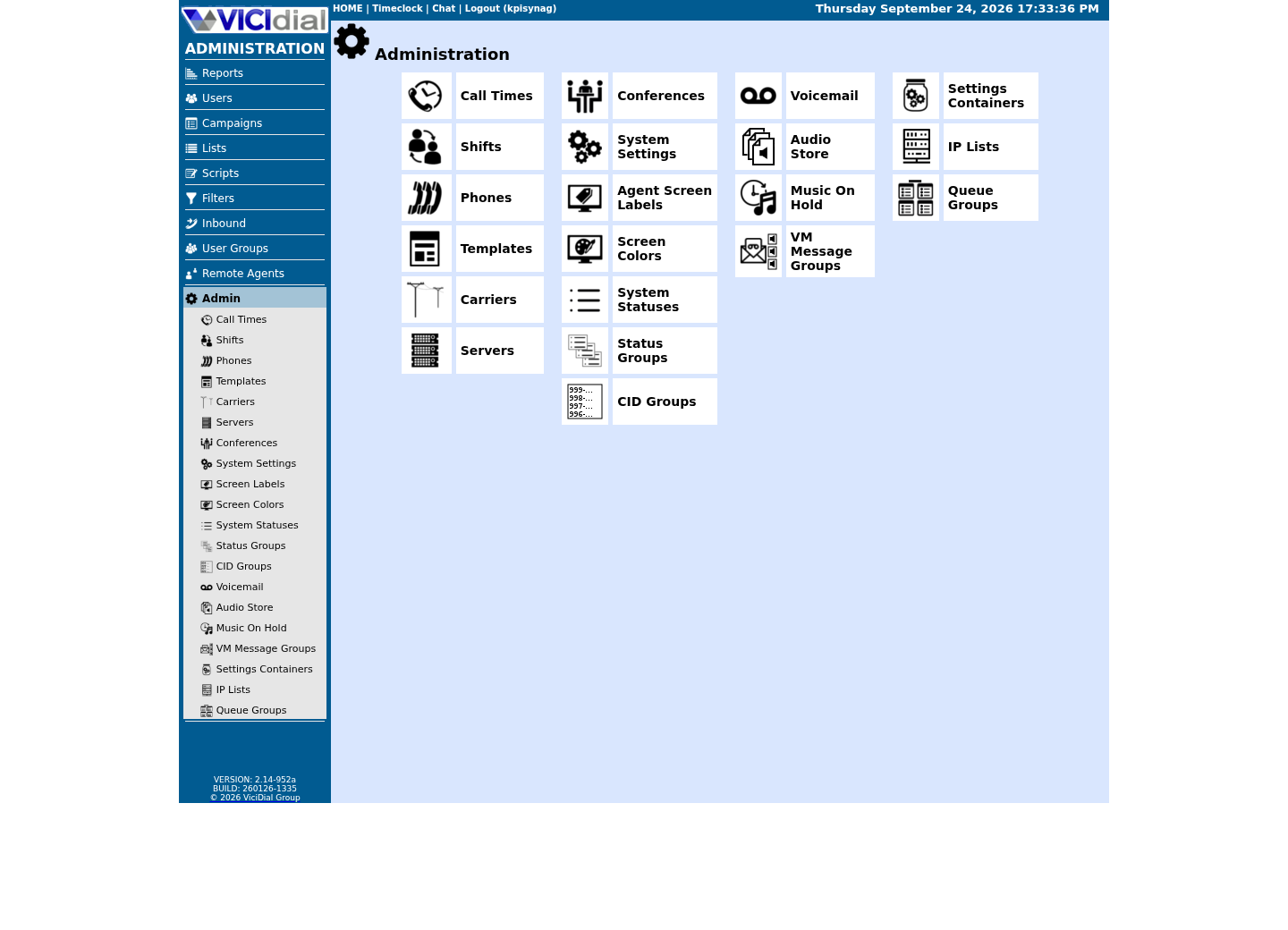
Capture details
This menu is a navigation map only; it does not show that any system-wide setting was changed or verified.Open Carrier Listings
Open to enlarge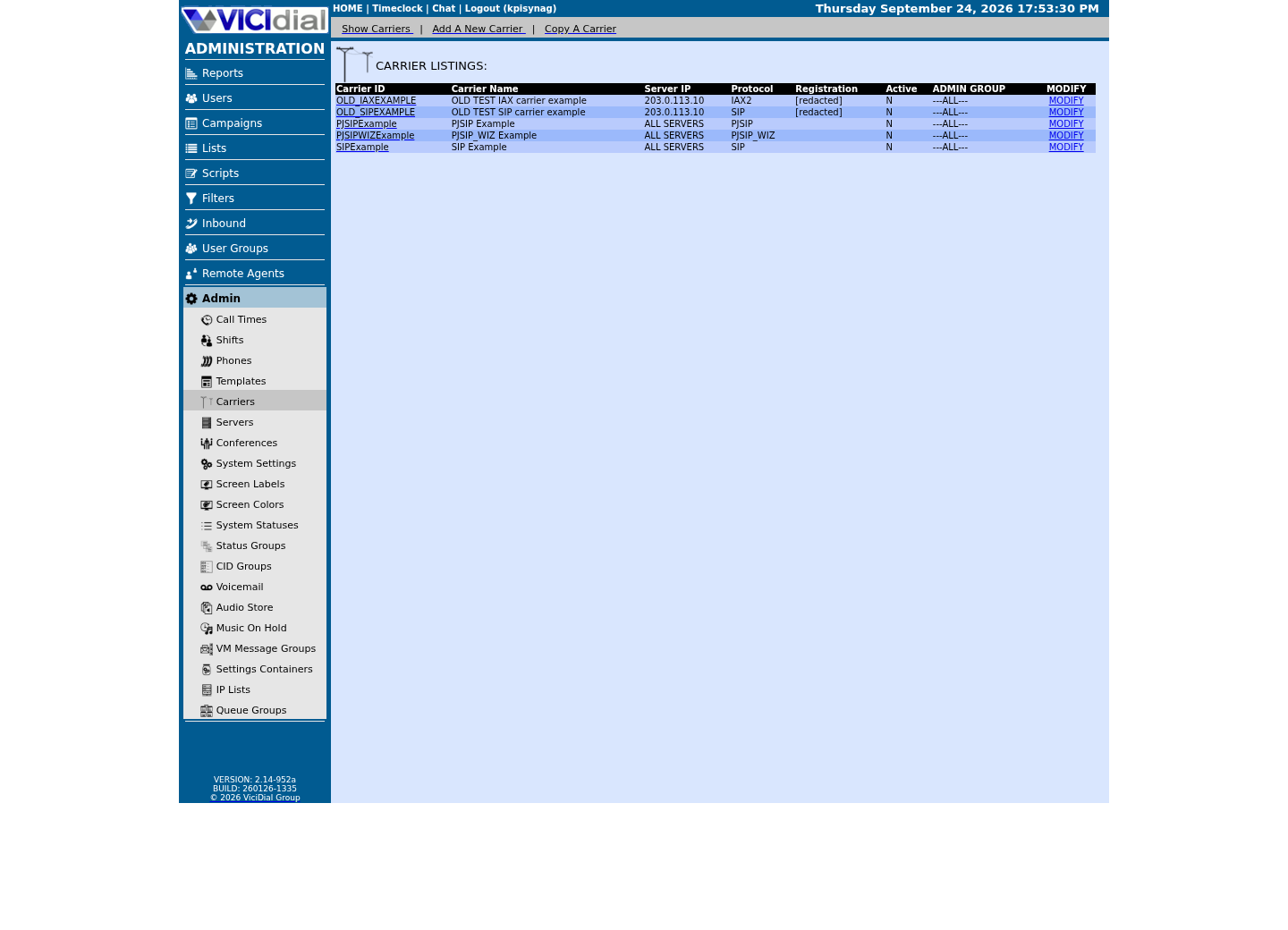
Capture details
Only stock example carrier rows are shown, with addresses replaced and registration values redacted; no real carrier is present. This does not prove registration, routing, audio quality, or a completed call.Check the allowed SIP-stack setting
Open to enlarge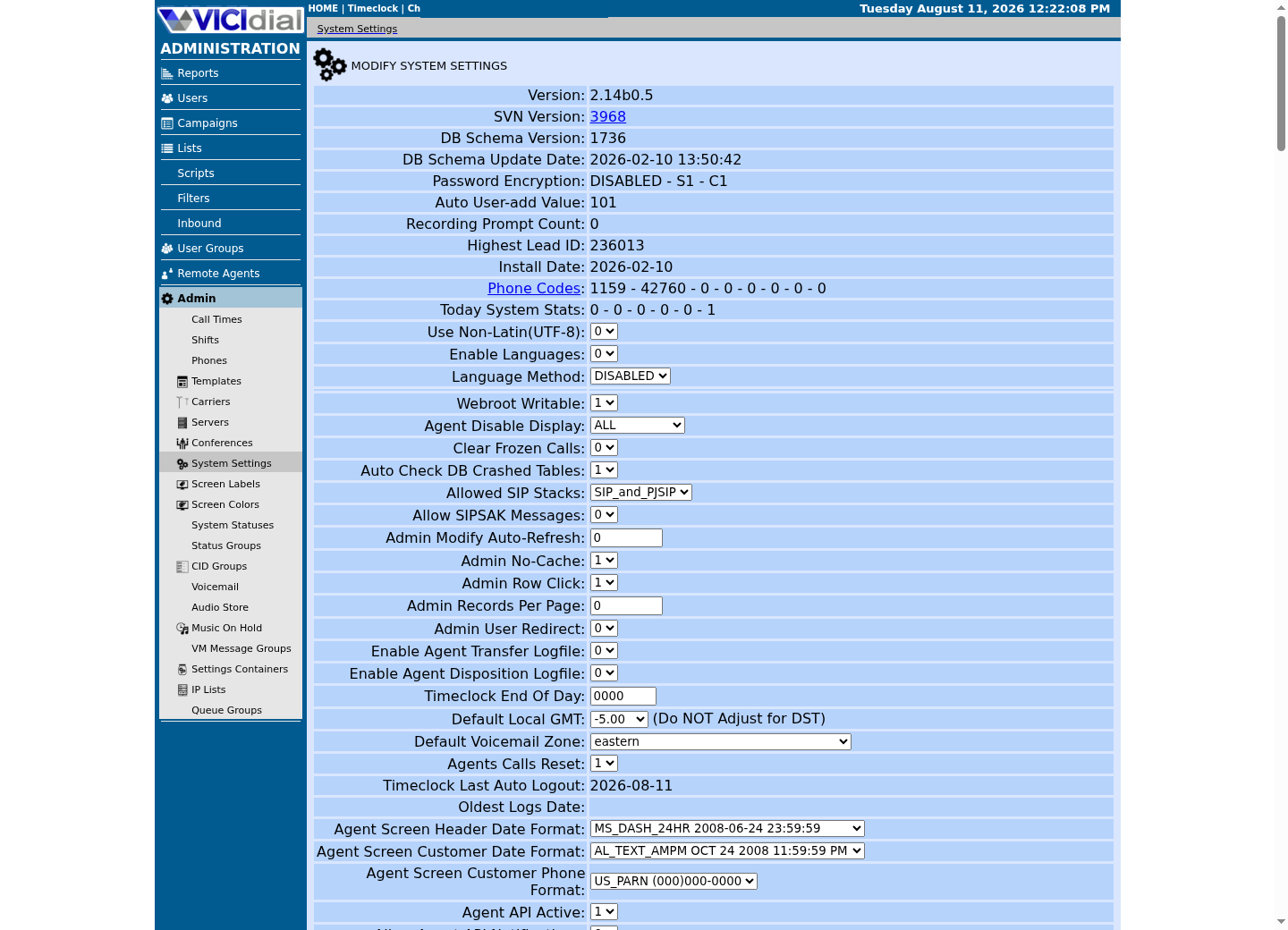
Capture details
This is a read-only view of system-wide settings with no credentials or addresses; it does not prove that a setting was changed or that an API request succeeded.02 / 07
Record provider facts and save each managed carrier
Use Admin → Carriers to store the carrier Account Entry and separate Dialplan Entry;the installation’s configuration generator loads active records. Preserve the prior values and use the normal supported generation path. Do not hand-edit generated includes.
On this build a new carrier must be reopened before its Active state is deliberately set. Keep it inactive until the provider values, unique endpoint ID, server and pattern are reviewed. A registering trunk and an IP-authenticated trunk can both be valid;registration is required only when the provider’s model calls for it.
The historical row below is PJSIPExample Active N. It establishes an inactive example record only. It does not show either provider ready for cutover.
- Before you use it
- Run this through your read-only database client for each carrier you want to confirm, replacing <CARRIER_ID> with the one you are checking.
SELECT carrier_id, carrier_name, protocol, activeFROM vicidial_server_carriersWHERE carrier_id = '<CARRIER_ID>';Captured demo response · 2026-09-24 22:25 UTC. Any filtering, hidden values or test-only data are identified in the capture label. Select Replay transcript to read the recorded output.
- Success looks like
- The row shows the selected ID, protocol and actual saved Active state. N is incomplete readiness, not a successful route.
- Stop if
- Missing or unexpected values require inspecting the native saved record. Do not activate or cut over until the provider-specific preflight is complete.
- Save, reopen and compare only the intended carrier values.
- Keep private credentials out of captures and diagnostics.
- Leave an accepted standby route available according to its model;do not add registration merely to satisfy a generic checklist.
03 / 07
The Dial Prefix, Not a Carrier Field on the Campaign, Decides the Route
For this narrow NANP illustration, provider A owns _91NXXNXXXXXX and provider B owns _81NXXNXXXXXX. Each Account Entry names its own real endpoint;its Dialplan Entry retains the call_log AGI and strips exactly the one access-prefix digit before applying that provider’s required destination format. This pattern is not an international or internal-extension recipe.
Check the campaign Dial Prefix and Manual Dial Prefix, list Dial Prefix Override, phone code, Omit Phone Code and the effective dialplan match. A saved campaign prefix alone cannot establish which route a manual/list override actually uses.
Illustrative digits only:9+1+2025550123 gives912025550123;the B form starts812025550123. These fictional numbers must not be dialed. Use an owned/provider-approved destination in a separately authorized acceptance test.
- Write each exact pattern and endpoint next to its carrier ID in the change record. Open the saved Dialplan Entry and verify the effective loaded match on the assigned server.
- Identify the actual path:campaign automatic dialing, list override or manual prefix. Select one path for the first rehearsal;record every field that path reads.
- Change the campaign/list prefix only through native Admin after both routes independently pass acceptance. Verify a new actual call’s route;do not infer session refresh timing from a saved field.
- Before you use it
- Run this through your read-only client before and after any Dial Prefix change; replace <CAMPAIGN_ID> with the real campaign_id.
SELECT campaign_id, campaign_name, dial_prefix, activeFROM vicidial_campaignsWHERE campaign_id = '<CAMPAIGN_ID>';Captured demo response · 2026-09-24 22:25 UTC. Any filtering, hidden values or test-only data are identified in the capture label. Select Replay transcript to read the recorded output.
- Success looks like
- dial_prefix shows the value you expect for the carrier that campaign should currently be using.
- Stop if
- Stop and recheck Admin if dial_prefix still shows the old value after a save, or if it matches neither carrier's dialplan pattern.
- Distinct patterns do not replace a provider-specific Account Entry.
- Inspect exact constructed digits and effective context before any test.
- Keep manual/list overrides in the cutover and rollback record.
04 / 07
Build the second route and complete model-specific acceptance
Follow the linked native carrier guide for provider B using its actual reviewed configuration. Set the assigned dialer and a unique ID/pattern;record the initial state. After the authorized save/activation, let managed generation finish and inspect the intended endpoint, AoR and exact route.
The retained historical CLI below returned Unable to find object for both example endpoints. It is a useful missing/inactive state, not a dual-active readiness check. The fixed external-zone query is also historical;your own source/interface zones and complete policy must be reviewed.
- Collect provider B’s facts from the intake table;save its Account Entry and separate exact pattern. Reopen to verify before activation.
- Activate only under the approved change;inspect generation errors and the loaded endpoint/AoR and effective route. Stop if the loaded values differ.
- Review both host and upstream source/protocol/port/media policy with the network owner. A broad trusted source zone may admit management services too;do not add a provider to such a zone as if it were a SIP-only rule.
- Apply the health row below that matches the provider’s model. If OPTIONS is disabled or unsupported, record that state;do not demand Avail or invent a registration.
- In a separately approved test window, verify one owned destination on each route:actual next hop, answer, two-way media, hangup and the matching call/provider records. Record failed/unperformed items and leave that route unavailable for cutover until resolved.
- Before you use it
- Run these after both carriers are active; replace <CARRIER_ID> and <BACKUP_CARRIER_ID> with your real carrier_id values.
asterisk -rx 'pjsip show endpoint <CARRIER_ID>'asterisk -rx 'pjsip show endpoint <BACKUP_CARRIER_ID>'asterisk -rx 'pjsip show contacts' | grep -E '<CARRIER_ID>|<BACKUP_CARRIER_ID>'if firewall-cmd --state >/dev/null 2>&1; then firewall-cmd --zone=external --list-services firewall-cmd --info-service=asteriskelif command -v VB-firewall >/dev/null 2>&1; then echo "VB-firewall detected - see 'VB-firewall --help'; it loads the external zone's whitelist at runtime and has no status subcommand of its own"elif command -v ufw >/dev/null 2>&1; then ufw statuselse iptables -L -nfiCaptured demo response · 2026-09-24 22:25 UTC. Any filtering, hidden values or test-only data are identified in the capture label. Select Replay transcript to read the recorded output.
- Success looks like
- The capture is interpreted literally:both example endpoints were missing. For your completed preflight, loaded objects, model-specific checks and independently observed test calls must agree.
- Stop if
- Missing objects after the intended active generation require checking saved state/load errors. Unavail matters only with expected qualification;NonQual is not interchangeable with failed registration.
Create the provider-specific carrier
Map the complete access policy
- No missing endpoint accepted as a working standby.
- No registration requirement invented for a non-registering trunk.
- No broad source-zone allowlist mistaken for SIP-only access.
05 / 07
Validate the local status mapping before declaring an outage
Keep three vocabularies separate:the Asterisk Dial() result, the status stored by the installed carrier-log writer, and the VICIdial call disposition. CHANUNAVAIL, CONGESTION and NOANSWER are Asterisk result names;NA is a VICIdial outcome. Do not assume that a carrier-log field has either vocabulary until you inspect the installed mapping and known calls.
Use a bounded interval of known routed calls. Compare stored dialstatus, SIP cause, answered_time meaning, provider result and model-specific health. A string cluster alone cannot establish a dead carrier;account permissions, capacity, DNS and downstream failures can produce similar symptoms.
- Before you use it
- Use an authorized root/sudo read-only SQL session. Replace all placeholders and validate the channel-prefix scope against known calls first;overlapping endpoint names can match unrelated routes. Keep real call identifiers private. Open the approved client with sudo mysql --defaults-file=/etc/vicidial-readonly.cnf and confirm SELECT CURRENT_USER(), DATABASE() before entering this scoped SQL. Do not widen the credential-file permissions.
SELECT dialstatus,sip_hangup_cause,COUNT(*) AS observed_rowsFROM vicidial_carrier_logWHERE call_date >= '<START_SERVER_TIME>' AND call_date < '<END_SERVER_TIME>' AND channel LIKE '<VALIDATED_CHANNEL_PREFIX>%'GROUP BY dialstatus,sip_hangup_causeORDER BY observed_rows DESC;This example has no recorded result here. Follow its preparation, expected result and stop conditions before using it.
- Success looks like
- The result inventories actual stored values for that interval. Match them to known permitted calls and the installed log writer/provider evidence before defining an alert.
- Stop if
- No rows or an unvalidated prefix means the scope is unresolved, not a healthy carrier. Unknown mappings or conflicting provider evidence stop the automated cutover decision.
- Do not compare carrier-log dialstatus to NA without a verified local mapping.
- Separate a missing endpoint from a loaded but failing route.
- Preserve observations and route scope before changing a prefix.
06 / 07
Step 3 — Fail Traffic Over to the Carrier That Is Still Working
This manual cutover is a policy you own. Custom Dialplan Entry fallback is possible, but it has separate provider/status/duplicate-attempt requirements described in the LCR guide;it is not established by this two-prefix example.
Move one narrow reviewed scope at a time after B’s independent acceptance. A field change alone does not establish when a running session picks it up or where the next call went. Verify both saved state and a controlled new call before moving further traffic.
- Pause/stop new work for the approved test scope using the local procedure. Record affected campaign/list IDs, original campaign/manual/list prefixes and the current active-session state. Do not leave untracked in-flight work.
- Open the exact native campaign/list record. For the path under test, change the recorded A prefix to the reviewed B prefix;save/reopen and compare every affected field.
- If the installed Agent/session caches that setting, use its documented paused refresh/relogin procedure under the test plan. Do not assume immediate uptake or refresh a live call.
- Place only the separately approved controlled test. Match the effective digits/endpoint/provider ID, answer, audio and hangup to B. If any boundary fails, stop the scope and restore the recorded values rather than moving more campaigns.
- After acceptance, move additional approved scopes individually and maintain the exact rollback list. Leave unrelated paths unchanged.
- Before you use it
- Run this through your read-only client immediately after changing Dial Prefix on every affected campaign, replacing the placeholder list with your own affected campaign_id values. Open the approved client with sudo mysql --defaults-file=/etc/vicidial-readonly.cnf and confirm SELECT CURRENT_USER(), DATABASE() before entering this scoped SQL. Do not widen the credential-file permissions.
SELECT campaign_id, dial_prefixFROM vicidial_campaignsWHERE campaign_id IN ('<CAMPAIGN_ID_1>','<CAMPAIGN_ID_2>','<CAMPAIGN_ID_3>')ORDER BY campaign_id;This example has no recorded result here. Follow its preparation, expected result and stop conditions before using it.
- Success looks like
- Returned rows confirm stored prefix values only. The new call/provider evidence establishes the effective route.
- Stop if
- Any missing or unchanged row stops expansion. Restore the recorded values and verify the previous route if acceptance fails.
Review a custom conditional Dial() fallback
- Saved values and actual route are separate checks.
- No untested standby receives full campaign traffic.
- Record every moved scope;do not reconstruct rollback from memory.
07 / 07
Restore deliberately and retain the failed boundary
If B fails, keep the affected scope stopped while its first failed boundary is investigated. A prefix typo, stale manual/list/session value, wrong destination format, provider rejection or media failure needs a different correction. Do not keep increasing traffic to discover which one applies.
Return to A only after its model-specific health and a separately approved call acceptance pass. Restore the exact campaign/manual/list values through native Admin, save/reopen and verify the actual route. Avail is a condition only when qualification is part of that trunk’s approved model.
If neither route is accepted, keep new dialing stopped and escalate with the time, scope, route evidence and current rollback state. Outbound-prefix changes do not repair inbound DID delivery or a shared upstream failure.
- Pause/stop before retrying an unexplained failure.
- Restore only the recorded changed scope.
- Keep configuration, call acceptance and provider outage claims distinct.
Checks and sources
What was checked
- The retained historical carrier row is inactive and both endpoint lookups report missing objects. These observations demonstrate incomplete preflight states only.
- The two-prefix design and model-specific acceptance steps are source-reviewed. No dual-active provider test,cutover,rollback or uptime result was executed for this article.
- Changed status-inventory SQL has no execution capture. Stored carrier-log values require local writer/call/provider mapping;no universal NA↔DIALSTATUS translation is asserted.
Primary references
Sources
- VICIdial PJSIP SupportVICIdial · accessed August 5, 2026
- Configuring res_pjsip (Asterisk PJSIP channel driver)Asterisk · accessed August 5, 2026
- RFC 3261: SIP: Session Initiation ProtocolIETF · accessed August 5, 2026
- RFC 3550: RTP: A Transport Protocol for Real-Time ApplicationsIETF · accessed August 5, 2026
- PJSIP qualification settingsAsterisk · accessed November 7, 2026
- Asterisk Dial result vocabularyAsterisk · accessed November 7, 2026
- Non-registering trunk and provider requirementsTwilio · accessed November 7, 2026