Reader setup
Before you choose
- Root or sudo access to the VICIdial server, plus a way to reach it that does not depend on the SSH session you are about to change, such as a cloud console, IPMI or physical access.
- The intended administrator, carrier, browser and cluster source ranges, including IPv6 where used, and two controlled clients for permitted/denied tests.
- A maintenance window where a short interruption to inbound calls or the admin screen is acceptable, in case a rule needs a second try.
- Expected result
- A completed service access map with observed SSH policy, allowed/denied path tests, permission findings and an exact change/recovery record.
- Before making changes
- Test every access change from a second, still-open session before you close the first one. A mistake here can lock out the only way in, and the recovery path is your cloud provider's console, not another SSH attempt. Every install, config or service change in this article is written to be read and adapted, not run unmodified against a shared or production box.
1. Build an access map before changing a control
Complete one row per service: intended client, address family, server listener, controlling firewall path, permitted test and denied test. The result is a verified access map and a specific change/recovery record; it is not a claim that a server is secure because a checklist was completed.
- Record whether this is a single server or a cluster, its installed release, and which host provides web, database and telephony roles. Identify any VPN, load balancer or upstream firewall.
- Keep a working administrative session and open the provider console or other recovery path before changing SSH or network access. Confirm the owner and maintenance window for each proposed change.
- Use the checks below on your own host. Replace every example user, hostname, address and zone; never copy the historical lab’s listener ports or source lists as a deployment policy.
- Before you use it
- Keep private network details in the internal change record. Fill one row per actual service.
Service / host / port / protocol:Intended client and source range (IPv4 / IPv6):Observed listener and service owner:Effective zone / source / interface / upstream control:Permitted-source test / time / result:Denied-source test / time / result:Difference or UNKNOWN:Proposed change / original value / rollback / owner:This sample is a template or reading aid, not a terminal command. There is no output to show.
- Success looks like
- Every service has an intended audience and evidence for its actual access path.
- Stop if
- An unknown source, listener or controlling rule is an investigation item, not a pass.
You should seeYour next action is tied to a specific service and access expectation. Continue with SSH because it is the recovery route for later changes.
Reference screenshots 3 images
Reference capture
Reference screens from the demo
Captured on an isolated VICIdial demo: Administration screens on September 24, 2026, and the idle Agent screen on August 11, 2026. Each caption states its own capture time, and every sanitized image helps you recognize a related screen; none proves that this article's call, command, or result occurred.Use the Administration map
Open to enlarge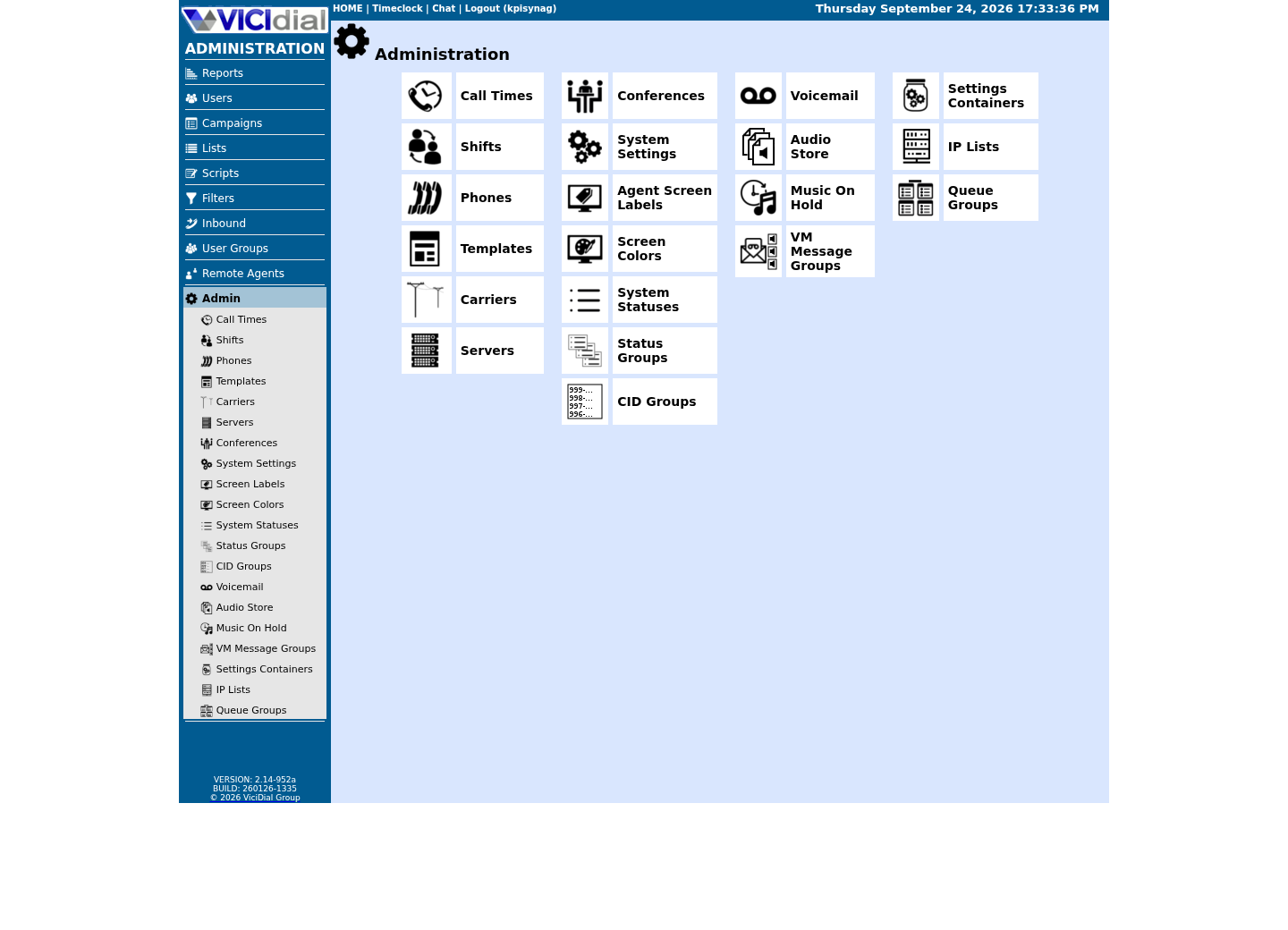
Capture details
This menu is a navigation map only; it does not show that any system-wide setting was changed or verified.Review user-group boundaries
Open to enlarge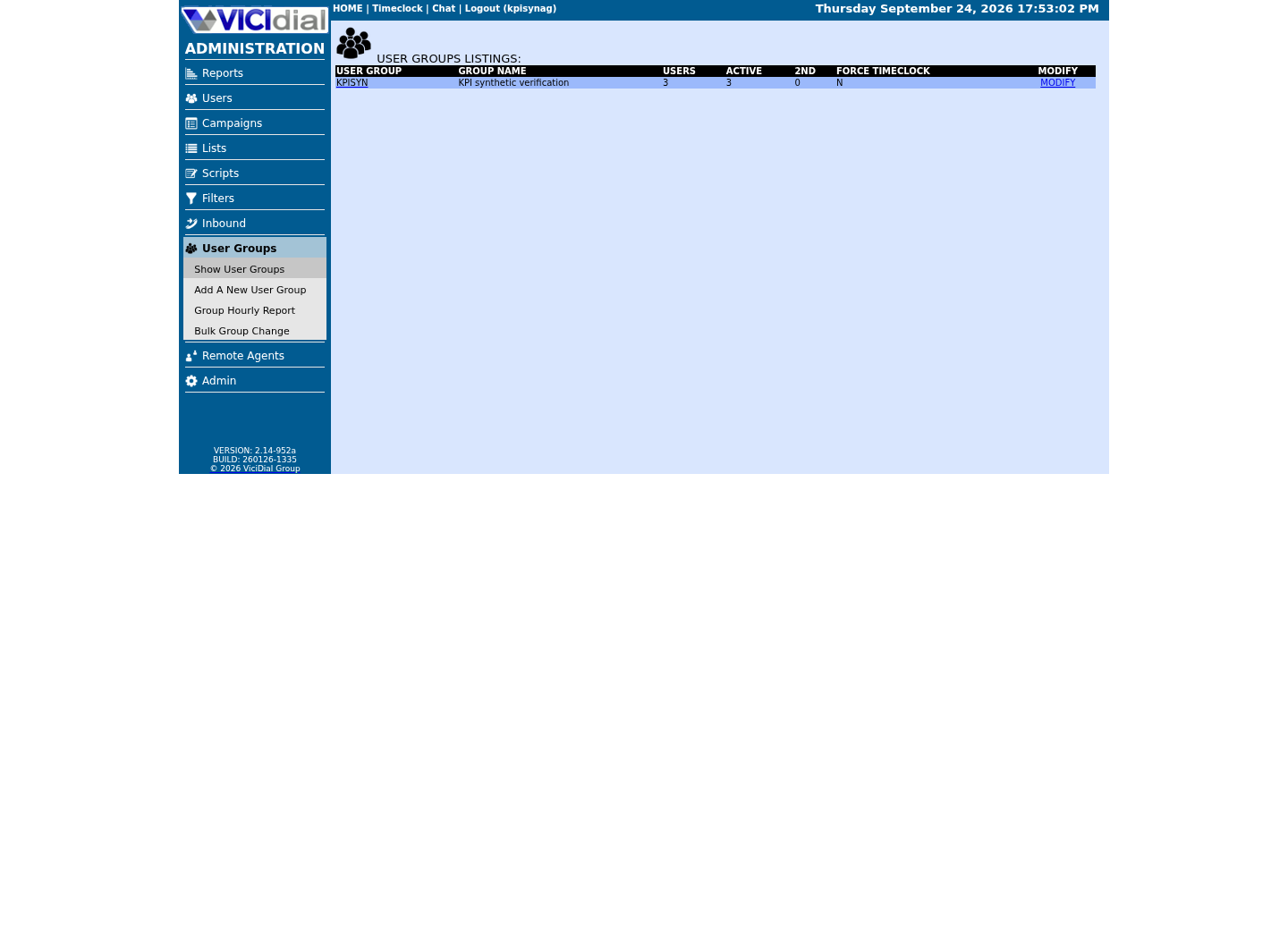
Capture details
This page shows group structure only; it does not prove that an account has a particular permission or that access was changed.Inspect system-wide security and API context
Open to enlarge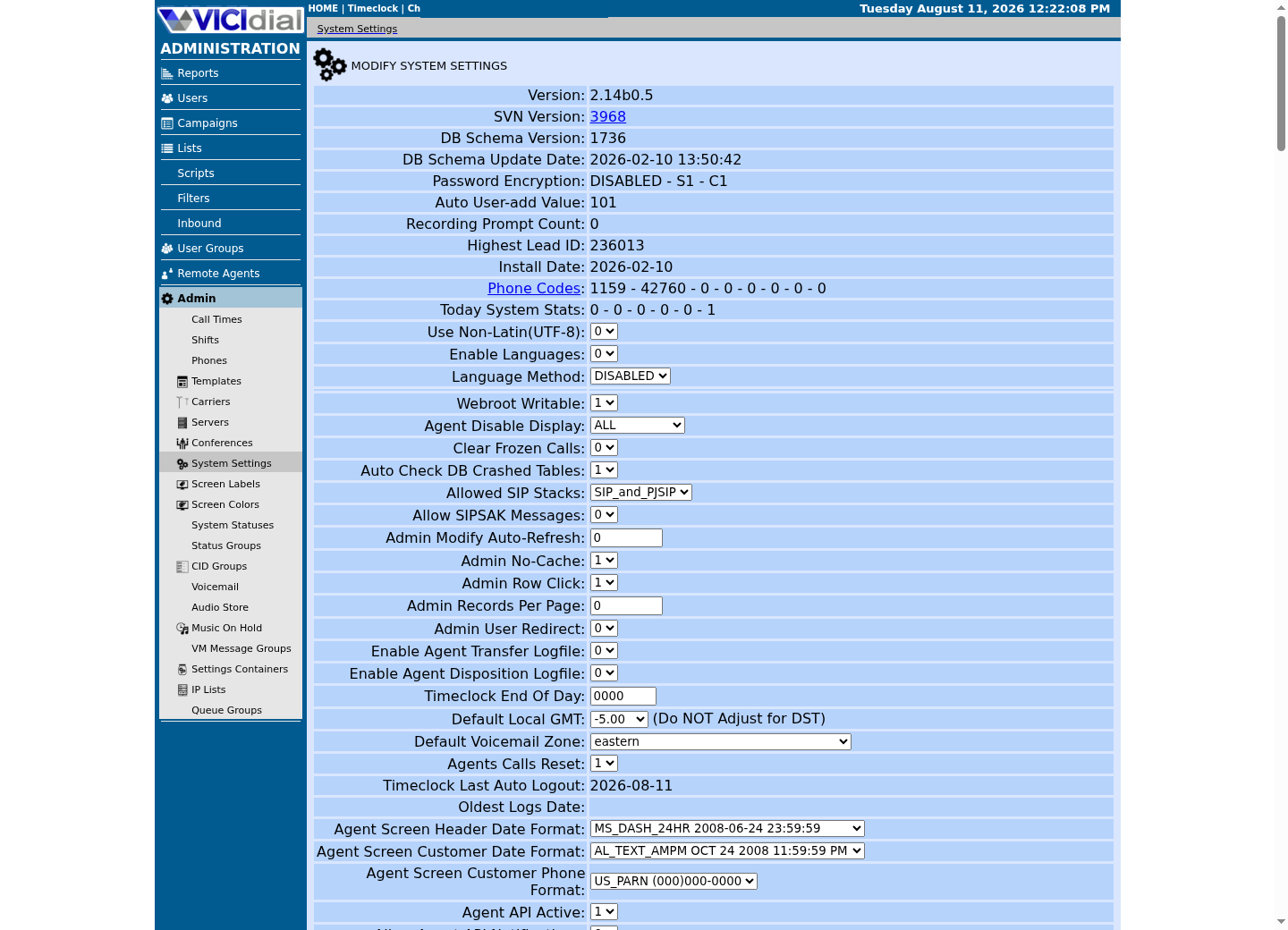
Capture details
This is a read-only view of system-wide settings with no credentials or addresses; it does not prove that a setting was changed or that an API request succeeded.2. Prove key access and inspect effective SSH policy
A successful key login does not prove that password or keyboard-interactive login is disabled. OpenSSH also supports included configuration files and Match blocks, so editing a commented line with sed is not a reliable policy change. Keep any required MFA workflow intact.
- From your workstation, confirm the host key through your trusted inventory, then test the assigned key with the command below. Substitute your administrator account and server; keep the original session open. A private-key passphrase prompt is different from the server account password.
- In the new session, run sudo -v to verify the expected privilege path. If login or sudo fails, stop before changing authentication.
- On the server, run sudo sshd -t to check syntax and inspect sudo sshd -T. If Match rules apply, use sudo sshd -T -C user=ACTUAL_USER, addr=ACTUAL_CLIENT_IP, host=ACTUAL_CLIENT_HOSTNAME, laddr=ACTUAL_SERVER_IP, lport=ACTUAL_SSH_PORT with the real connection context. Read pubkeyauthentication, passwordauthentication, kbdinteractiveauthentication, authenticationmethods and permitrootlogin.
- For an approved policy change, first back up every configuration file you will edit to a new private backup path. Use sudoedit on the actual controlling file or include, preserving unrelated settings. For key-only access, confirm PubkeyAuthentication yes and PasswordAuthentication no; disable KbdInteractiveAuthentication only if it is not required for your MFA policy. Choose PermitRootLogin no only after named sudo accounts work; prohibit-password still permits root keys.
- Run sshd -t and the connection-specific sshd -T check again. Only after both match the intended policy, use the installed service’s supported reload procedure in the approved window. Open another fresh connection and test both the permitted authentication path and the intended rejection path before closing recovery access.
- Before you use it
- Replace both placeholders and use your assigned key/agent. This tests a key-only path; an account requiring keyboard-interactive MFA will intentionally need its approved multi-factor test instead.
ssh -o PreferredAuthentications=publickey -o PasswordAuthentication=no -o KbdInteractiveAuthentication=no ACTUAL_ADMIN@ACTUAL_SERVER 'id -un'This example has no recorded result here. Follow its preparation, expected result and stop conditions before using it.
- Success looks like
- The new connection prints the expected administrator name; verify sudo separately inside a session.
- Stop if
- If it fails, inspect the assigned account/key and required authentication methods. Do not disable password access before a working replacement path is demonstrated.
You should seeRecord the observed effective policy and fresh-login results. If a reload breaks access, restore the exact changed file(s) from the open session or console, validate syntax, reload through the supported procedure and retest. MaxAuthTries and LoginGraceTime limit attempts/time within a connection; they are not an IP ban system.
3. Identify the installed firewall and actual SIP transport
Do not reuse another guide's firewall commands without checking what this server actually runs first. This build ships firewalld and its own helper, VB-firewall; it has no ufw installed, and a ufw command simply fails with command not found here. Detect the backend before you act on it, on any VICIdial host, ViciBox or otherwise.
The SIP port your firewall rule needs is a build-specific fact, not a VICIdial constant. Asterisk's own transport configuration decides it, and this build loads chan_pjsip and chan_sip at the same time. Confirm your own with `sudo asterisk -rx 'pjsip show transports'`, then cross-check with `sudo ss -lnup | grep asterisk` before writing any rule below — on this build that shows PJSIP's transport-udp bound to 0.0.0.0:5061 while chan_sip still answers 5060, the pre-activation state PJSIP_SUPPORT.txt's own activation steps describe. Present 5061 as this build's value, never as a fixed VICIdial port, and inventory every configured transport and loaded service; one PJSIP driver can expose several transports, so investigate only sockets you cannot map to that configuration.
Once you know the backend, note which zone carries VICIdial's own traffic. The zones that matter here are public (the default), external and drop — external is the one that already allows Apache, Apache over TLS, the stock asterisk service, RTP and SSH — but other software on the box can register zones of its own, so read `--get-active-zones` for what it actually lists rather than expecting exactly these three.
- Before you use it
- Run all three groups as root; every command here only reads current state, whether or not firewalld or VB-firewall is even installed.
# 1. Which firewall tools does this host actually have installed?command -v firewall-cmd; systemctl is-active firewalldcommand -v VB-firewallcommand -v ufw; command -v iptables # 2. Which port does PJSIP actually use on this build? Never assume 5061 or 5060.sudo asterisk -rx 'pjsip show transports'sudo ss -lnup | grep asterisk # 3. Firewalld's own state, without dumping the default zone's full ruleset.sudo firewall-cmd --statesudo firewall-cmd --get-default-zonesudo firewall-cmd --get-active-zonesCaptured demo response · 2026-09-24 22:25 UTC. Any filtering, hidden values or test-only data are identified in the capture label. Select Replay transcript to read the recorded output.
- Success looks like
- firewall-cmd and VB-firewall both resolve and firewalld reports running, ufw is absent, pjsip show transports names the UDP port and address this build's PJSIP transport is actually bound to, and get-active-zones lists the zone you will use in the next step. ss will also show IAX2 (4569) and DUNDi (4520) sockets alongside the SIP ports — expected on a stock build, not every UDP line ss prints is SIP, so match each one to a known service before treating it as a listener you cannot account for.
- Stop if
- If firewall-cmd is absent but ufw resolves, you are not on a ViciBox-style host and the rest of this article's commands do not apply as written; adapt them to ufw instead. If pjsip show transports and ss disagree with each other, trust ss for what is actually listening and treat the mismatch itself as worth investigating before you open a port for it.
- Detect firewall-cmd, VB-firewall, ufw and iptables before assuming which one is active.
- Run pjsip show transports and cross-check with ss before writing a rule that names a port.
- Note this build's active firewalld zones; do not assume external is universal without checking.
4. Inspect the complete access path before admitting a carrier
On the recorded ViciBox lab, ViciWhite and the dynamic portal populated source ipsets used by a trusted zone. Membership can admit every service allowed by that zone, including management services; it is not automatically a SIP-only permission. Review the actual implementation before adding a carrier address to a broad trusted list.
Runtime and permanent firewalld configurations are separate. A reload replaces runtime-only state with permanent configuration and can affect dynamically populated ipsets. Do not use reload as a diagnostic shortcut or assume a service-name list contains the whole policy.
- Use --get-active-zones to identify the zones selected by source and interface. For each relevant zone, replace ACTUAL_ZONE below and inspect the full runtime and permanent listings, including sources, services, ports and rich rules.
- Use --info-service for each named service to expand its actual ports/protocols. Review source ipsets, direct/policy rules supported by the installed firewalld version and upstream firewalls with their owner; inspect IPv6 as well as IPv4.
- Compare the carrier’s published signaling/media requirements with the actual Asterisk listeners and the intended source ranges. A UDP listener on 5061 is not proof of TLS; transport and port are separate facts.
- If a rule is missing, prepare the exact source/protocol/port/zone change and its inverse with the network owner. Test a narrowly scoped runtime rule in the approved window, verify both permitted and denied paths, then persist only the reviewed change. Avoid promoting unrelated runtime state wholesale.
- If access fails, identify whether DNS, routing, NAT, the source-to-zone mapping, an upstream policy or the service listener is responsible before changing another rule.
- Before you use it
- Replace ACTUAL_ZONE and repeat for all relevant source/interface zones. Output contains network inventory; retain it privately. These commands do not change rules.
sudo firewall-cmd --get-active-zonessudo firewall-cmd --zone=ACTUAL_ZONE --list-allsudo firewall-cmd --permanent --zone=ACTUAL_ZONE --list-allsudo firewall-cmd --info-service=asteriskThis example has no recorded result here. Follow its preparation, expected result and stop conditions before using it.
- Success looks like
- You can map the intended source to its effective controls and see differences between runtime and permanent state.
- Stop if
- A missing zone/service or unfamiliar policy is a stop for rule changes until the installed firewall owner resolves it. A listed accept rule alone does not prove the access path.
You should seeThe change request names the minimum required access and how it will be tested and reversed. The recorded 5061/udp gap is a lab observation, not a command every VICIdial host should run.
5. Validate login-failure signals before enabling a ban rule
The recorded lab did not have fail2ban installed. Check your own build and firewall before choosing any action; the checklist below is not a deployable jail.
The Admin and Agent login paths can log failures differently. A filter matching every POST to the Agent page also matches legitimate requests and must not be deployed as a failure detector. Find an installed-version-specific failure signal and validate the filter against successful and failed test logins first.
Use the actual installed transport ports and log path when evaluating an Asterisk filter. For web logins, confirm whether a rejected login produces a distinct web-server status or only an application event. No deployable Admin or Agent jail is established by this article.
- Before you use it
- Use this checklist before enabling any ban rule. A filter that matches every Agent POST also matches legitimate traffic and could ban working agents.
Before enabling a ban rule:1. Identify the installed version’s log entry for a failed Agent login.2. Collect sanitized successful and failed test log lines.3. Test the proposed filter offline: failed logins must match and successful requests must not.4. Verify the ban action, log path, reverse-proxy address handling and recovery path in a test environment.5. Enable only after an authorized test confirms the intended block and a permitted login still works.This sample is a template or reading aid, not a terminal command. There is no output to show.
- Success looks like
- A jail appearing in status only shows that it loaded. Verify it matches failed logins and excludes successful requests before relying on it.
- Stop if
- A missing jail or an incorrect match requires inspecting the logs and filter. Keep the Agent POST jail disabled until it has a validated failure-specific signal.
- Run rpm -q fail2ban first; it was absent from the recorded lab, which does not establish the package state of every ViciBox installation.
- Confirm which port(s) this build's own SIP transports use before setting the asterisk jail's port list.
- Confirm the installed log path and actual failure event; do not assume a rejected application login always produces HTTP 401.
6. Compare listeners with allowed and denied client paths
A listener address, database account and firewall rule answer different questions. Binding to 0.0.0.0 means all IPv4 interfaces; it does not establish remote reachability. A loopback listener reduces the network path but does not prove account security. Clusters and approved integrations can legitimately require private remote database, FastAGI or AMI access.
- Read current TCP listeners with the command below. Attribute each relevant port to its process and host role. If your service uses a different configured port, add that actual port to the review.
- For each listener, compare its intended clients with the complete firewall/upstream path from the previous step. Do not infer protection from only --list-services or --list-ports.
- From one permitted and one deliberately non-permitted network you control, test the selected host/port during the agreed window. For a TCP reachability check, nc -vz -w 3 ACTUAL_HOST ACTUAL_PORT reports whether a connection opens; it does not authenticate or establish application correctness. Record both results and source networks.
- For HTTPS/WSS, additionally perform normal certificate verification and the actual supported application login. For database or AMI, use the approved client and least-privilege identity. Do not expose a management service merely to make a test convenient.
- Unexpected access from the denied source is a failed control. A timeout from the permitted source is also a failure to investigate; neither should be relabeled as secure.
- Before you use it
- Run on the intended host. This reads listeners only; use your actual configured ports if different.
sudo ss -lntp | grep -E ':(3306|4577|5038|8088|8089)\b'This example has no recorded result here. Follow its preparation, expected result and stop conditions before using it.
- Success looks like
- You have each observed bind address and owning process to compare with the access map.
- Stop if
- No match can mean no listener or a different configured port. A wildcard bind requires path review, not an automatic verdict; do not change it until required clients are known.
You should seeThe access map now separates listener state, network reachability and authenticated application behavior. Only the observed source/path is established by each test.
7. Find unsafe web-file writers without guessing ownership
Checking only for numeric mode 777 misses other world-writable modes and ACL permissions. A directory’s write permission can allow replacing entries beneath it; file ownership alone does not prevent that. The recorded restore convention wwwrun:www is not a universal prescription for a live web tree.
- Confirm the actual VICIdial web-root path from the web-server configuration. Replace the sample path if it differs.
- Inspect the root and find world-writable files/directories below it. If getfacl is available, inspect ACLs on the root and each finding; a clean Unix mode check alone does not exclude additional ACL writers.
- For each finding, identify the writer: deployment account, web process, recording job or another documented task. Propose the least required owner/group/mode or ACL for that specific path, with its prior metadata recorded for recovery.
- After an approved permission correction, repeat the mode/ACL check and test the affected workflow with synthetic data, such as a recording move or an Admin action. Restore the recorded metadata if the required workflow fails. Do not run recursive chmod/chown across the web tree as a generic fix.
- Before you use it
- Use the actual web root. Keep internal paths private. If getfacl is unavailable, record the ACL check as unresolved and use the owner’s supported ACL inspection tool.
stat -c '%U:%G:%a %n' /srv/www/htdocs/vicidialfind /srv/www/htdocs/vicidial -xdev -perm -0002 -printf '%M %u:%g %p\n'getfacl -p /srv/www/htdocs/vicidialThis example has no recorded result here. Follow its preparation, expected result and stop conditions before using it.
- Success looks like
- Every world-writable finding is reviewed and the required writers are known. Empty find output proves only that this traversal found no other-write mode bit.
- Stop if
- Permission-denied errors or unexamined symlink targets leave a gap. Inspect them through the owner; do not treat incomplete output as a pass.
You should seeEach permission change has a known writer, exact path, before/after metadata and functional test. Broad ownership conventions are not a substitute for this evidence.
8. Review database identities separately from network reachability
An account host qualifier controls which client identities can authenticate as that account; it does not change the server’s bind address or open a firewall. A cluster may need explicit remote application accounts. A wildcard host or anonymous identity warrants review against the topology, rather than an assumption that every installation must use localhost.
- Open a private MariaDB administrator client on the database host using its established authentication method. Do not use the reporting connection to widen access to mysql.user.
- Run the inventory below and compare account host qualifiers with the documented application and cluster hosts. Identify the actual astguiclient account name privately; include it in the review if it is not cron/custom.
- Have the database owner inventory each relevant account’s direct privileges, roles, routine access and proxy grants without exporting authentication columns. Create a read-only database account for safe VICIdial queries gives the concrete metadata queries for its separate lesson account. Confirm which application features require writes or schema changes before proposing a narrower application grant.
- Treat an unexpected wildcard/anonymous account or unnecessary privilege as a specific change request. Before revocation, find its consumers, record the existing grant privately and rehearse the least-privilege replacement. Test the affected application after an approved change.
- Repeat the permitted/denied network and authenticated-client tests after a restore or topology change. A changed bind-address setting alone cannot settle which clients can authenticate.
- Before you use it
- Enter these statements in the authorized private database administrator client. This is a scoped inventory, not the complete account list; adapt it for the actual application identities. Open the approved client with sudo mysql --defaults-file=/etc/vicidial-readonly.cnf and confirm SELECT CURRENT_USER(), DATABASE() before entering this scoped SQL. Do not widen the credential-file permissions.
SELECT User, Host, plugin FROM mysql.user WHERE User IN ('cron', 'custom', 'root') OR User = '';SHOW VARIABLES LIKE 'bind_address';This example has no recorded result here. Follow its preparation, expected result and stop conditions before using it.
- Success looks like
- You can compare account host scope and the active bind setting with the intended topology; grants and actual access are checked separately.
- Stop if
- Unexpected identities, host patterns or privilege requirements need owner review before changes. Do not drop a working cluster identity because it is not localhost.
You should seeThe account review distinguishes authentication scope, privilege scope and network exposure. For a new reporting-only lab identity, use the separate read-only-account recipe.
9. Close the audit with evidence and a recovery record
- Re-run the relevant permitted and denied checks after each approved change, then once after the combined changes. Include IPv6 and upstream controls where they apply.
- Keep the exact before/after SSH files, firewall rule text, file metadata or private database grants for each changed control. Roll back only that change using its owning tool; do not disable the firewall or restore a broad old configuration to fix one uncertain rule.
- If SSH authentication fails after a change, use the still-open session or verified console to restore the edited configuration, validate it and apply the supported reload before testing again. If a ban caused the failure, first identify the actual installed jail and source; do not copy a guessed unban command.
- Mark every access-map row PASS, FAIL or UNKNOWN with its timestamp and tested source. A failed or unknown control needs an owner and next check. Retest after an upgrade, migration, restore or policy change.
You should seeThe finished artifact is a tested access map with concrete findings and reversible changes. It establishes the checks performed, not a blanket guarantee of server security.
- Recovery access was opened and tested before changes.
- SSH behavior was tested on a fresh session against the effective configuration.
- The intended source-to-listener paths were tested from allowed and denied clients.
- World-write/ACL findings and database grants were reviewed against actual consumers.
- Each change has its own saved original value, verification and rollback; unresolved checks remain visible.
Checks and sources
What was checked
- In the historical lab inspection, PJSIP's transport-udp binds 0.0.0.0:5061 and chan_sip still answers 5060 — the pre-activation state PJSIP_SUPPORT.txt's own PJSIP activation steps describe — firewalld is active, and /usr/bin/VB-firewall is present; there is no ufw on this host.
- The stock asterisk firewalld service, shipped unmodified by this build's own asterisk package, opens 5060/udp, 4569/udp and 8089/tcp; it does not include 5061/udp, so that historical zone/service definition did not by itself admit the observed 5061/udp listener.
- docs.vicibox.com's own firewall pages describe VB-firewall's --white mode loading VICIdial's ViciWhite IP list into a whiteips ipset, and its dynamic-portal mode adding a remote agent's own IP to a dynamiclist ipset; both back the firewalld external zone rather than replacing it.
- The historical lab package check found fail2ban absent. This does not establish whether a different release, image or customized installation includes it.
- Confirmed live on this build: Asterisk's 8088 (HTTP) and 8089 (HTTPS/WSS) both listen on 0.0.0.0 with no reverse proxy in front of them, and ViciPhone's own servers.web_socket_url points straight at wss://<host>:8089/ws. The recorded service/zone arrangement is partial configuration evidence; controlled remote tests and the complete effective policy are still needed to establish reachability.
- This build's own backup-and-restore guide sets the web root at /srv/www/htdocs and restores its ownership to wwwrun:www; VICIdial's own custom-fields reference document's example grant for the custom database account targets a wildcard host and is marked for reference only, do not use.
Primary references
Sources
- OpenSSH effective authentication configurationOpenBSD / OpenSSH · accessed November 6, 2026
- firewall-cmd runtime, permanent and inspection optionsfirewalld project · accessed November 6, 2026
- VICIdial Two-Factor AuthenticationVICIdial · accessed August 5, 2026
- VICIdial PJSIP SupportVICIdial · accessed September 24, 2026
- Official VICIdial custom fields documentVICIdial · accessed September 24, 2026
- Black ListViciBox · accessed September 24, 2026
- Dynamic PortalViciBox · accessed September 24, 2026
- firewalld: the dynamic firewallfirewalld project · accessed September 24, 2026
- fail2ban projectfail2ban · accessed August 5, 2026