Reader setup
Before you evaluate
Use this to set expectations, limits and implementation boundaries before changing anything.
- Linux and platform-choice basics
- A lab login or screenshots only
- No need for a carrier
- What you will prove
- You can describe the main VICIdial admin-UI objects, tell a user login apart from a phone/station and a lead, and confirm the Admin endpoint responds on your lab.
- Safety boundary
- Do not import real phone numbers or enable dialing merely to explore terminology.
Reader path
How to use this article
- Use it when: You are designing a change and want reliable limits before implementation.
- Expected result: Separate what is known, unknown, and unsafe before you execute.
- Start here: Use it as an evidence review before changing architecture, security, or reporting behavior.
Start here
The first time you open VICIdial's Admin screen, the menu names a dozen kinds of thing before you have configured a single one of them, and several sound close enough to be confused with each other on a first read. This lesson is not a install step or a command to run for its own sake — it is the vocabulary you need before the admin-pathway lesson right after it starts asking you to build things in order.
Treat the worksheet below as a reference to return to, not something to memorize in one sitting. The habit this lesson is really teaching is narrower than any single definition: before you click a menu item, know which object it actually manages, because two screens that sound similar rarely manage the same thing.
This lesson deliberately covers fewer terms than you might expect from its title. It owns only the objects visible in the Admin and Agent screens themselves — the nouns you click on. The mechanics of how a call actually travels from a lead record to a connected agent belong to a separate lesson, so that each piece of vocabulary has exactly one place it is properly defined.
You do not need a lab in front of you to benefit from this lesson. Every definition below can be learned from screenshots or documentation alone; the one sample that does need a lab is optional confirmation, not a precondition for understanding the vocabulary itself.
Visual walkthrough
Follow three real demo screens
Captured on an isolated VICIdial demo: Administration screens on September 24, 2026, and the idle Agent screen on August 11, 2026. Each caption states its own capture time, and every sanitized image helps you recognize a related screen; none proves that this article's call, command, or result occurred.Start at Administration home
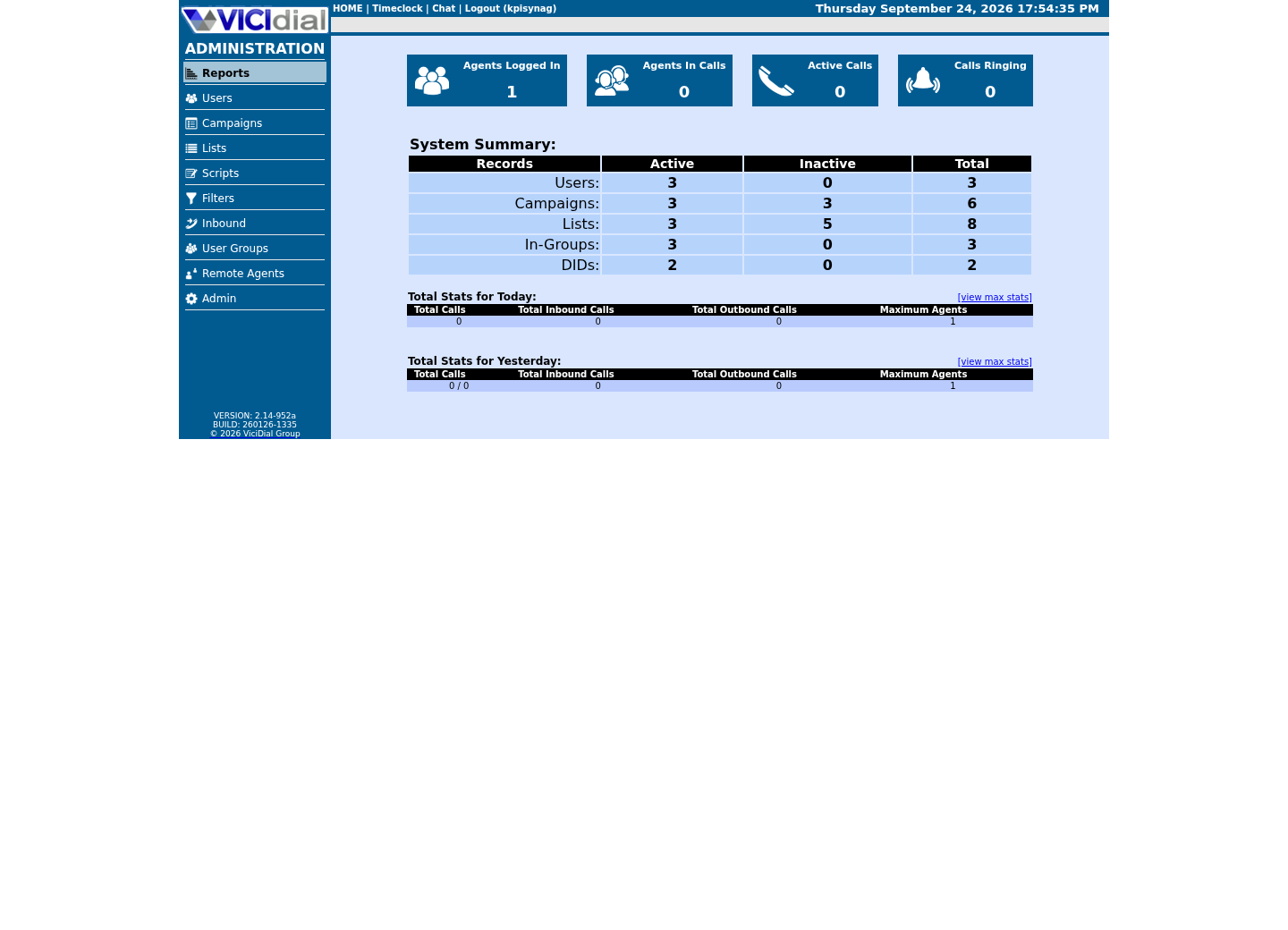
Use the Administration menu as a map
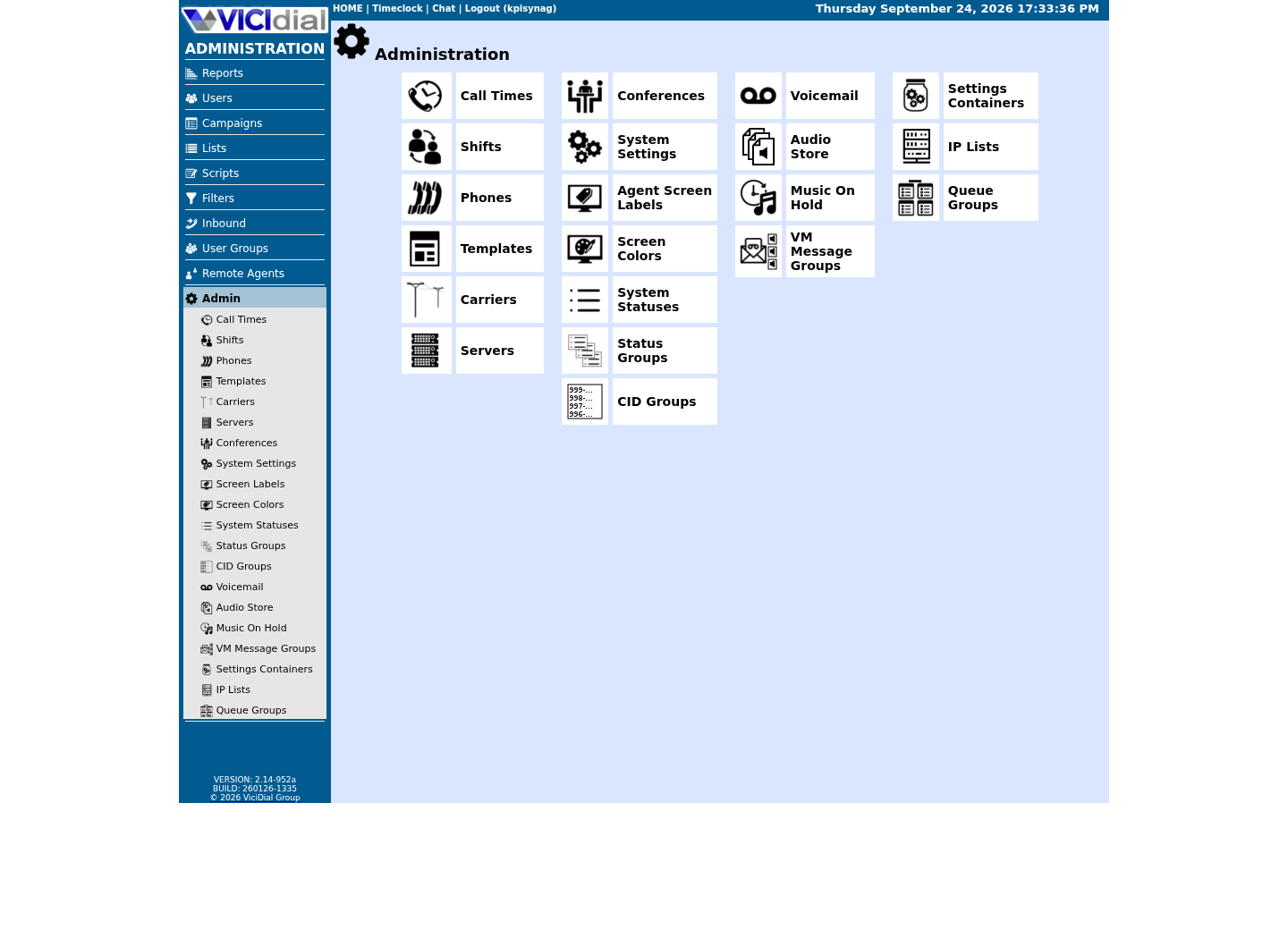
Confirm version and system-wide context
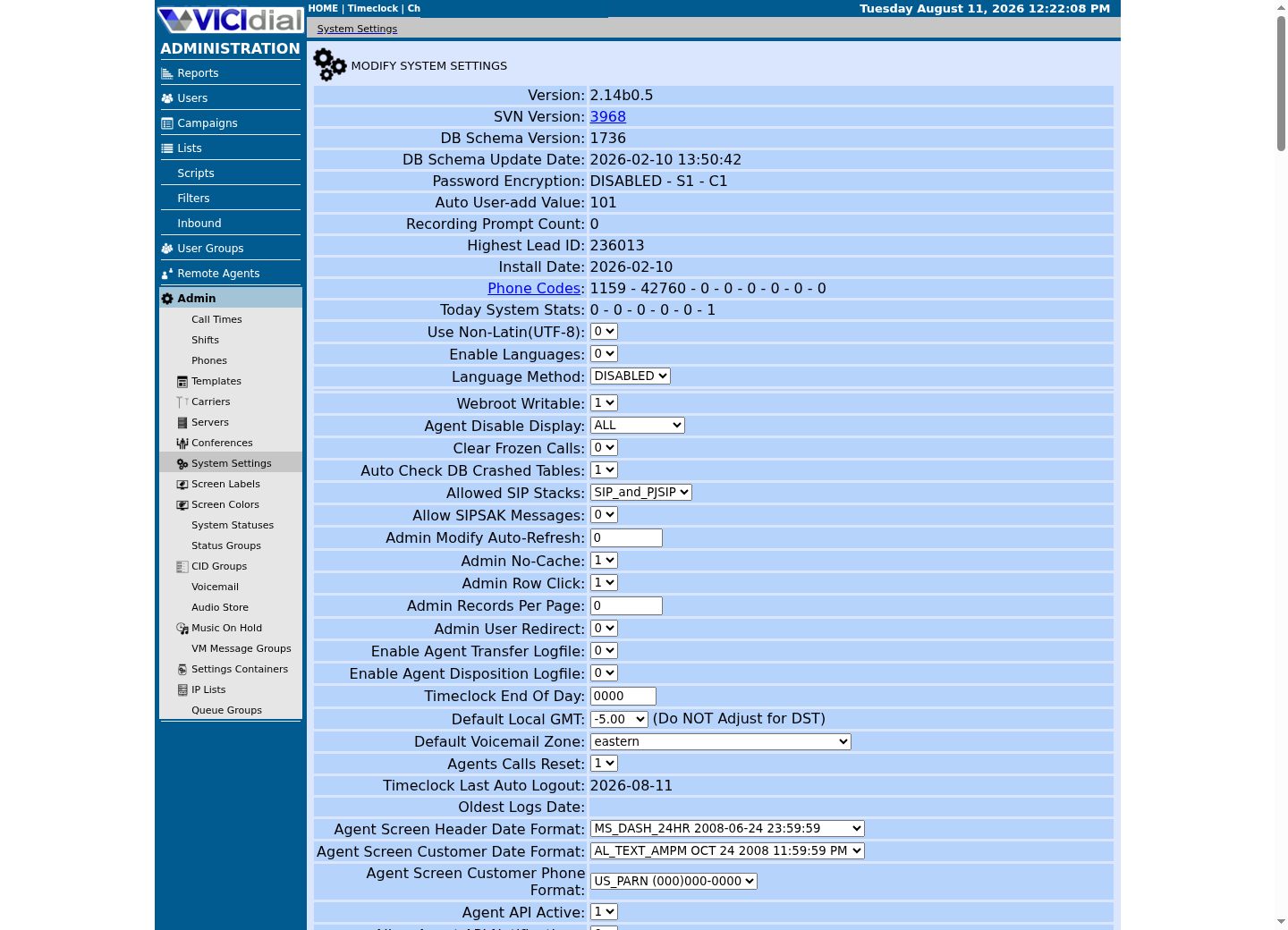
The idea in plain language
Keeping these objects separate makes it far easier to trace a real problem later: why an agent cannot log in, why no lead is selected for a campaign, or why a call cannot leave the server. Each of those questions points at a different object, and confusing them wastes time on the wrong screen — checking a campaign's settings when the actual fault is a station's configuration, for instance, can burn an hour before anyone thinks to look elsewhere.
Two pairs are worth flagging now because they are the ones beginners most often collapse into one thing: a user is not the same as an agent — a user is a login identity that exists whether or not anyone is using it right now, while an agent describes that login actively working inside a campaign. Likewise, a list is not the same as a lead — a list is a named container, and a lead is one record inside it, the way a folder is not the same as a single file inside the folder.
A phone, or station, is a third concept again, separate from both: it is the extension configuration a session controls while an agent is logged in, not the physical or software handset itself and not the login credential either. A single user can, over time, log in from different stations; the user identity and the station configuration are tracked separately precisely so that pairing can change.
Carrier and recording round out the list, and both are easy to underestimate on a first read. A carrier is not a setting inside VICIdial at all — it is an external relationship with a telephone-network provider that VICIdial's configuration merely points at. A recording, similarly, is not a VICIdial concept unique to this software; it is a media file with its own storage, retention and access rules that happen to be triggered by VICIdial's call handling.
A campaign, finally, is best understood as a bundle of rules rather than a single setting: dialing method, the lists it draws from, the scripts and dispositions available to an agent working it, and its own status are all attached to one campaign record. Two campaigns can share the same list and still behave completely differently because of how their own rules differ.
None of these nine terms is unique to VICIdial's own vocabulary in the abstract — user, login and record are common to almost any business software. What is specific to VICIdial is how they combine: a lead moving through a list, into a campaign's rules, and toward an agent's screen is a workflow this particular software defines, even though every individual noun in that sentence is ordinary on its own.
Confirm the Admin endpoint exists
Before opening a browser, confirm the Admin screen this vocabulary describes is actually reachable on your lab, using a request that reads headers only. `curl -sSI` sends the request and prints only the response headers, never the page body — enough to prove the endpoint exists without rendering anything.
- The HTTP status code in the first response line
- Whether a Location header points at an HTTPS URL, if the response is a redirect
curl -sSI http://127.0.0.1/vicidial/admin.php | head -5Captured demo response · 2026-09-23 21:35 UTC. The displayed command is the command that ran; a safe subset label means it was filtered, redacted, or fixture-scoped. Replays only after you select Replay transcript.
- Before you run it
- Run this on the lab host itself, against loopback. This requests headers only and submits no login.
- Success looks like
- A 301 or 302 redirecting to HTTPS, or a 401 asking for HTTP basic authentication, are both a healthy result on this build — either one confirms the endpoint exists and is already guarding itself. Do not expect a bare 200; the Admin login screen requires authentication by design.
- Stop if
- A connection-refused result means the web server itself is not serving this path; confirm the web service is active before assuming anything about VICIdial's own configuration.
Map the objects, not the whole call path
This map covers only the admin-UI object names this lesson owns. Hopper, disposition, DID, trunk and the rest of the call-path vocabulary are covered fully in the VoIP call-path glossary lesson instead of being redefined here — deliberately, so that if this curriculum ever needs to refine one of those definitions, there is exactly one place to change it.
- Whether you can state each object's definition without looking, in your own words
- Which two terms this lesson deliberately leaves to the call-path glossary lesson instead
User: a login identity, tied to one personPhone / station: the extension or endpoint configuration a user's session controlsAgent: a user actively logged into a campaign, not just into the systemCampaign: one set of dialing rules and screens leads are dialed underList: a named collection of leads loaded under one or more campaignsLead: a single contact record with its own phone number and statusCarrier: the provider connection calls leave through or arrive fromRecording: captured call media, governed by separate storage and access rules (Hopper, disposition, DID and trunk are covered in the VoIP call-path glossary lesson, not repeated here.)This sample is a template or reading aid, not a terminal command. There is no output to show.
- Before you run it
- Copy this into a private study note if it helps; it names no real host, campaign, or person.
- Success looks like
- You can describe each object in one sentence, and you know which lesson to open for the terms this one deliberately leaves out.
- Stop if
- If two of these terms still feel interchangeable, re-read this section before continuing — the admin-pathway lesson next assumes you can tell them apart.
Ready for the next lesson
Continue to the admin-pathway lesson next, then the existing first-login tour. The admin-pathway lesson assumes you can already tell a user apart from an agent and a list apart from a lead — if either pair still feels blurry, re-read the worksheet above before moving on.
Evidence ledger
Verification basis
- The vocabulary map names only the admin-UI objects this lesson owns; it defers hopper, disposition, DID and trunk to the glossary lesson that owns those terms.
Primary references
Sources
- VICIdial open source contact center suiteVICIdial Group · accessed September 23, 2026