Reader setup
Before you choose
List your constraints, required evidence and stop rules before you score options.
- The VICIdial terminology lesson
- A completed read-only database account from the ViciBox lab stage
- A plan to use synthetic data only, never a live production campaign
- What you will prove
- You can name the correct next object to configure, confirm the campaign schema already exists in the database, and avoid configuring a carrier before the account and campaign basics exist.
- Safety boundary
- Keep the first walkthrough synthetic and isolated. Carrier activation, consent, compliance, and real calling require separate authority and controls.
Reader path
How to use this article
- Use it when: You are comparing options and need decision evidence before approval.
- Expected result: Turn options into explicit acceptance criteria and documented stop conditions.
- Start here: Score what is mandatory, keep unknowns visible, then decide only when risks are understood.
Start here
Follow this order: secure the first Admin login; understand user versus phone; create the campaign rules; load a synthetic list; prepare one agent; then validate reports. A real carrier and a real call are later, separately authorized steps — not a prerequisite to learning the Admin menu. This lesson names the order; the terminology lesson right before it named the vocabulary each step depends on.
This lesson is a decision framework, not a set of screen-by-screen instructions — those already exist in the dedicated lessons this one points to. What belongs here instead is the ordering logic itself: which decision has to come before which, and why skipping ahead produces a screen that looks broken when it is actually just incomplete.
Treat this as the map you keep open in a second tab while working through the dedicated lessons, rather than a lesson you read once and set aside. Each of the other lessons in this stage assumes you already know where its step sits in this larger order.
Six steps is deliberately few. VICIdial's Admin menu exposes far more than six screens, but almost everything else you will eventually configure is a variation on, or an addition to, one of these six foundational objects. Learning this order first makes every later, more specialized lesson in this curriculum easier to place.
Visual walkthrough
Follow three real demo screens
Captured on an isolated VICIdial demo: Administration screens on September 24, 2026, and the idle Agent screen on August 11, 2026. Each caption states its own capture time, and every sanitized image helps you recognize a related screen; none proves that this article's call, command, or result occurred.Treat home-page counts as orientation
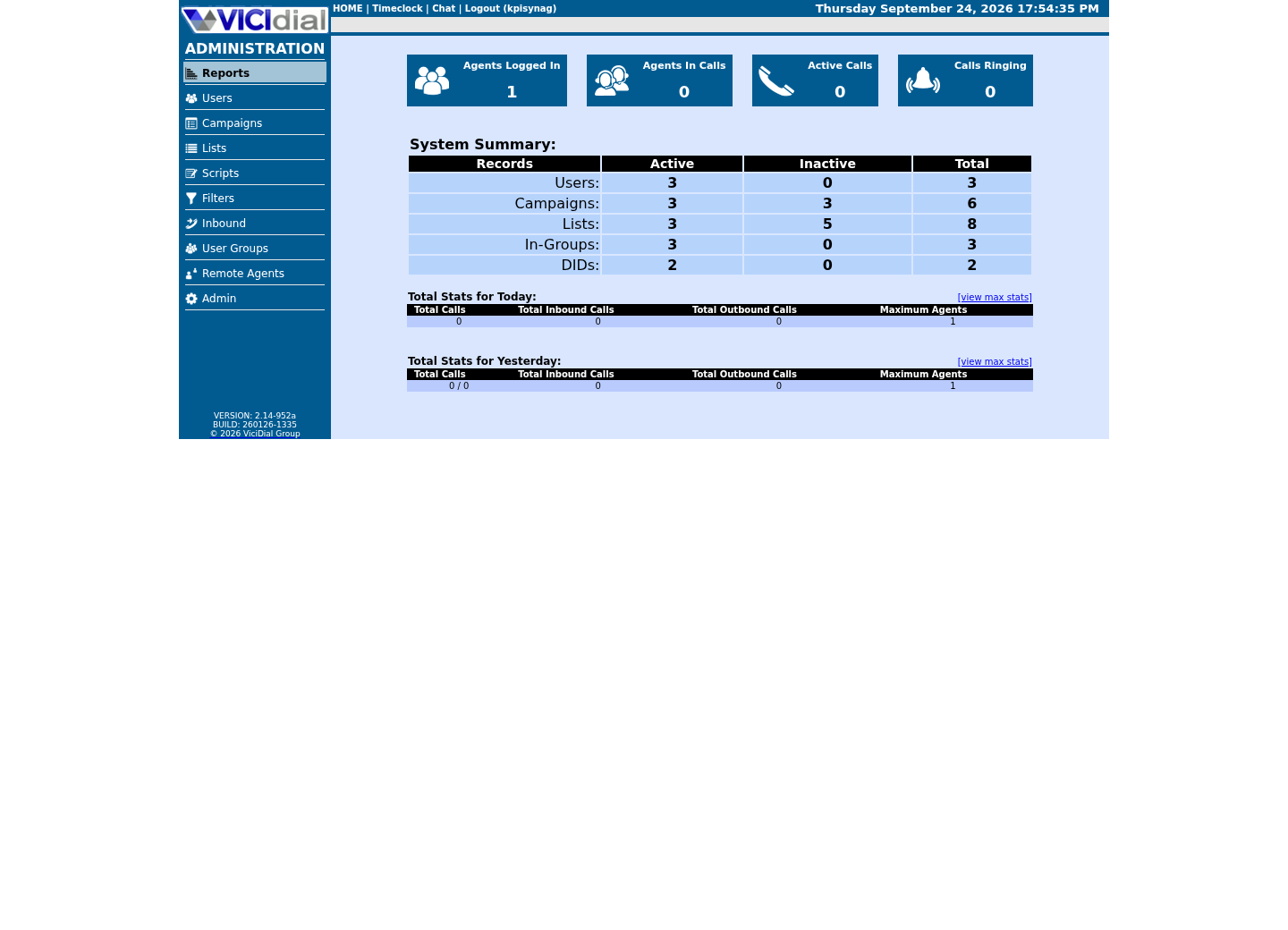
Use the Reports index
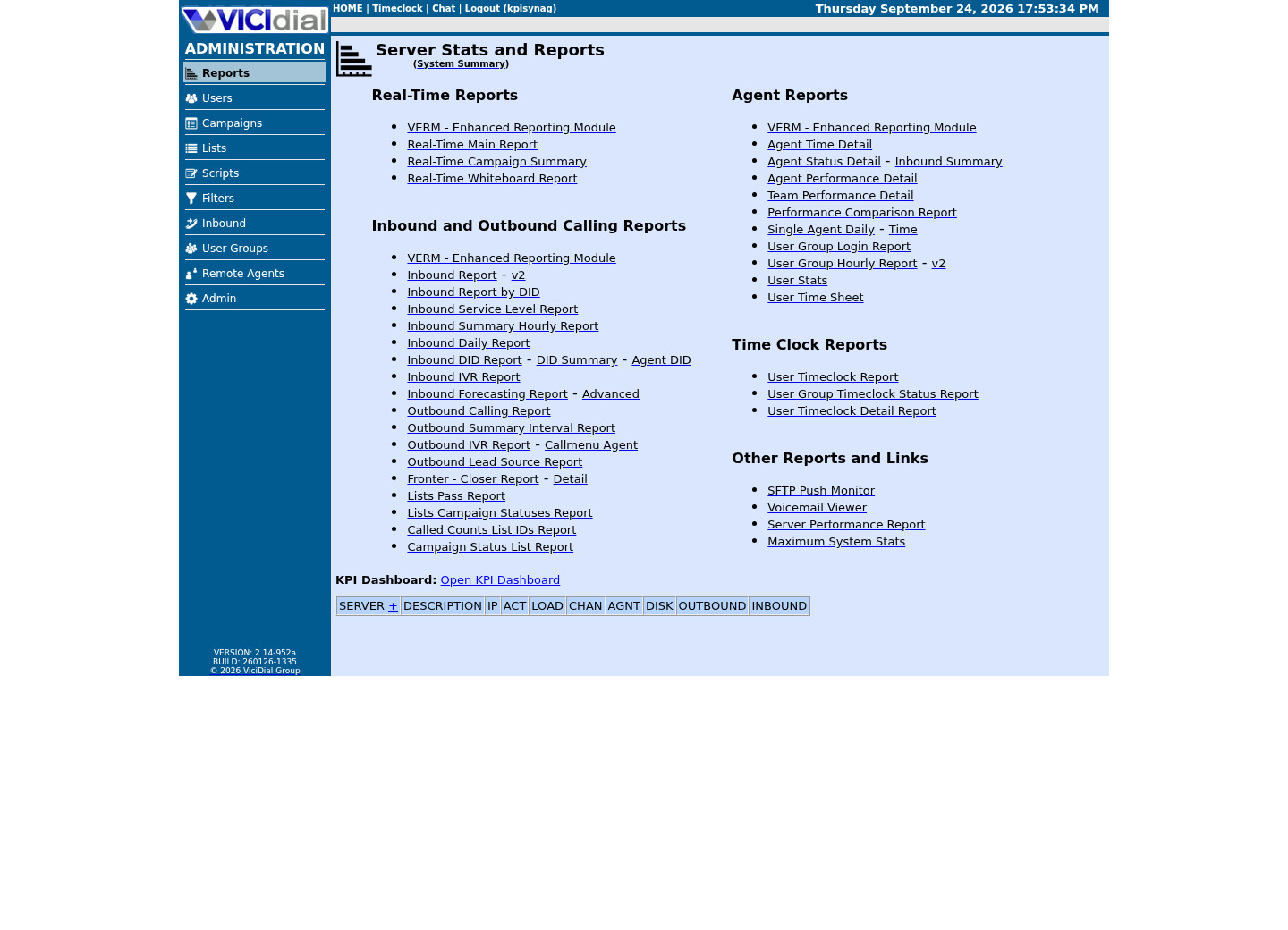
See the Real-Time report layout

The idea in plain language
VICIdial's objects link together. A campaign without an active list has nobody to dial. A user without a station cannot become a working agent session. A report without any activity is empty by design, not broken. Building in this order gives each screen a clear purpose before you touch the next one.
A beginner who jumps straight to campaign setup before creating a user and station will find controls that reference objects that do not exist yet, and will likely conclude something is wrong with the software rather than with the order of operations. The six-step sequence below exists specifically to prevent that misdiagnosis.
The same logic explains why a real carrier and a real call sit outside this six-step sequence entirely rather than as a seventh step. Every one of the six steps here can be completed and verified with entirely synthetic data and no outside connection; a carrier introduces cost, compliance obligations, and a live external dependency that belong to a separately authorized decision, not a default next click.
Notice also that 'report' is the last step, not the first thing you check. A beginner who opens a reporting screen before any of the first five steps exist will see an empty result and may reasonably wonder whether reporting itself is broken; it is not, there is simply nothing yet for it to summarize.
This ordering also mirrors how an experienced administrator actually debugs a stalled campaign months later: check the account and login first, then the user-and-station pairing, then the campaign's own rules, then whether the list actually has eligible leads, then agent readiness, and only then look at what the reports show. The six-step build order and the troubleshooting order are the same order, read in the same direction.
Keeping the build order and the troubleshooting order identical is not a coincidence this lesson is pointing out for its own sake — it is why the order is worth learning properly the first time, rather than as a checklist to forget once your first campaign is running. You will use this same order again, in reverse thought but the same direction of investigation, the first time something in a real campaign stops working.
See the campaign schema take shape
Now that you have a read-only database account from the previous stage, you can confirm the campaign-related tables exist before you ever open the Admin screen that manages them. `SHOW TABLES LIKE` matches table names against a pattern, the same way a filename wildcard matches files — the percent sign stands in for any sequence of characters.
- How many tables the pattern matches on your build
- Whether the table names match what the previous lessons already told you to expect
SHOW TABLES LIKE 'vicidial_campaign%';Captured demo response · 2026-09-23 21:35 UTC. The displayed command is the command that ran; a safe subset label means it was filtered, redacted, or fixture-scoped. Replays only after you select Replay transcript.
- Before you run it
- Run this through your read-only option file: `mysql --defaults-extra-file=/etc/vicidial-readonly.cnf -e '...'` — no database name needed on the command line, since the option file already supplies it.
- Success looks like
- You see a short list of tables whose names start with vicidial_campaign — these ship with the schema itself, so they exist even before you create your first campaign through the Admin screen.
- Stop if
- An empty result would mean the schema itself was never loaded; re-check the Express lab's installation steps rather than assuming a permissions problem, since this account can read any table it was granted.
Follow the six-step order
Use this as a checklist while you work through the existing lessons this pathway points to; it changes nothing on the server by itself. Each numbered line corresponds to one or more dedicated lessons elsewhere in this curriculum — this worksheet is the map between them, not a replacement for any of them.
1. Secure the first Admin login2. Create one user and one phone/station3. Build the campaign rules4. Load one synthetic list5. Get one agent ready6. Read the first reportThis sample is a template or reading aid, not a terminal command. There is no output to show.
- Before you run it
- Copy this into your own lab notes if it helps you track progress across the following lessons.
- Success looks like
- You have a six-step sequence that lets you stop before any carrier or real call is introduced.
- Stop if
- If you find yourself wanting to configure a carrier before step 6, stop — that is a separate, optional stage with its own authorization requirements.
Ready for the next lesson
Continue to the existing first-login tour next, then its campaign, lead-loading, first-agent-call and pacing lessons in that order — a real carrier is a separate, optional stage after this one. The first-agent-call lesson uses an internal test destination rather than a real phone number, so you can complete it without a carrier at all.
Evidence ledger
Verification basis
- The schema check reads real, already-shipped tables through the read-only account; the six-step order is a checklist, not a claim about what any specific lab already contains.
Primary references
Sources
- VICIdial open source contact center suiteVICIdial Group · accessed September 23, 2026