Reader setup
Before you choose
List your constraints, required evidence and stop rules before you score options.
- Know your team size, average outbound call length, and list quality; the decision below turns on these three, not your industry.
- Admin access to view a campaign's Dial Method field, plus read-only database access, since both samples in this article query vicidial_campaigns directly — see Create a read-only database account for safe VICIdial queries if you do not have one yet.
- No campaign change is required to read this article; it decides which mode fits, it does not walk through changing the setting.
- What you will prove
- You can name which real VICIdial dial_method value each industry term actually maps to, explain what the SHARED_ prefix changes, and choose MANUAL, RATIO, or an ADAPT variant for your own team size and call type instead of chasing a marketing label.
- Safety boundary
- This is a decision, not a configuration change: raising any dial method above manual or a ratio of 1.0 deliberately dials ahead of your agents and creates abandoned calls, which is regulated in many jurisdictions. Decide the mode here; make and measure the change in the two operational articles this one names.
Reader path
How to use this article
- Use it when: You are comparing options and need decision evidence before approval.
- Expected result: Turn options into explicit acceptance criteria and documented stop conditions.
- Start here: Score what is mandatory, keep unknowns visible, then decide only when risks are understood.
Fast answer: the vocabulary problem is a mapping problem
Fast answer: VICIdial has no setting literally named power dialer or predictive dialer. It has one campaign field, dial_method, and that field is an enumerated list of exactly ten real values: MANUAL, RATIO, ADAPT_HARD_LIMIT, ADAPT_TAPERED, ADAPT_AVERAGE, INBOUND_MAN, SHARED_RATIO, SHARED_ADAPT_HARD_LIMIT, SHARED_ADAPT_TAPERED, and SHARED_ADAPT_AVERAGE. Manual dialing and preview dialing both run on MANUAL, distinguished by a second field. Power dialing and progressive dialing are the industry's names for a fixed calls-per-agent ratio, which VICIdial stores as RATIO. Predictive dialing is the industry's umbrella name for the adaptive family: ADAPT_HARD_LIMIT, ADAPT_TAPERED, and ADAPT_AVERAGE, plus their SHARED_ counterparts for agents working more than one campaign at once. Which one actually fits your team turns on list quality, average call length, and headcount, not on which industry you sell into.
For plain-language definitions of agent, campaign, lead, list, hopper and disposition, see VICIdial terminology for complete beginners: users, phones, campaigns and leads. Two terms are specific to this decision: the dial level is the pacing number, stored as auto_dial_level, that RATIO and the ADAPT family use to decide how many calls to keep working per available agent; and abandonment is what happens when a connected call reaches nobody, because no agent was free when it did.
This is a decision framework, not a configuration walkthrough. It maps the marketing vocabulary onto VICIdial's real dial_method values, explains what the ADAPT variants share and what the SHARED_ prefix actually changes, then narrows the choice down to your own team size and call type. Changing the setting, and then measuring what it did to your drop rate, both belong to two other articles, named at the end.
MANUAL -> industry term: manual dialing. An agent selects or is served one lead; the dialer places exactly one call for that request.MANUAL with manual_preview_dial=PREVIEW_ONLY -> industry term: preview dialing. The agent sees the lead before it dials at all.MANUAL with manual_preview_dial=PREVIEW_AND_SKIP -> this column's own default. Preview with a skip-ahead option, still riding on the MANUAL dial method.RATIO -> industry terms: power dialing, progressive dialing. A fixed number of calls per available agent, set by auto_dial_level.ADAPT_HARD_LIMIT -> industry term: predictive dialing, with adaptive_maximum_level enforced as a hard ceiling on the dial level.ADAPT_TAPERED -> industry term: predictive dialing, tapered variant. Confirm its exact pacing behavior against your own build; the documentation available here does not fully specify it.ADAPT_AVERAGE -> industry term: predictive dialing, averaged variant. Same caveat: confirm against your build rather than assume a formula.INBOUND_MAN -> blended dialing: an agent can take inbound calls and place outbound manual calls in one logged-in session.SHARED_RATIO -> RATIO pacing shared across the agents of more than one campaign at once.SHARED_ADAPT_HARD_LIMIT -> ADAPT_HARD_LIMIT shared across more than one campaign.SHARED_ADAPT_TAPERED -> ADAPT_TAPERED shared across more than one campaign.SHARED_ADAPT_AVERAGE -> ADAPT_AVERAGE shared across more than one campaign.This sample is a template or reading aid, not a terminal command. There is no output to show.
- Before you run it
- Read this before opening Admin. It is the same mapping the rest of this article works from, built from the verified dial_method enum and the separate manual_preview_dial column, not from a vendor's marketing page.
- Success looks like
- You can point to the exact dial_method value, and where relevant the exact manual_preview_dial value, behind any industry term a vendor or colleague uses.
- Stop if
- If your Admin's Dial Method dropdown does not show the SHARED_ options at all, the "Shared Agent Campaign Dialing" System Setting is off; the values still exist in the schema, but Admin will not let you pick them until that global setting is enabled.
Visual walkthrough
Follow three real demo screens
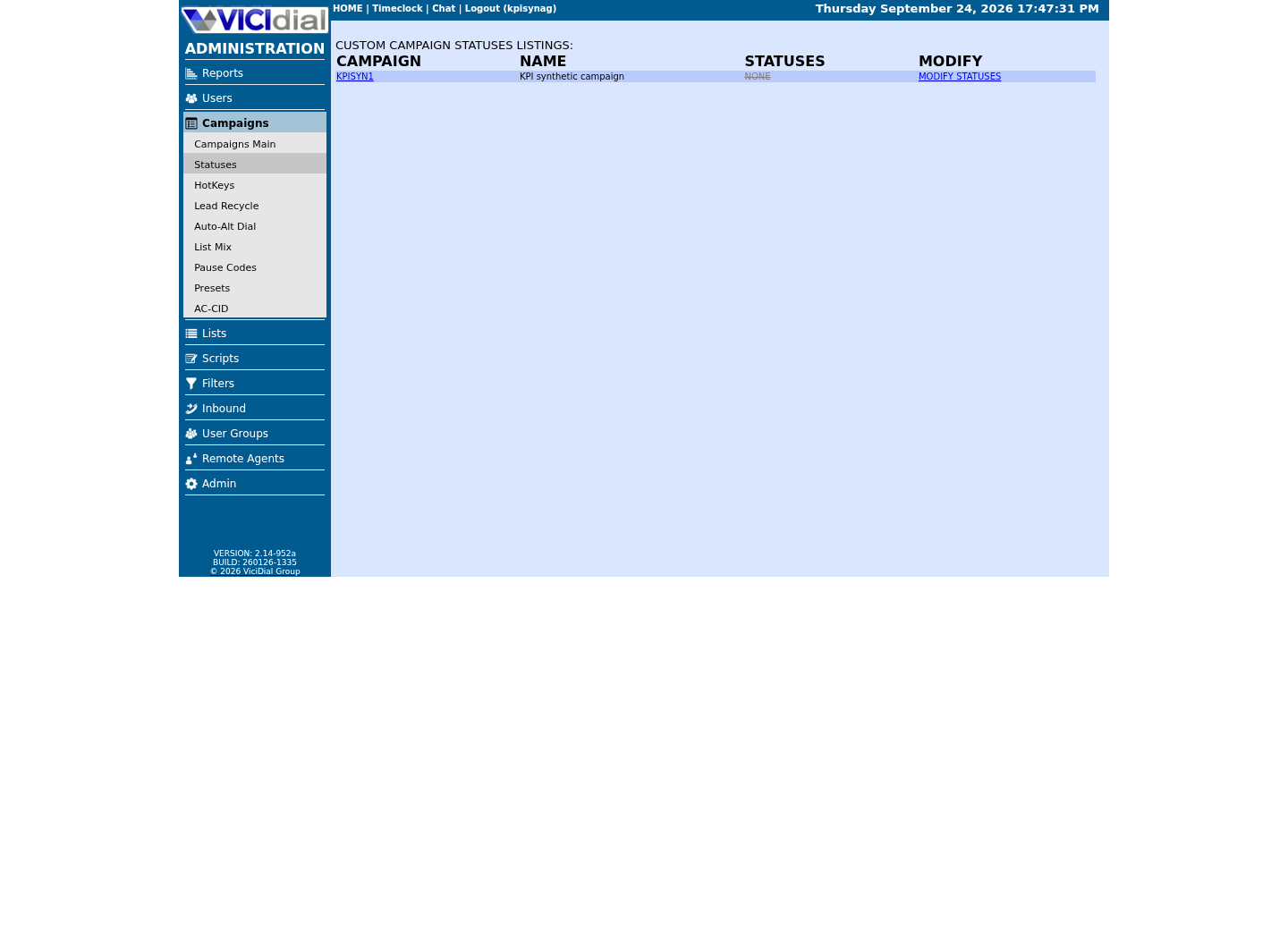
Captured on an isolated VICIdial demo: Administration screens on September 24, 2026, and the idle Agent screen on August 11, 2026. Each caption states its own capture time, and every sanitized image helps you recognize a related screen; none proves that this article's call, command, or result occurred.Start from Campaign Listings
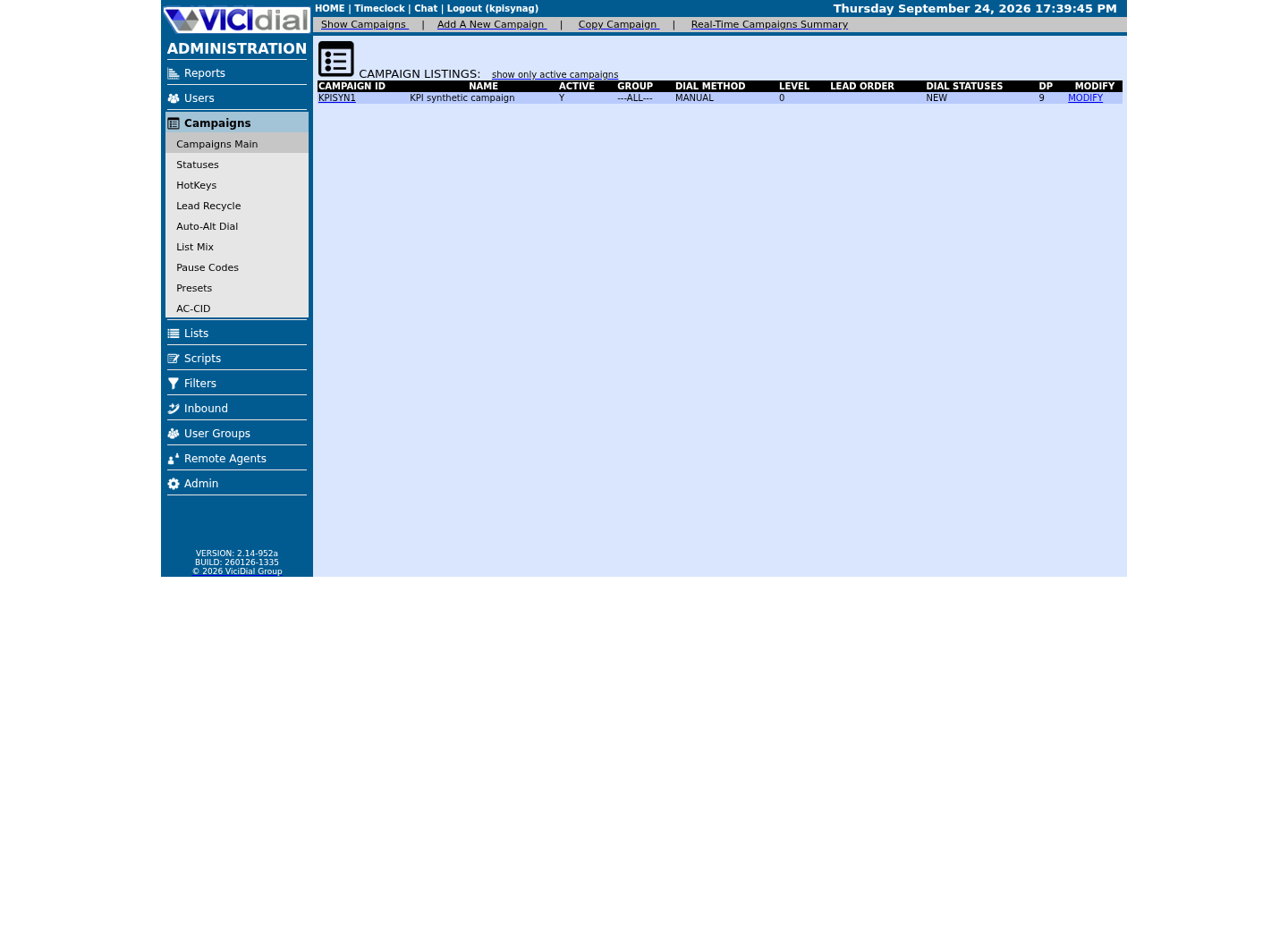
Open the campaign detail page
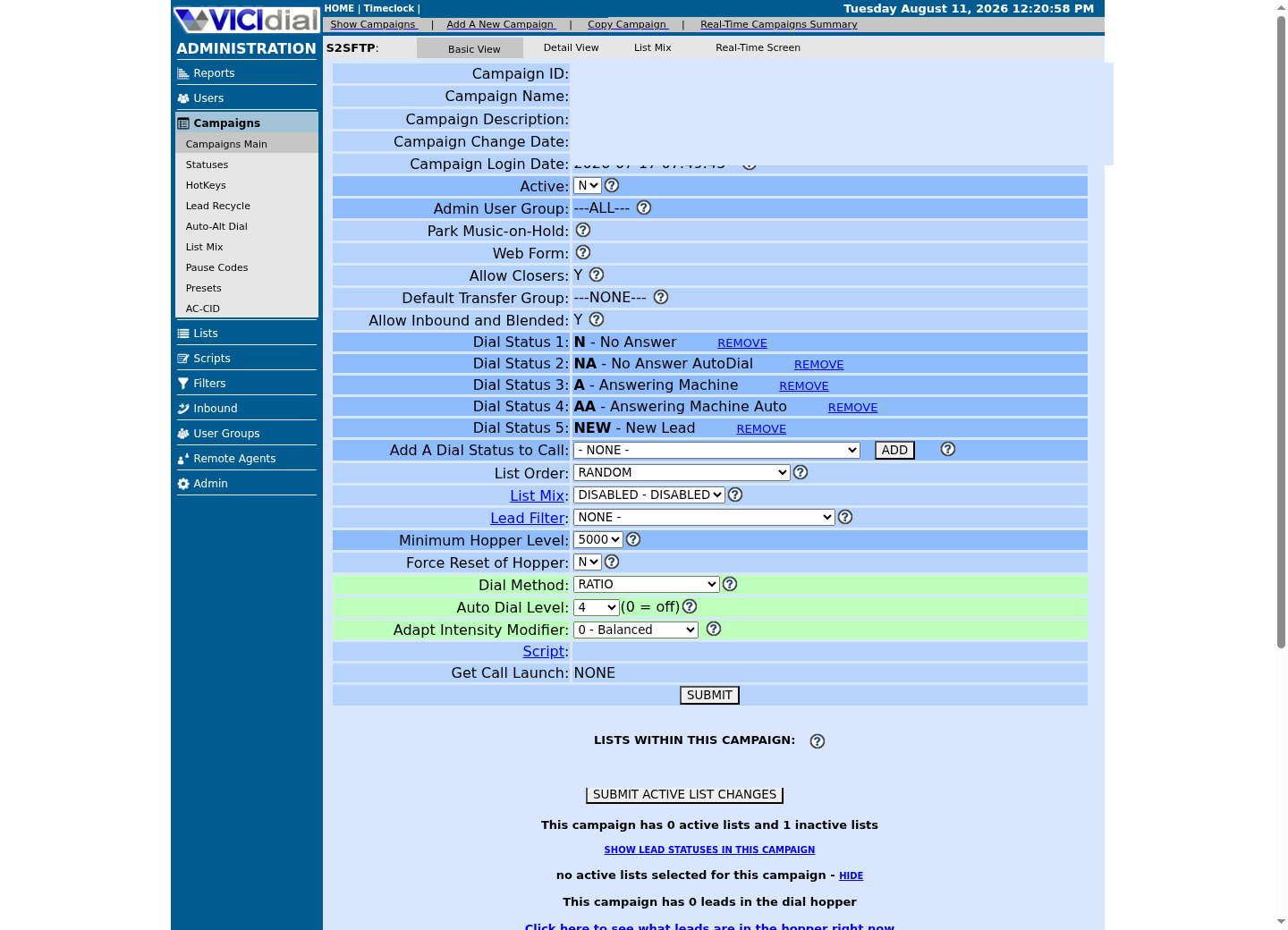
Review statuses allowed for dialing
MANUAL and preview: when a human decides every call
MANUAL is the dial method every other one assumes already works: an agent selects or is served exactly one lead, and the dialer places exactly one call for that request. Nothing dials ahead of the agent, so pacing itself creates no abandonment risk; the only cost is the agent's own idle time between calls.
Preview dialing is not a separate dial_method value. It is a second, verified column on the same campaign row: manual_preview_dial, an enumerated field with three real values — DISABLED, PREVIEW_AND_SKIP, and PREVIEW_ONLY — defaulting to PREVIEW_AND_SKIP. Set it to PREVIEW_ONLY and an agent sees the lead's details before the call ever dials, has to accept it, and cannot skip ahead to another lead first. Set it to PREVIEW_AND_SKIP, this column's own default, and the agent keeps that same preview but can pass on a lead and move to the next one before dialing. Either way, the campaign's dial_method stays MANUAL underneath; preview is a layer on top of it, not a mode of its own.
This distinction matters the moment someone asks for a preview dialer. There is no dial_method called PREVIEW; there is MANUAL with manual_preview_dial turned to one of its two active values. Get that wrong in a request to whoever administers your campaigns and you will end up debugging the wrong field.
- MANUAL with manual_preview_dial=DISABLED: no preview screen, agent dials or is served a lead directly.
- MANUAL with manual_preview_dial=PREVIEW_ONLY: agent must review and accept before it dials.
- MANUAL with manual_preview_dial=PREVIEW_AND_SKIP: the same preview, plus the ability to skip a lead.
RATIO as power or progressive dialing: a fixed calls-per-agent number
RATIO is what most vendors mean by power dialing or progressive dialing: a fixed number of calls placed per available agent, set through the campaign's dial level (auto_dial_level). On a fresh vicidial_campaigns row, auto_dial_level defaults to 0, meaning automatic dialing is off; a working RATIO deployment sets it to a real number instead.
A commonly recommended starting point sets dial_method to RATIO, auto_dial_level to 1.0, and available_only_ratio_tally to Y. That last setting matters on its own: available_only_ratio_tally defaults to N on a fresh row, meaning the ratio would otherwise be tallied against every logged-in agent, including ones who are paused or already on a call. Setting it to Y tallies the ratio only against agents who are actually free, which is the safer default for any team turning RATIO on for the first time.
At a dial level of 1.0, RATIO places roughly one call per available agent — the same ceiling MANUAL implicitly assumes, just automated instead of agent-initiated. Anything above 1.0 is a deliberate choice to dial ahead of capacity, which is exactly the trade-off covered later in this article.
SELECT campaign_id, campaign_name, dial_method, auto_dial_level, available_only_ratio_tallyFROM vicidial_campaignsWHERE campaign_id = '<CAMPAIGN_ID>';Captured demo response · 2026-09-24 22:25 UTC. The displayed command is the command that ran; a safe subset label means it was filtered, redacted, or fixture-scoped. Replays only after you select Replay transcript.
- Before you run it
- Run this against a read-only reporting account before you assume you know what a campaign is set to; a Dial Method label in a conversation is not the same as the value actually saved on the row.
- Success looks like
- One row returns, and dial_method matches one of the ten real enum values from the mapping above; a RATIO or ADAPT_* campaign should also show a non-zero auto_dial_level, since 0 means automatic dialing is off regardless of what dial_method says.
- Stop if
- A RATIO or ADAPT_* campaign showing auto_dial_level of 0 is not actually dialing automatically no matter what its dial_method implies; that mismatch is worth flagging before you conclude the mode itself is wrong. Repeat with a different campaign_id to compare more than one campaign.
The ADAPT family: what predictive dialing actually configures
ADAPT_HARD_LIMIT, ADAPT_TAPERED, and ADAPT_AVERAGE are the three values industry vocabulary collapses into predictive dialing. All three hand pacing to a background worker, AST_VDadapt.pl, instead of a ratio you set by hand; the ADAPT family adjusts dialing using answered, drop, and agent-availability observations plus campaign limits — that's what "adaptive" means here.
No source available here publishes the exact formula separating ADAPT_HARD_LIMIT from ADAPT_TAPERED and ADAPT_AVERAGE; the documentation available locally names what each ADAPT variant is for, not the precise pacing formula behind it. Confirm the exact behavior against your own build's release notes or by testing it, rather than trusting an assumed algorithm from this article or anywhere else.
What is verified, because each is a real vicidial_campaigns column with a real default, is the set of dials every ADAPT campaign shares: adaptive_dropped_percentage (defaults to 3, a percentage), adaptive_maximum_level (defaults to 3.0, a ceiling on the dial level), adaptive_latest_server_time (defaults to 2100, a four-digit cutoff time), adaptive_intensity (defaults to 0, on a scale where negative is less aggressive and positive is more aggressive), and adaptive_dl_diff_target (defaults to 0, weighing agents waiting for calls against calls waiting for agents). Every ADAPT_* value reads from this same set of knobs; naming the variant does not tell you where they are currently set.
SELECT campaign_id, dial_method, adaptive_intensity, adaptive_dl_diff_target, adaptive_maximum_level, adaptive_dropped_percentage, adaptive_latest_server_timeFROM vicidial_campaignsWHERE campaign_id = '<CAMPAIGN_ID>';Captured demo response · 2026-09-24 22:25 UTC. The displayed command is the command that ran; a safe subset label means it was filtered, redacted, or fixture-scoped. Replays only after you select Replay transcript.
- Before you run it
- Run this before assuming two ADAPT_HARD_LIMIT campaigns behave the same way; the dial_method name is only half the configuration, and these five columns are the other half. Repeat with a second campaign_id to compare two side by side.
- Success looks like
- The campaign returns its own adaptive_intensity, adaptive_dl_diff_target, adaptive_maximum_level, and adaptive_dropped_percentage, which you can compare against the schema defaults of 0, 0, 3.0, and 3 respectively before deciding anything has drifted — these five columns exist on every campaign row regardless of its current dial_method, so the query returns a row even if this campaign is not currently set to one of the ADAPT_* values.
- Stop if
- Two campaigns on the same ADAPT_* value with very different adaptive_intensity or adaptive_dl_diff_target settings will not pace the same way; do not compare their outcomes as if the dial_method name alone controlled behavior.
Choosing by team size and call type, not by industry
The honest way to choose is to answer three questions about your own operation, not to look up what your industry supposedly uses: how many agents will be logged into this campaign at once, how long does a typical connected call actually run, and how good is your list, meaning what share of numbers you dial are likely to be reachable, correct, and worth a real conversation.
A small team working long, high-value calls off a short, well-qualified list gets little from dialing ahead of its own capacity: there are not enough agents to absorb a pacing mistake, and a dropped call on a valuable lead costs more than the agent-idle time MANUAL or a RATIO of 1.0 accepts. A real estate team calling a short list of warm inquiries is one example of this shape, not because real estate has different rules, but because it usually has a small team, long calls, and a list where every lead is worth protecting. The same logic applies to any small team on a valuable list, regardless of industry.
A larger team working a high volume of short, lower-stakes calls off a large list has agents to spare if a call connects and briefly finds nobody free, and idle agent time compounds fast across a bigger headcount. That is the shape RATIO above 1.0 or the ADAPT family was built for. Between them, RATIO gives you a number you set and hold; the ADAPT family gives up that direct control in exchange for a background worker recomputing pacing from recent answered-call and drop behavior, with the caveat from the previous section about not knowing its exact formula.
List quality cuts across both cases: a poorly maintained list with a high share of dead numbers wastes automatic dialing's whole advantage, because most of the calls it places ahead of your agents never connect at all. Fix the list before raising the dial method past MANUAL, not after.
- Count agents actually logged into this campaign at once, not headcount on paper.
- Time a real sample of connected calls; average call length changes how much slack automatic pacing needs.
- Estimate list quality honestly before crediting or blaming the dial method for a bad connect rate.
The abandonment trade-off, and why it is regulated
Every dial method above MANUAL, and above a RATIO or ADAPT level of roughly 1.0, makes the same bet: place more calls than you currently have agents to answer, in exchange for keeping agents busier. The calls that connect and then wait too long for a free agent become DROP, an official VICIdial status meaning an outbound call was dropped while waiting for an agent, or XDROP, the same outcome for an inbound call. A campaign's drop_call_seconds field decides how long a connected call is allowed to wait before that happens; it defaults to 5 seconds on a fresh row, though a commonly recommended starting point uses 8 seconds instead. drop_action decides what happens to that stranded call: HANGUP simply ends it, while the schema's own default, AUDIO, plays a message instead; that same starting point sets drop_action to HANGUP rather than the default.
That dropped or abandoned call is not only a customer-experience problem. In the United States, the Federal Trade Commission's Telemarketing Sales Rule caps abandonment at no more than 3 percent of calls answered by a person, measured per campaign over a single calling period or separately over each 30-day period, and requires connection to a live representative within 2 seconds of the person's completed greeting when a call is not abandoned. Other jurisdictions set their own rules; this is one example, not a survey, and it is not legal advice — confirm the limit that actually applies to your business and country before choosing a dial level above manual or a ratio of 1.0.
That regulatory reality is the real argument for starting at MANUAL or a RATIO/ADAPT level of 1.0 regardless of team size: it is the only starting point with no abandonment to explain, measure, or defend, and every mode above it is a deliberate trade you make with evidence, not a default you inherit.
What to read next: changing the mode, then measuring it
This article stops at the decision. Once you know which dial_method, and, if relevant, which manual_preview_dial or adaptive tuning values fit your team, the mechanics of actually opening Admin, finding those fields, and raising a dial level in small measured steps are covered in VICIdial dialing modes and pacing: manual, ratio and adaptive.
After you switch modes, the only honest way to know whether the switch helped is to measure it: connect rate, drop rate, and how dial level interacts with answering-machine detection to create or destroy connected calls. That measurement layer, including the exact queries to run against vicidial_log and vicidial_carrier_log, is covered in Optimize VICIdial dial ratios and AMD for better connection rates.
Read this article to decide. Read those two to act, and to prove the decision was right on your own traffic, not on a mapping table.
Evidence ledger
Verification basis
- vicidial_campaigns.dial_method is a verified ENUM with exactly ten values — MANUAL, RATIO, ADAPT_HARD_LIMIT, ADAPT_TAPERED, ADAPT_AVERAGE, INBOUND_MAN, SHARED_RATIO, SHARED_ADAPT_HARD_LIMIT, SHARED_ADAPT_TAPERED, SHARED_ADAPT_AVERAGE — defaulting to MANUAL, confirmed verbatim by AGENT_MULTI-CAMPAIGN_DIALING.txt's own schema migration statement.
- manual_preview_dial is a separate verified vicidial_campaigns column, ENUM('DISABLED','PREVIEW_AND_SKIP','PREVIEW_ONLY') defaulting to PREVIEW_AND_SKIP, confirming preview dialing rides on the MANUAL dial method rather than being a dial_method value of its own.
- A commonly recommended starting configuration for a new RATIO campaign sets dial_method to RATIO, auto_dial_level to 1.0, and available_only_ratio_tally to Y, with drop_call_seconds at 8 and drop_action at HANGUP; confirm these suit your own team before adopting them, since no source available here certifies them as this schema's own defaults.
- On a fresh vicidial_campaigns row, auto_dial_level defaults to 0 (off), available_only_ratio_tally defaults to N, drop_call_seconds defaults to 5, and drop_action defaults to AUDIO.
- adaptive_dropped_percentage, adaptive_maximum_level, adaptive_latest_server_time, adaptive_intensity, and adaptive_dl_diff_target are verified vicidial_campaigns columns shared by every ADAPT_* dial method, defaulting to 3, 3.0, 2100, 0, and 0 respectively.
- DROP and XDROP are the official VICIdial statuses recorded when a call is dropped while waiting for an agent; AGENT_MULTI-CAMPAIGN_DIALING.txt separately names "Shared Agent Campaign Dialing" as the literal System Settings flag that must be enabled before a SHARED_ dial_method value does anything.
Primary references
Sources
- VICIdial statuses reference (DROP, XDROP, and related codes)VICIdial · accessed August 5, 2026
- VICIdial Wiki documentationVICIdial Wiki · accessed August 5, 2026
- 16 CFR 310.4 — Telemarketing Sales Rule abandonment and connection requirementsCornell Law School Legal Information Institute · accessed August 5, 2026
- Agent multi-campaign dialing and the SHARED_ dial methodsVICIdial · accessed September 23, 2026