01 / 04
1. Find a test recording
- Open Reports → Agent Reports → User Stats for the synthetic agent. Enter the known test date range; confirm the selected user and report timezone. Leave Call status blank unless intentionally filtering one exact code.
- In Outbound Calls for this Time Period, locate the known DATE/TIME, CAMPAIGN, LIST, LEAD and STATUS. Use the inbound section instead for an inbound event. More than one candidate means narrow the known time/scope, not choose by filename.
- In the same user/time scope find the available recording entry/link. If this build/report omits it, ask the report owner to locate the exact synthetic recording with recording_lookup or the bounded metadata read below.
- Before opening audio, compare recording start/end, lead and agent with the known test. Keep full URLs and filenames in the private incident record; a link is a reference, not proof of its audio contents.
- Before you use it
- Use the verified read-only client from Create a read-only database account for safe VICIdial queries; replace lead,user and date bounds after confirming columns. Results include private filenames, so keep this terminal private.
SHOW COLUMNS FROM recording_log;SELECT recording_id,lead_id,user,start_time,end_time,length_in_sec,filenameFROM recording_logWHERE lead_id=12345 AND user='YOUR_SYNTHETIC_USER' AND start_time >= '2026-11-07 00:00:00' AND start_time < '2026-11-08 00:00:00'ORDER BY start_time,recording_id LIMIT 20;This example has no recorded result here. Follow its preparation, expected result and stop conditions before using it.
- Success looks like
- The exact test’s metadata and report event agree. No row means investigate recording mode, processing/report scope and archive coverage with the owner; no audio quality or access result is inferred.
- Stop if
- Stop on multiple unexplained candidates, wrong agent/lead, open recording, unknown timezone or denied/schema reads. Do not fetch an unrelated recording to fill the gap.
Observed recording directory
Open to enlarge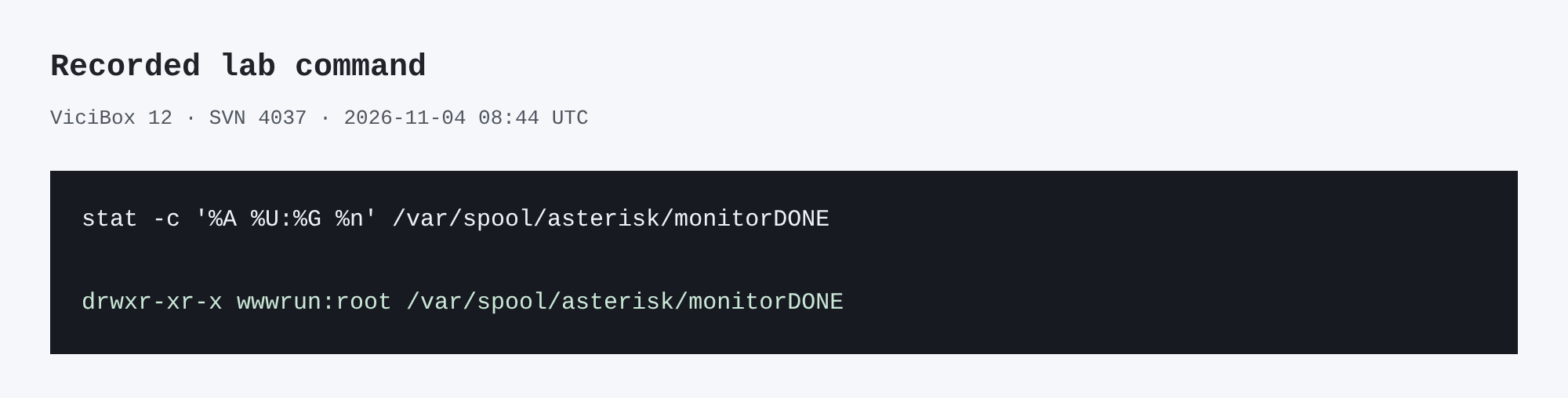
Capture details
This inspection does not establish a completed call or restore.You should seeOne authorized test event is associated with a specific recording reference, or the exact missing/ambiguous boundary is handed to the report/storage owner.
02 / 04
2. Check the access boundary
- With the storage/application owner, record the expected authorized role and denied role for this exact test file and export path.
- In a fresh authorized-account browser session, open the matched test recording and verify the expected synthetic content. This is the positive access case.
- Have the owner repeat with a separate account lacking recording rights and, if policy requires, an unauthenticated client using the exact same protected path. A redirect/200 login page is not audio access: check whether actual protected bytes are returned. Do not share a secret recording URL in a ticket.
- Record PASS/FAIL for each role, the tested entry point and time. If denied users receive the audio, stop sharing it and escalate; changing only a directory mode is not a verified web authorization fix.
You should seeIf an unauthorized account can access the test file, stop sharing links and escalate to the owner for remediation.
03 / 04
3. Document retention and recovery ownership
- Record where recordings are stored, the retention period and the owner of deletion and backups.
- Confirm encryption and offsite-copy controls with the storage administrator.
- Track any unverified recovery test as an open action; a database backup by itself does not establish that media was saved.
You should seeDo not change retention or storage until the owner approves the policy and verifies its effect.
04 / 04
Recorded lab terminal checks
Recorded lab checks were run against the synthetic demo on November 4, 2026. These read-only observations supplement the configuration steps above; they do not establish that a call, route, recording or report workflow succeeded.
Recorded lab observation: LAB01 was ONDEMAND; does not establish capture, audio quality, retention or access controls.
- Before you use it
- These historical commands were captured in a root shell using database vicidb and /etc/vicidial-readonly.cnf. The private client file in Create a read-only database account for safe VICIdial queries is root-owned with mode 0600: use the approved root context from that guide, or invoke mysql through sudo as it describes. A regular user cannot read that file. On your own server use your authorized connection and test campaign/list IDs; changed commands are not this exact capture. Do not print the credential file.
mysql --defaults-extra-file=/etc/vicidial-readonly.cnf --batch vicidb -e "SELECT campaign_id, campaign_recording FROM vicidial_campaigns WHERE campaign_id='LAB01';"Captured demo response · 2026-11-04T22:38:15.072457Z. Any filtering, hidden values or test-only data are identified in the capture label. Select Replay transcript to read the recorded output.
- Success looks like
- Compare the returned rows with the specific task and capture time. An empty result or zero count is an observation to explain, not a complete diagnosis or evidence of a working call.
- Stop if
- For a connection, permission, schema or missing-test-ID error, check the approved client configuration and installed version first. Do not broaden permissions or change production data to match this demonstration.
Steps and result4 steps
Review read-only aggregate and configuration results; no live call or audio was tested.
Observed read-only resultThe lab contained four inbound groups and two DIDs; LAB01 recording mode was ONDEMAND and its scoped call-log count was zero.
Read the captured terminal transcript
Read the chapter notes
- The database contained four inbound groups.
Read-only captured command and output; rendered for this replay.
- The database contained two DID records. These counts do not prove routing.
Read-only captured command and output; rendered for this replay.
- LAB01 recording mode was ONDEMAND. No recording or audio was tested.
Read-only captured command and output; rendered for this replay.
- The scoped LAB01 and list 90001 call-log count was zero. Reports were not validated.
Read-only captured command and output; rendered for this replay.
November 4, 2026 · ViciBox 12 · SVN 4037. Configuration and counts only: routing, calls, audio, and reports were not exercised. Rendered actual SSH capture using xterm.js; paced still frames, not a live terminal recording. SSH client warning omitted from captured output. Use fullscreen to read the terminal output.
View a still screenshot
Recorded lab terminal: lab recording mode
Open to enlarge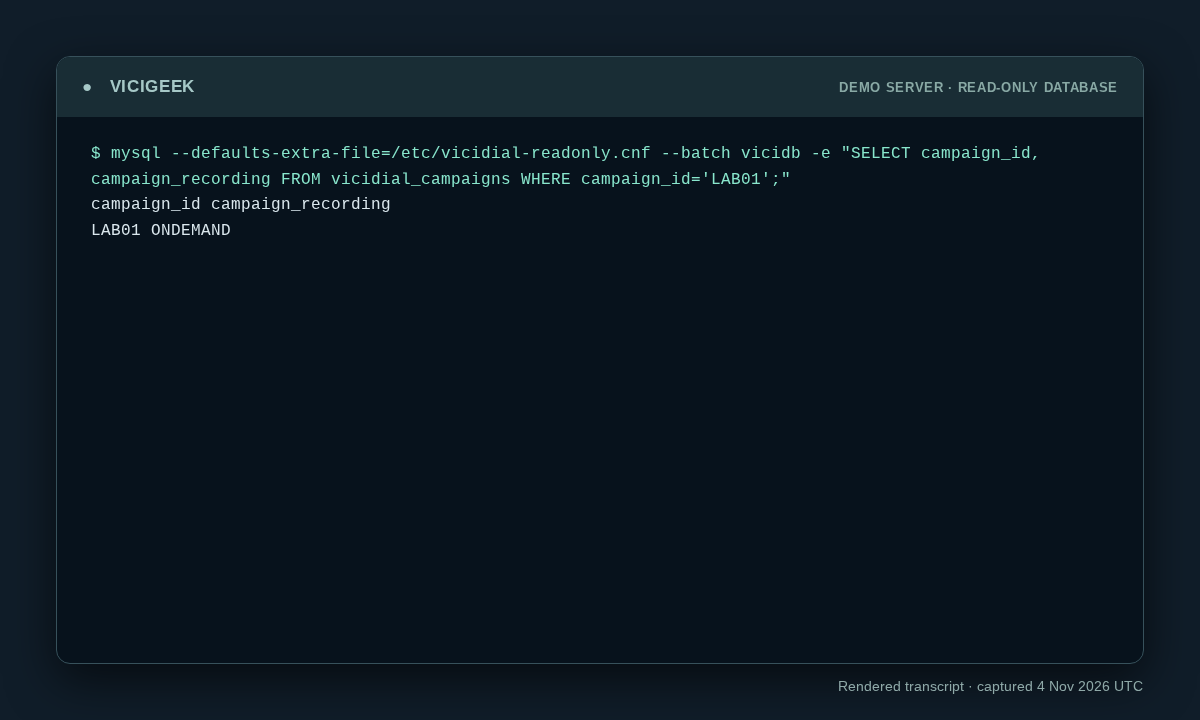
Capture details
Read-only observation, not a completed call or routing test. Display trims blank space; enlargement opens the complete original. SSH client post-quantum warning on stderr omitted; SQL stdout preserved. Aggregate counts or schema only; no customer rows.You should seeThe recorded lab command and output show exactly what the demo returned. Use the original workflow’s separate end-to-end acceptance checks before declaring success.
Checks and sources
What was checked
- VICIdial ships recording/media lifecycle functions; their presence in a build is not proof they are configured or used safely here.
- Local SFTP guidance explicitly distinguishes exact-file reachability from authenticated recording authorization.
- Reviewed read-only SSH observations were added from the ViciBox 12 / SVN 4037 demo on November 4, 2026. Captures show point-in-time state, not successful calling, routing, audio, API writes or recovery.
Primary references
Sources
- VICIdial demonstrationVICIdial Group · accessed November 4, 2026
- VICIdial Quality Control ManualVICIdial Group · accessed November 4, 2026