01 / 03
1. Open User Stats
For a KPI comparison, confirm the selected user as well as the dates. The recorded user-specific page hides its learner1 input; the general User Stats form can show that box. Keep Call status empty when comparing all dispositions, or enter one exact code. ALL is not a wildcard.
- In Admin open Reports and select User Stats under Agent Reports.
- For a practice worksheet, enter learner1 as the user and 2026-11-04 in both date boxes only if that test user and date match your exercise. Confirm the report time zone with the administrator.
- Submit and record the filters and the time you ran the report.
Steps and result5 steps
Actual VICIdial form entry with fictional examples. The recording stops before saving; follow the field notes for deployment-specific values.
Entry shownThe native User Stats page for synthetic agent learner1 shows example date and Call status inputs. The user is selected by the page URL, not typed into this form. No report was submitted and no call result was demonstrated.
Read the chapter notes
- Actual VICIdial form — not submitted
The native User Stats page for synthetic agent learner1 shows example date and Call status inputs. The user is selected by the page URL, not typed into this form. No report was submitted and no call result was demonstrated.
- Set the reporting dates
Both dates use the fictional reporting window 2026-11-04. Use the date range and report time zone of your own known test event.
- Optionally filter by an exact status
The page was opened for synthetic agent learner1. Its user is carried in the URL and hidden form input. SALE illustrates an exact disposition filter; it does not demonstrate a saved sale or call.
- Leave Call status empty for any status
Clear the optional status input to include any disposition. ALL would be treated as a literal status code on this revision. No report is submitted.
- Review before any real save
The native User Stats page for synthetic agent learner1 shows example date and Call status inputs. The user is selected by the page URL, not typed into this form. No report was submitted and no call result was demonstrated.
November 4, 2026 · VICIdial Admin 2.14-969a build 261102-0125. The native User Stats page for synthetic agent learner1 shows example date and Call status inputs. The user is selected by the page URL, not typed into this form. No report was submitted and no call result was demonstrated. ViciGeek attribution is encoded in the video and poster. Use fullscreen to read the original field labels.
View a still screenshot
Find User Stats in Reports
Open to enlarge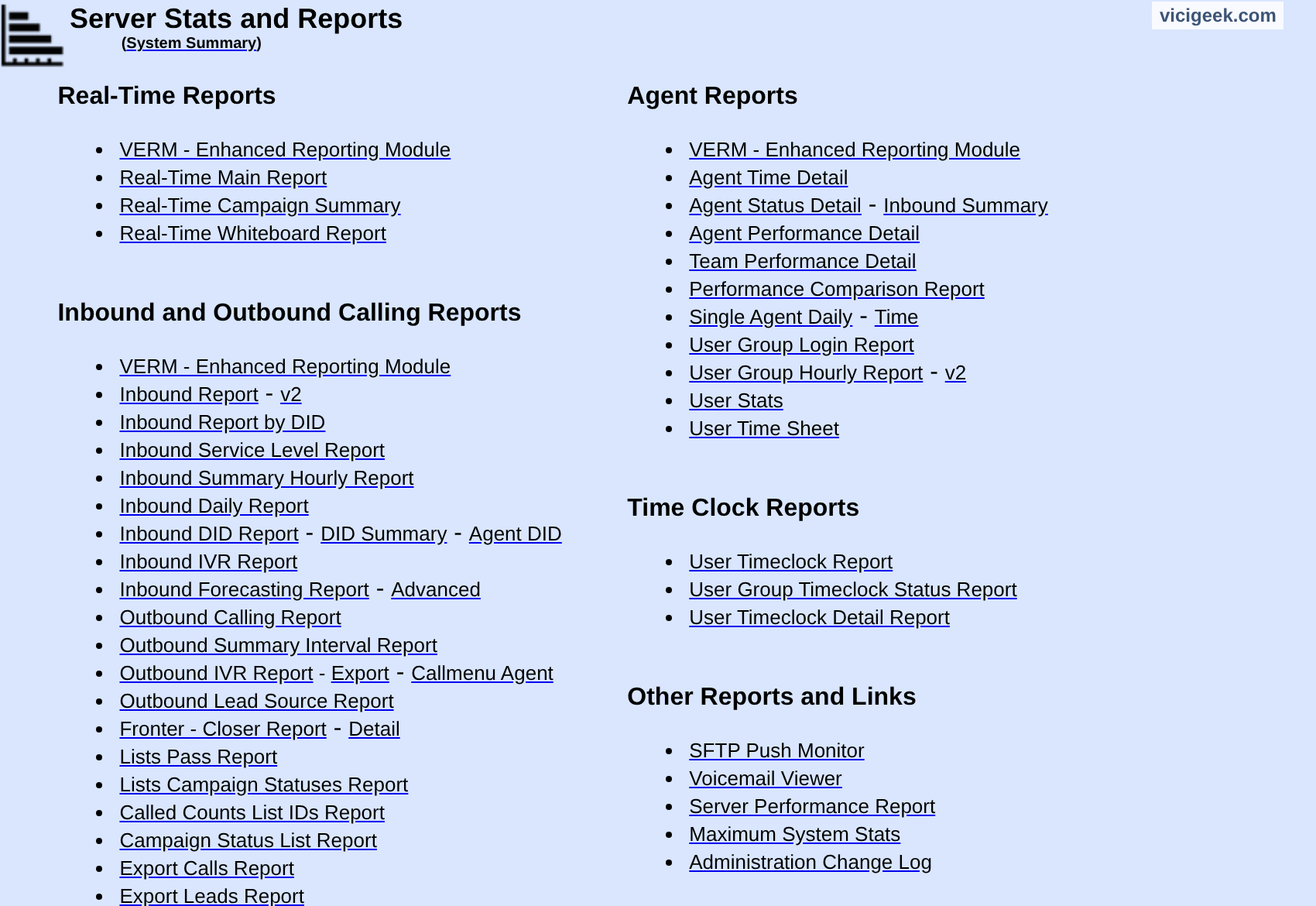
Capture details
No report or call result is shown. ViciGeek attribution appears at the top.You should seeThe report is scoped to the selected user and time range; an empty result calls for checking filters and access.
02 / 03
2. Match a known call
- Find an actual authorized test call in the individual call rows. The pictured report shows column headings only; no call was captured for this guide.
- Compare the time, campaign, list, lead and status with the source test record.
- If it is absent, check date boundaries, status filter, user and report permissions before changing the configuration.
The individual call columns
Open to enlarge
Capture details
This blank report shows the column headings only. VICIdial’s official demo, 2.14-947a; captured November 3, 2026.You should seeA matched row verifies that example within the chosen scope; it does not validate every aggregate.
03 / 03
3. Interpret before comparing
- Write the definition and units for each measure, including whether it counts calls or agent time.
- When comparing reports, align population, time zone, date boundaries and filters.
- Review unusual results with operational context such as breaks and work assignment; do not infer performance from one count.
You should seeDifferences can be legitimate when the reports measure different events or intervals.
Checks and sources
What was checked
- This guide checks report prerequisites, filters and the matching-call comparison. The illustrated User Stats form is unsent; it does not establish a returned call row or an operational KPI dashboard.
- Different reports can use different event boundaries and cleanup timing. Record population, timezone, filters and units before comparing totals; exact talk-time equality alone is not a pass/fail rule.
Primary references
Sources
- VICIdial demonstrationVICIdial Group · accessed November 4, 2026
- VICIdial Quality Control ManualVICIdial Group · accessed November 4, 2026