01 / 04
1. Record the installed state
- In an approved shell, cd to the actual VICIdial working copy and run svn info and svn status; record the revision and local modifications privately.
- Record database schema, Admin and API versions, Asterisk version, custom files and the actual database name.
- Inspect extras/upgrade_2.14.sql in the target checkout and identify the statements after your current db_schema_version marker through the target. Compare the installed configuration and install.pl options with the target checkout before planning changes.
Observed SVN revision
Open to enlarge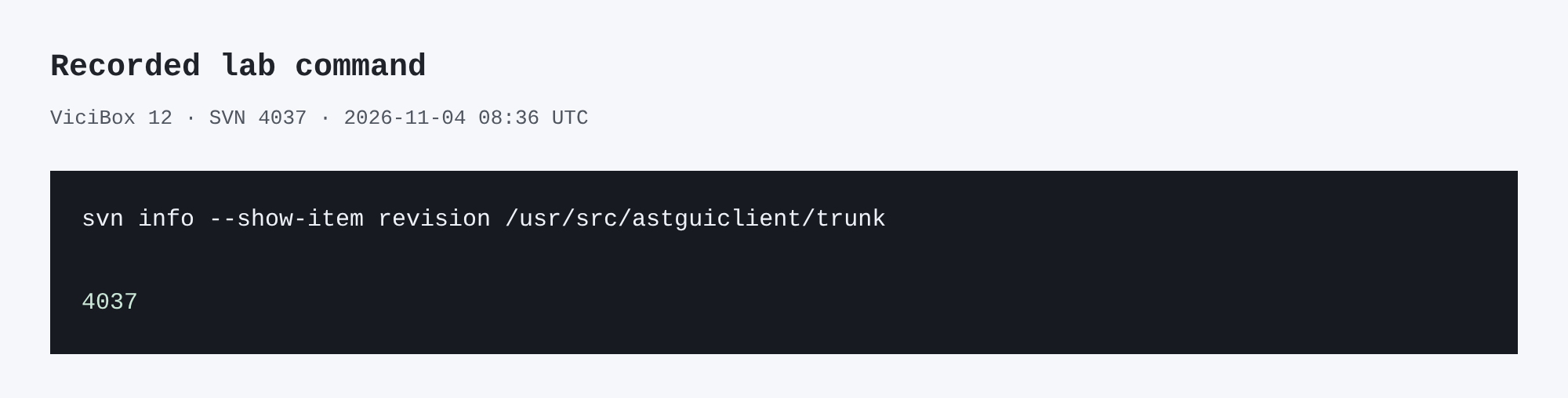
Capture details
This inspection does not establish a completed call or restore.You should seeAn SVN revision identifies source state; it does not establish database schema or service health.
svn info --show-item revision /usr/src/astguiclient/trunkCaptured demo response · 2026-11-04T08:36:23.981542Z. Any filtering, hidden values or test-only data are identified in the capture label. Select Replay transcript to read the recorded output.
- Before you run it
- Use the actual working-copy path; this one is specific to the lab.
- Success looks like
- The lab returned 4037 at 08:36 UTC on November 4, 2026.
- Stop if
- If the path is not a working copy, locate the actual checkout before proceeding.
02 / 04
2. Rehearse and protect the current system
- Create the private database and file backup described in the backup guide; verify its scope and integrity.
- In an isolated clone, rehearse the reviewed SQL from the current schema marker through the target with representative configuration data. Inventory runtime-only files and review local SVN changes against the target.
- Agree a maintenance window, explicit rollback plan and acceptance checks with the owner. Do not upgrade production if the rehearsal or backup is incomplete.
You should seeA schema rehearsal is narrower than a full system restore test. Keep backup archives and private patches outside the publication.
03 / 04
3. Apply the reviewed procedure
- For the observed 3968-to-4037 lab upgrade, the operator confirmed zero active calls, backed up the source, runtime, configuration and database, and preserved runtime-only API and Zoiper changes. The mostly MyISAM vicidb dump used --lock-all-tables --quick --routines --events --triggers --hex-blob --default-character-set=utf8mb4.
- The operator ran svn update -r4037 --accept=postpone and reviewed three API conflicts, retaining custom KPI behavior and upstream changes. The pending portion of extras/upgrade_2.14.sql after schema 1736 was rehearsed on a clone and reviewed before application.
- After php -l on customized files, perl -c install.pl and install.pl --test --no-prompt with the actual configuration file, the operator applied the reviewed pending SQL to vicidb and ran install.pl --no-prompt. This is a description of that case, not a portable script; stop on unexpected conflicts or schema errors.
You should seeThe lab sequence crossed schema 1736 to 1748. Your starting schema, customizations, target SQL and installer options may differ; review them before making changes.
04 / 04
4. Compare the finished state
- Run svn info in the working copy and compare its revision with the approved target. Check the schema version through the installed Admin version display or a reviewed read-only query against the actual database.
- Check Admin build and API version; inspect the API user permissions before testing an authenticated function. In SVN 4037, the Non-Agent API requires Agent API Access for all protected functions. Its public version response does not verify that permission. Lint changed PHP files and compare core data counts where appropriate.
- With the owner, separately schedule agent login, call/audio and full restore tests if they were not exercised. Record each as unverified until completed.
Observed active call count
Open to enlarge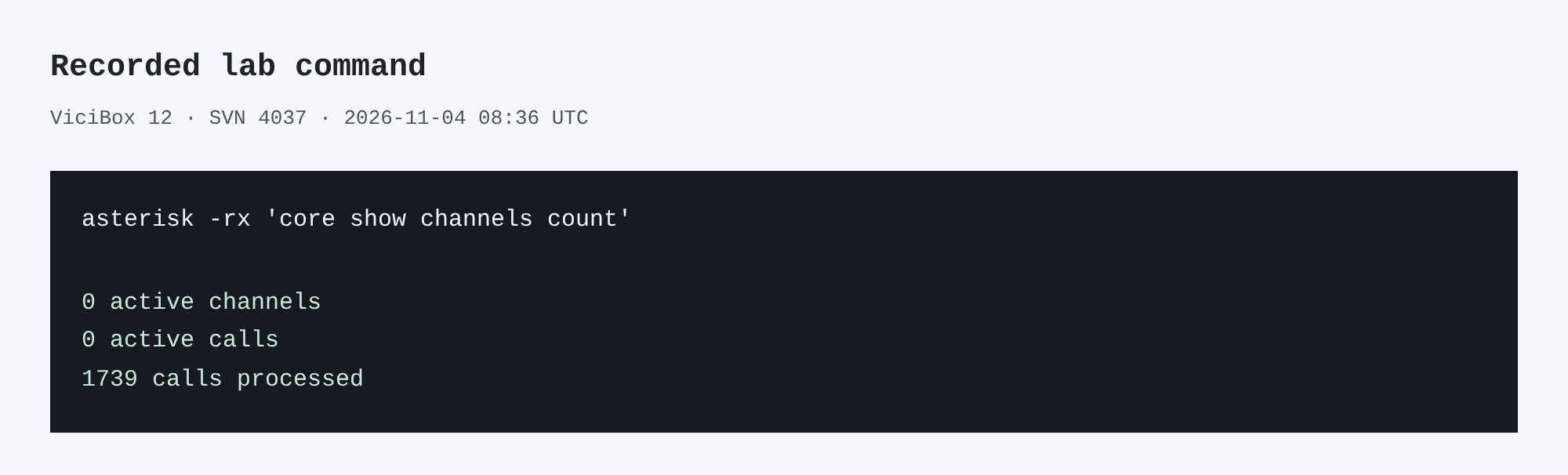
Capture details
This inspection does not establish a completed call or restore.You should seeOn November 4, 2026 the lab recorded SVN 4037, schema 1748, Admin 2.14-969a build 261102-0125 and NonAgent API 2.14-212; 73 PHP lint checks passed. This did not test live call audio or a full restore.
asterisk -rx 'core show channels count'Captured demo response · 2026-11-04T08:36:24.006485Z. Any filtering, hidden values or test-only data are identified in the capture label. Select Replay transcript to read the recorded output.
- Before you run it
- Run on the authorized Asterisk host; active calls can change immediately after this observation.
- Success looks like
- The lab returned zero active channels and calls at 08:36 UTC on November 4, 2026.
- Stop if
- If Asterisk is unreachable, identify the host and service state; do not assume zero calls.
Primary references
Sources
- Subversion working copy basicsApache Subversion · accessed November 4, 2026
- VICIdial Non-Agent API referenceVICIdial Group · accessed November 4, 2026
- mariadb-dump referenceMariaDB · accessed November 4, 2026