01 / 04
1. Plan a consistent backup
- Identify the actual database name, all application hosts, configuration, customizations, recordings and other required files with their owners.
- Check free space, backup destination, permissions and encryption, and schedule a maintenance window that accounts for write interruption.
- Inspect table engines with SELECT ENGINE, COUNT(*) FROM information_schema.TABLES WHERE TABLE_SCHEMA = DATABASE() GROUP BY ENGINE; using a read-only account.
You should seeThe November 2026 lab used vicidb and mostly MyISAM tables. Do not assume that --single-transaction makes a consistent snapshot of MyISAM data.
02 / 04
2. Capture the database
- Quiesce application writes using the approved runbook and confirm the quiet window with the owner.
- For MariaDB, after confirming client options and required privileges, an example is mariadb-dump --user=backup --password --lock-all-tables --routines --events --databases YOUR_DATABASE > /secure/backup/vicidial.sql. Substitute the approved account, actual database and pre-existing private destination; enter the password at the prompt.
- Write the dump to a private restricted destination; supply credentials through a protected mechanism, not command history or a public ticket. Confirm the dump command exits successfully before releasing the maintenance window.
You should seeMariaDB's --lock-all-tables takes a global read lock for the duration; coordinate its availability impact. The selected dump must include the database objects your application requires.
03 / 04
3. Capture files and verify the artifacts
- Back up the approved configuration, custom code, recordings and other inventoried files to private storage; do not publish the archive.
- Record artifact size, timestamp and cryptographic checksum; test archive readability and transfer the encrypted copy to the approved independent destination.
- Compare the inventory against the completed artifacts and record failures for the owner. Keep credentials, customer data and raw logs out of shared evidence.
Observed compressed backup integrity
Open to enlarge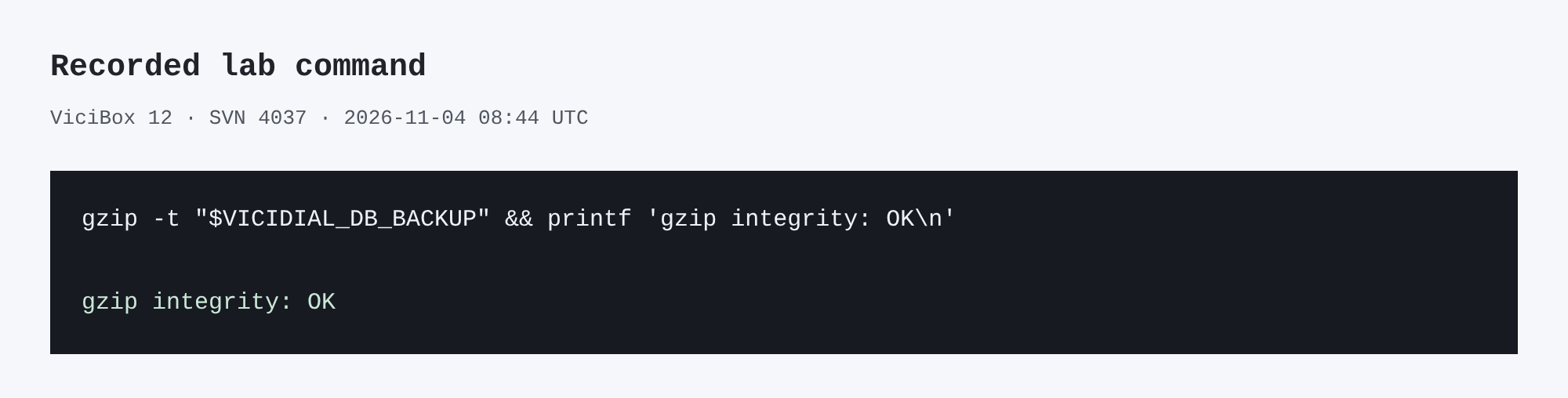
Capture details
This inspection does not establish a completed call or restore.You should seeA checksum and readable archive detect some corruption, but do not prove a full recovery. Schedule a separate isolated restore drill under its own approved procedure.
gzip -t "$VICIDIAL_DB_BACKUP" && printf 'gzip integrity: OK\n'Captured demo response · 2026-11-04T08:44:45.128889Z. Any filtering, hidden values or test-only data are identified in the capture label. Select Replay transcript to read the recorded output.
- Before you run it
- Set VICIDIAL_DB_BACKUP to the private compressed dump path. Never publish the dump or its path.
- Success looks like
- The lab command reported gzip integrity OK; it did not prove a complete recovery.
- Stop if
- If gzip reports an error, preserve the failed artifact privately and create a new verified backup under the approved plan.
04 / 04
4. Document the boundary
- Record the write-quiescence interval, database name, server and client versions, included paths, checksums and storage location in the private change record.
- Have the owner confirm that writes and normal operation resumed through the approved procedure.
- Do not discard older backups until retention policy and the owner permit it.
You should seeThe backup is a set of artifacts with a known scope, not evidence of a completed full restore.
Primary references
Sources
- mariadb-dump referenceMariaDB · accessed November 4, 2026
- MariaDB backup overviewMariaDB · accessed November 4, 2026