01 / 04
Confirm the destination
Use LAB01 and the three practice leads from lesson 9. Their phone code 1 and number 9001001 use the internal test destination 19001001 prepared in lesson 3.
Put on your headset and keep a place to note the call time, lead ID and outcome. Stay PAUSED until you start the exercise.
You should seeYou are in LAB01 with the phone conference connected and the internal test route already verified.
02 / 04
Preview the lead, then start the call
The hopper is the campaign’s temporary queue of leads ready to dial. This course enables Manual Preview Dial so you can inspect one before calling. Without preview, DIAL NEXT NUMBER can start a call immediately.
- While PAUSED, make sure LEAD PREVIEW is checked. If the option is missing, have the administrator check Manual Preview Dial on LAB01.
- Select DIAL NEXT NUMBER. Wait for the lead preview.
- Check the contact is Test One, Test Two or Test Three, with phone number 9001001 and phone code 1. Note its lead ID. If another contact appears, choose SKIP LEAD and stop.
- Select DIAL LEAD to start the internal practice call.
The Agent workspace
Open image to zoom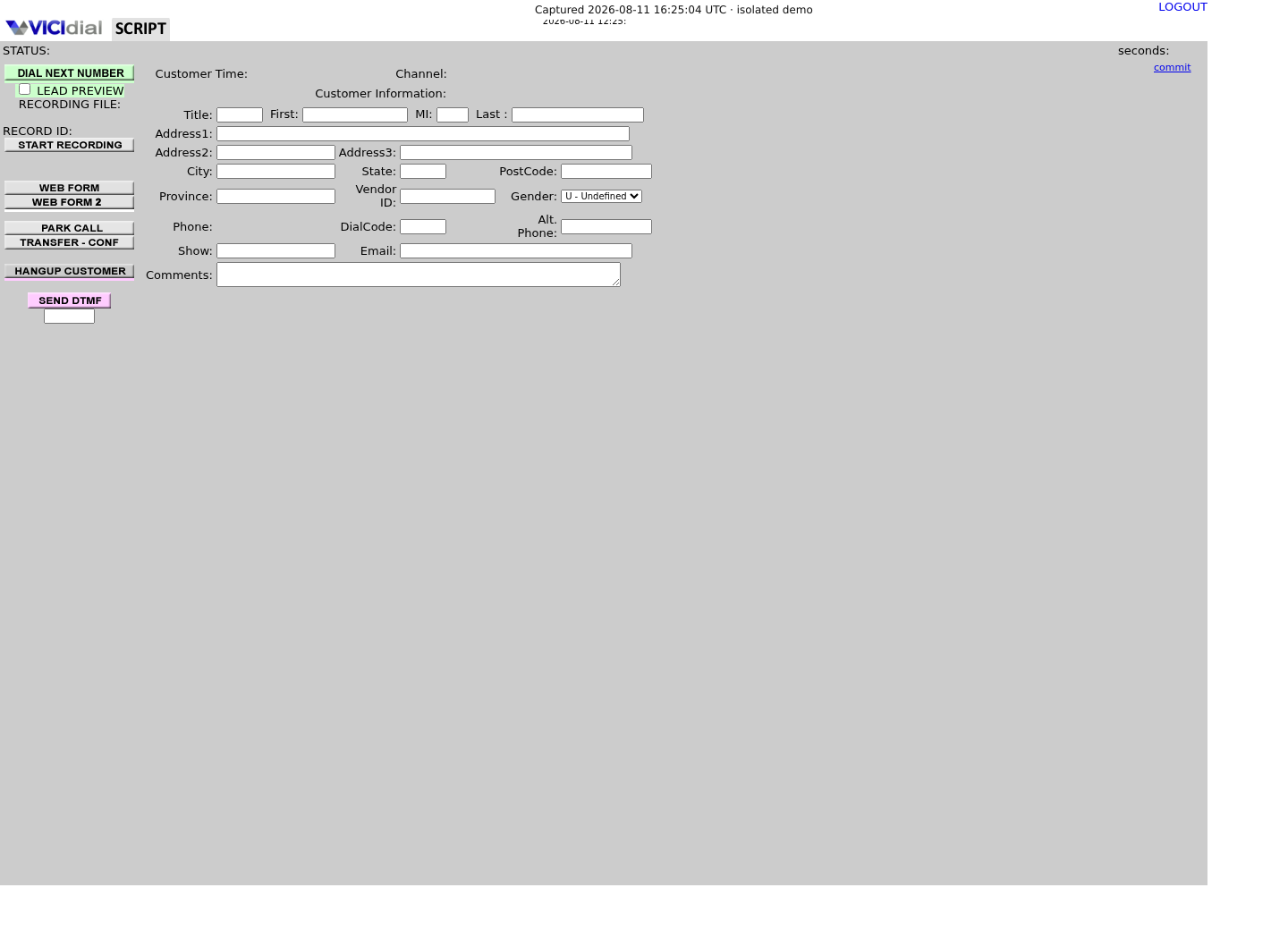
You should seeThe call starts only after DIAL LEAD in this preview exercise. Wait for Echo to answer. A newly imported lead can take a short time to enter the hopper.
03 / 04
Listen, hang up and save the outcome
A disposition is the outcome you save after a call.
- When Echo answers, say a short sentence. Listen for your own voice to return.
- Select HANGUP CUSTOMER. On the disposition screen, choose the available outcome that describes your test and select SUBMIT.
- Write down the call time, lead ID and chosen status code. Confirm the Agent screen returns to PAUSED, then use LOGOUT and close the webphone.
You should seeThe call outcome is saved. Hearing Echo checks the lab audio path; it does not test an outside carrier.
04 / 04
If you cannot complete the test
If no lead appears, stay paused and check list 90001 is active in LAB01, its leads are eligible and the calling time allows the call. Allow time for the hopper to fill. Do not use a separate number-entry form to bypass it.
If the preview is unexpected, cancel. If the call connects without echo, hang up, save the actual outcome and ask the administrator to check your audio and conference connection.
Primary references
Sources
- VICIdial official source snapshotsVICIdial Group · accessed November 3, 2026
- VICIdial official demoVICIdial Group · accessed November 3, 2026