01 / 04
Open User Stats
Use an administrator account with report access. The learner1 agent account may not be allowed to view reports.
- Open Administration → Reports.
- Under Agent Reports, choose User Stats.
Find the agent reports
Open image to zoom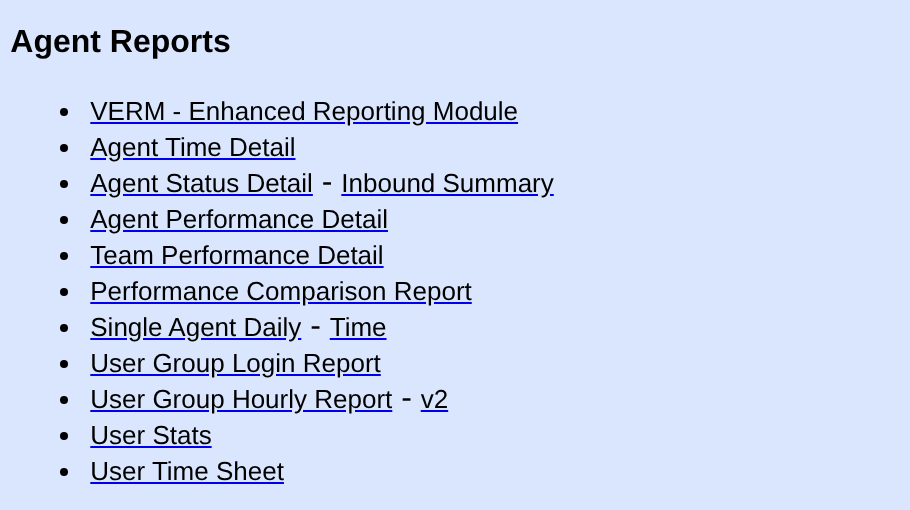
You should seeThe User Stats report opens.
02 / 04
Choose the date and agent
Use the date of your practice call in the server’s reporting time zone.
- Enter the practice date in both date boxes.
- Enter learner1 in the user box, if the report has not already selected that user.
- Leave Call status empty to include all statuses, then select submit.
- First date and date after “to”
- The practice call date in both boxes
- User
- learner1
- Call status
- Leave empty
Filter User Stats
Open image to zoom
You should seeThe report displays available activity for learner1 and the selected dates.
03 / 04
Find the individual outbound call
Agent Talk Time and Status gives totals. Scroll farther down to Outbound Calls for this Time Period to find individual calls.
- Find the row whose DATE/TIME matches your practice notes.
- Check CAMPAIGN is LAB01, LIST is 90001 and LEAD matches the lead ID you wrote down.
- Compare STATUS with the disposition code you saved after hanging up. LENGTH is the reported call duration; it does not prove that Echo was audible.
The individual call columns
Open image to zoom
You should seeOne outbound row matches the time, campaign, list, lead and saved status. That is the recorded result of your practice call.
04 / 04
If the record is missing
If the row is missing, recheck the dates in the server’s time zone, user learner1 and an empty Call status filter. Confirm that you submitted the disposition. If you cannot see the outbound detail section, ask the administrator to check report permissions.
Primary references
Sources
- VICIdial official source snapshotsVICIdial Group · accessed November 3, 2026
- VICIdial official demoVICIdial Group · accessed November 3, 2026