Reader setup
Before you start
Run each step in order and move only when the outcome is confirmed.
- Admin access to the VICIdial campaign or list you want to instrument
- A terminal, comfort running a small script, and a read-only database account for the one SQL sample here — see vicidial-read-only-database-account if you do not have one yet
- An HTTPS endpoint you control, or the ability to stand one up
- What you will prove
- You can configure a VICIdial Call URL that safely notifies an external system on a real call event, and you know exactly which delivery guarantees you do not get.
- Safety boundary
- Call URLs put lead and call data directly into a URL. Treat every Call URL destination as something that will show up in a web server access log, and design the receiver accordingly.
Reader path
How to use this article
- Use it when: You need a fixed sequence to make a deployment or configuration change now.
- Expected result: Follow each step and verify the outcome before changing the next layer.
- Start here: Start at the first section and complete every checkpoint before moving to the next.
01 / 07
What a Call URL is
Fast answer: a Call URL is a web address, URL being short for Uniform Resource Locator, that VICIdial requests automatically when something happens on a call, with placeholders in the address swapped out for real lead and call data before the request goes out. It is VICIdial's built-in webhook mechanism: no extra module, just a URL field you fill in on a campaign or list.
In plain language: an agent is the person answering or making calls. A campaign is the set of rules an agent dials under, such as which list to pull leads from and which script to show. A lead is one contact record: a name, a phone number, and whatever else you loaded. A list is a batch of leads grouped together. A disposition is the outcome code an agent (or the system) assigns at the end of a call, such as sale or no answer. A DID, short for Direct Inward Dial, is a phone number that routes an inbound call into VICIdial. A CRM, short for Customer Relationship Management system, is the external application, such as a sales or support tool, that you want VICIdial to notify.
VICIdial's own Call URL features document describes populating web forms and several call-triggered URLs using --A--field--B-- variables, and it names several distinct URL types: Web Form, Start Call URL, Dispo Call URL, Add Lead URL, No Agent Call URL, CRM popup, a dead-call trigger, and a pause-max URL. Each fires at a different point in a call's life, and some are triggered by the agent's browser while others are triggered by the web server itself.
That browser-versus-server distinction matters before you configure anything. A browser-triggered URL, such as a CRM popup, only fires if the agent's browser is open and reachable; it can be blocked by a popup blocker or missed if the tab is closed. A webserver-triggered URL, such as a Dispo Call URL, is issued by VICIdial's own backend and does not depend on the agent's browser staying open. Confirm which kind you are configuring before you rely on it for anything time-sensitive.
One rule applies before any of that: the field goes dead silently unless you begin its value with the literal three letters VAR. The document states this explicitly for Web Form, Add Lead URL, and CRM Popup Address; for Dispo, Start, and No Agent Call URL it says only that they 'use the same variables' without repeating VAR for those three. Lead with VAR as the safe default on every Call URL type in this guide, and confirm the ambiguous cases on your own install before assuming otherwise.
Visual walkthrough
Follow three real demo screens
Captured on an isolated VICIdial demo: Administration screens on September 24, 2026, and the idle Agent screen on August 11, 2026. Each caption states its own capture time, and every sanitized image helps you recognize a related screen; none proves that this article's call, command, or result occurred.Open the script workspace
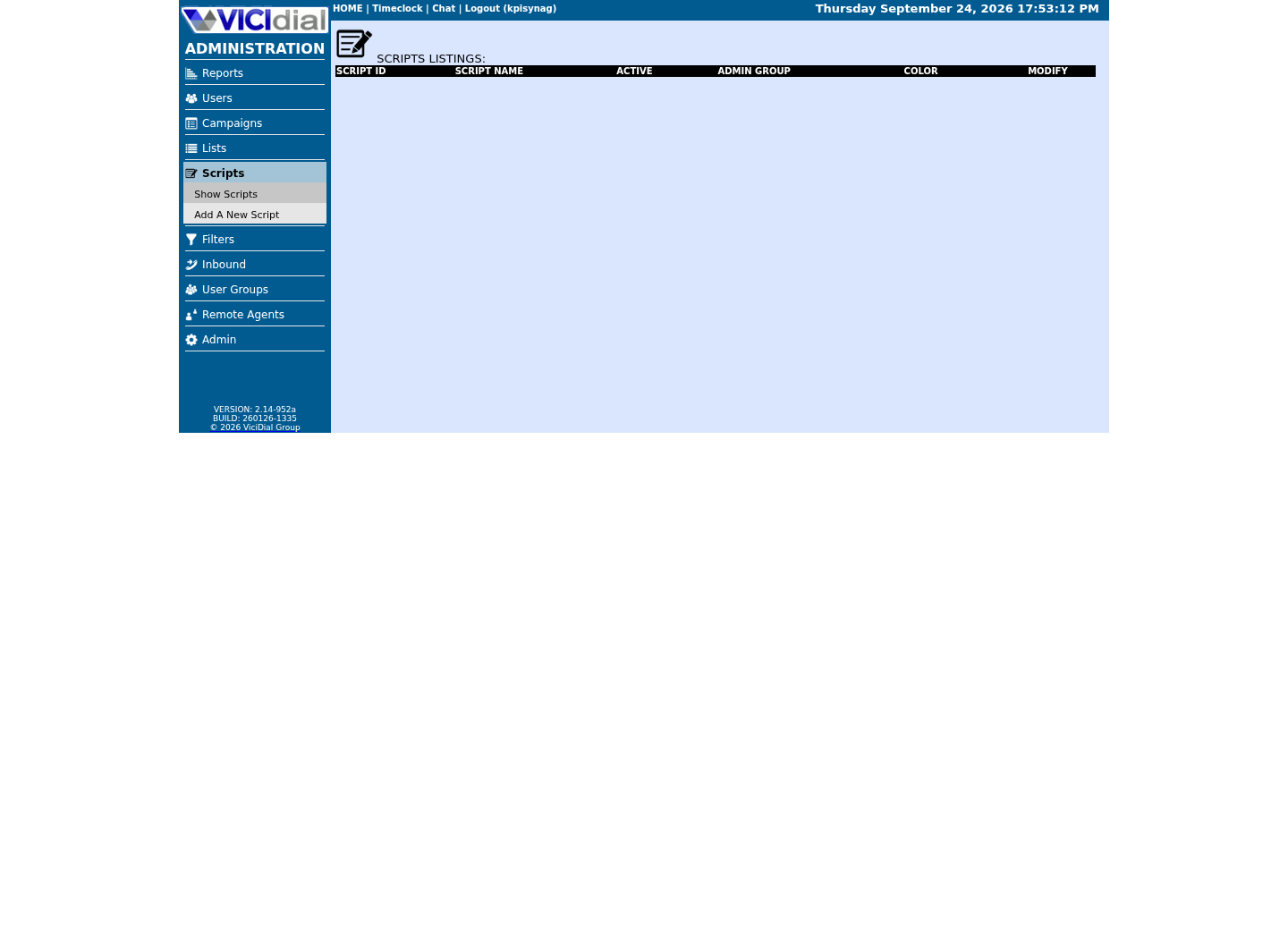
Check list-level form and URL fields
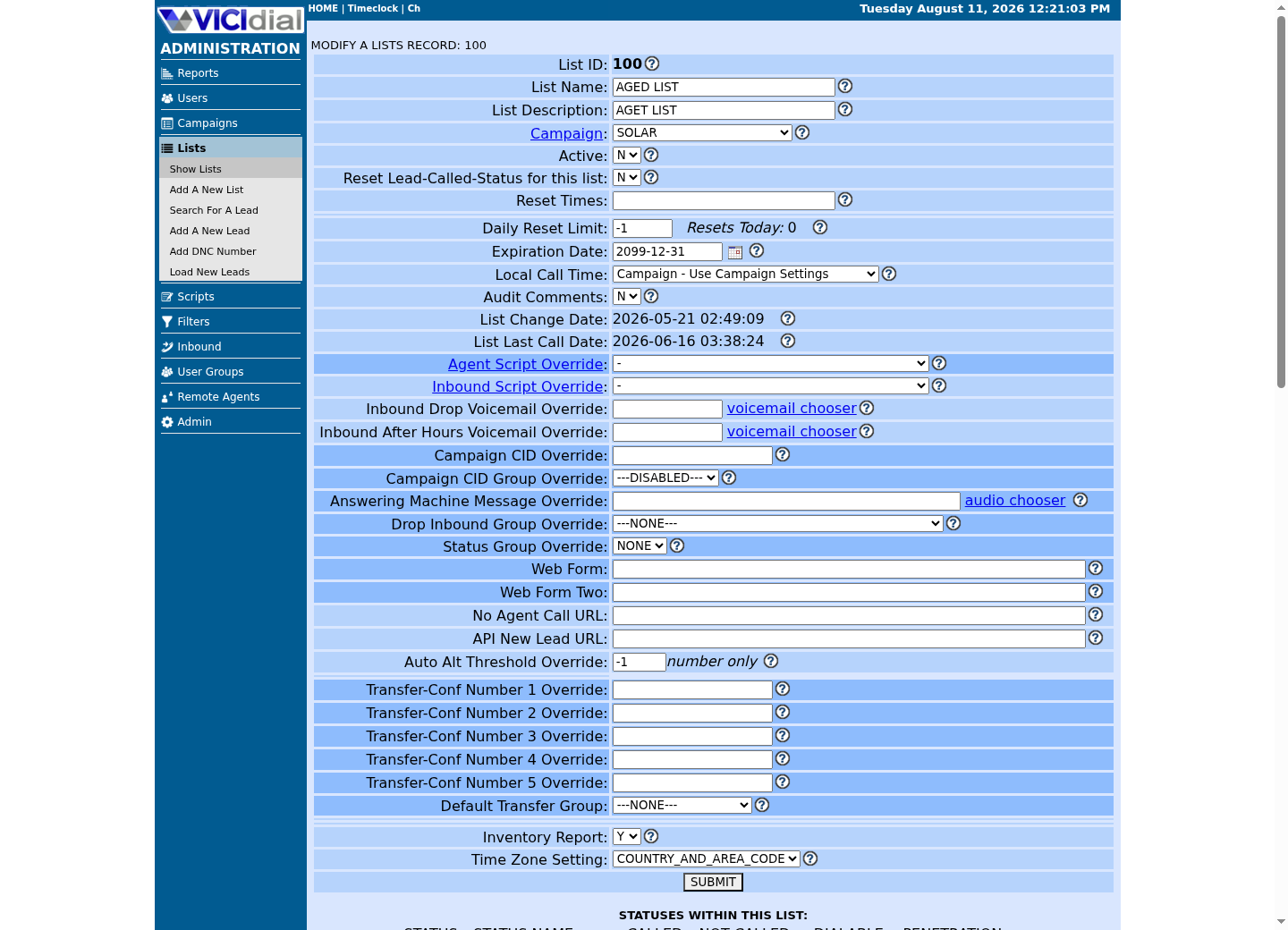
Recognize where the agent sees the workflow
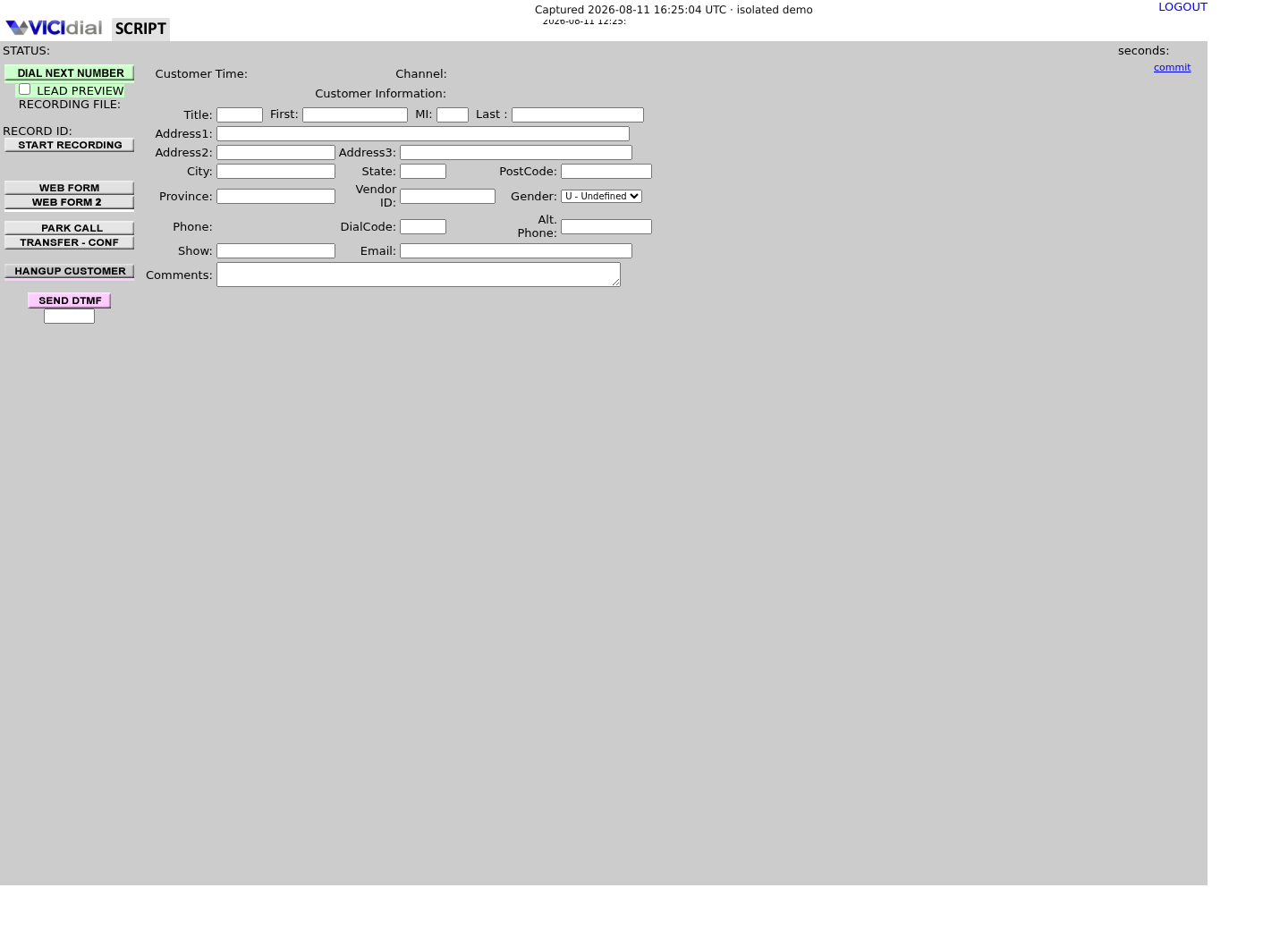
02 / 07
Step 1 — Find the Call URL fields on your installed system
Call URL configuration lives on the campaign and the list, inside vicidial_campaigns and vicidial_lists. Column names, widths, and even which fields exist can differ between installations and revisions, so do not copy a Call URL field name from a blog post or an old screenshot and assume it matches your database.
The safe way to find the real field names on your system is to ask the database directly, the same way you would confirm any other schema detail before writing SQL, short for Structured Query Language, against it. This keeps you working from your installed revision instead of a generic template that might not match.
Run this through your read-only database account. It only reads schema metadata, so it does not touch call or lead data.
- Confirm you are looking at the live database for the VICIdial install you intend to change, not a staging copy with a different revision
- Record the exact column name for the Call URL type you plan to use
- Repeat the same SHOW COLUMNS check against vicidial_lists if you plan to configure a list-level URL instead of a campaign-level one
SHOW COLUMNS FROM vicidial_campaigns LIKE '%url%';Captured demo response · 2026-09-23 21:35 UTC. The displayed command is the command that ran; a safe subset label means it was filtered, redacted, or fixture-scoped. Replays only after you select Replay transcript.
- Before you run it
- Connect to the VICIdial MariaDB or MySQL database with your read-only account before running this.
- Success looks like
- The output includes one or more column definitions whose names reference a call, dispo, web form, or URL concept for the campaign. Copy the exact column name shown, not a guess.
- Stop if
- If the command errors with a permissions or unknown-table message, stop and get read access confirmed from your VICIdial administrator before proceeding. Do not fall back to a downloaded schema file to guess the field name.
03 / 07
Step 2 — Build the receiver before you touch VICIdial
Build and test the receiving endpoint before you put its address into VICIdial. Once a real Call URL is live, VICIdial will send it real lead data on real call events, so the receiver needs to already handle bad input safely.
The receiver must be HTTPS, short for Hypertext Transfer Protocol Secure, which is the encrypted form of HTTP, short for Hypertext Transfer Protocol, the protocol that carries every web address request. A Call URL is, at its core, VICIdial requesting a URL with substituted values, and that request travels over whatever transport the URL specifies. If the destination is plain HTTP without the Secure layer, every field in that URL, including any lead data you chose to include, is readable by anything between VICIdial and the receiver.
Require a shared secret on every request and check it before doing anything else. A workable pattern is a long random token passed as one query parameter, checked with a constant-time comparison, with the request rejected before any lead or call fields are read if the token is missing or wrong. Do not rely on the URL being hard to guess as your only protection: URLs get copied into browser history, shared in chat, and logged.
Make the handler idempotent, meaning that receiving the same event twice, in any order, produces the same end result as receiving it once. This is cheap insurance rather than a response to a documented VICIdial guarantee: AGENT_EVENTS_PUSH.txt, documenting the closely related Agent Events Push mechanism, states plainly that events are not guaranteed to arrive in a fixed order, and that logged_out_complete specifically 'may not trigger reliably due to agent closing browser.' Call URLs share that same no-ordering, no-guaranteed-terminal-event posture, covered in full later in this guide — building the receiver to be idempotent now is the safer default either way.
const http = require("node:https");const crypto = require("node:crypto"); const SHARED_SECRET = process.env.CALL_URL_SECRET;const seenEventIds = new Set(); function timingSafeEqual(a, b) { const bufA = Buffer.from(String(a)); const bufB = Buffer.from(String(b)); if (bufA.length !== bufB.length) return false; return crypto.timingSafeEqual(bufA, bufB);} function handleCallEvent(req, res) { const url = new URL(req.url, "https://crm.example.com"); const token = url.searchParams.get("token") || ""; if (!SHARED_SECRET || !timingSafeEqual(token, SHARED_SECRET)) { res.writeHead(401).end("unauthorized"); return; } const eventId = url.searchParams.get("event_id") || ""; if (!eventId) { res.writeHead(400).end("missing event_id"); return; } if (seenEventIds.has(eventId)) { res.writeHead(200).end("duplicate ignored"); return; } seenEventIds.add(eventId); // Apply the event to your CRM as an upsert keyed on eventId, // never as a blind insert or increment. res.writeHead(200).end("ok");} module.exports = { handleCallEvent }; This sample is a template or reading aid, not a terminal command. There is no output to show.
- Before you run it
- Deploy this behind a real HTTPS listener (a reverse proxy terminating TLS, short for Transport Layer Security, is fine) and set CALL_URL_SECRET to a long random value stored outside your source tree.
- Success looks like
- A request carrying the correct token and a fresh event_id returns 200 ok, and applies exactly one change to the CRM record.
- Stop if
- If a request with a missing or wrong token ever reaches your business logic, stop and fix the check before configuring VICIdial to point at this endpoint. That is a rollback condition, not a warning to note for later.
04 / 07
Step 3 — Configure the Call URL and run a real test
With the receiver deployed and reachable over HTTPS, build the actual URL using VICIdial's --A--field--B-- substitution syntax, starting with the literal VAR prefix from the fast-answer section above. Every field name you wrap in --A-- and --B-- gets replaced with the real value for that call before the request is sent. The exact field names available to you depend on your installed revision and on which Call URL type you are filling in, which is why Step 1 had you confirm your own schema rather than copy a list from elsewhere.
CALL_URL_FEATURES.txt is direct about the honest limit here: it describes the substitution mechanism and names the URL types it applies to, but it does not enumerate every available field name for every revision. Treat the official document for your exact VICIdial version, and the field list shown on your own admin configuration screen next to the URL box you are editing, as the authoritative list. One complete worked example, adapted from the document's own EXAMPLES section on 203.0.113.10 in place of its original private address: the field you save is `VARhttps://203.0.113.10/agc/vdc_call_url_test.php?leadID=--A--lead_id--B--&listID=--A--entry_list_id--B--&dispo=--A--dispo--B--&talk_time=--A--talk_time--B--`, and the request VICIdial actually sends for one real call becomes `https://203.0.113.10/agc/vdc_call_url_test.php?leadID=321452&listID=101&dispo=NI&talk_time=214`.
Put the shared-secret token in the query string alongside an event identifier, and keep the field list as short as you can. Every value you add here is a value that lands in a URL, and URLs land in web server access logs by default, sometimes in proxy logs and monitoring tools too. Prefer an opaque identifier such as a lead ID over a raw phone number or name whenever your integration can look up the rest of the record on the receiving side instead of carrying it in the query string.
Test with a real call in a non-production campaign, or in a quiet period, before trusting the integration for live traffic. A correctly firing Call URL and a correctly responding receiver both need to be verified together, since a silently failing request looks identical to a call that simply had nothing to report.
ls /srv/www/htdocs/agc/ | grep -E 'call_url|get2post|dispo_call_url'Captured demo response · 2026-09-23 21:35 UTC. The displayed command is the command that ran; a safe subset label means it was filtered, redacted, or fixture-scoped. Replays only after you select Replay transcript.
- Before you run it
- Run this on the VICIdial web server before assuming a blank Call URL result is a configuration mistake rather than a missing script.
- Success looks like
- One or more matching file names print, such as vdc_call_url_test.php, dispo_call_url.php, or get2post.php, confirming which of the shipped Call URL helper scripts this install actually has on disk.
- Stop if
- No matches print. A Call URL you point at one of these paths will 404 regardless of how correctly the substitution syntax is written — confirm the script exists, or point the URL at your own receiver from Step 2 instead.
05 / 07
GET versus POST, and when to add a relay
A Call URL is fundamentally a GET request, GET being the HTTP method for requesting a URL with no separate request body. VICIdial builds a full URL string with the substituted values already embedded in it, then requests that address. There is no separate request body carrying a payload the way a modern JSON webhook typically works, JSON being short for JavaScript Object Notation, a common data format for webhook bodies. Every value you include is part of the URL itself.
Many external systems, especially CRMs with a JSON webhook API, API being short for Application Programming Interface, expect a POST request with a body, POST being the HTTP method that carries one, not a GET with query parameters. AGENT_EVENTS_PUSH.txt, documenting the closely related Agent Events Push feature, describes exactly this situation: its browser-side mechanism can only target a local web script, and forwarding to an external system uses a reviewed local relay such as the supplied get2post.php pattern, meaning a small script that receives the incoming GET and re-issues it as a POST to the real destination.
The same relay pattern applies to Call URLs. Point the Call URL at a first-party script you control, on the VICIdial server or immediately behind it, have that script validate the shared secret and re-issue the call as a POST with a JSON body to your actual CRM endpoint. This keeps the substitution mechanism exactly as VICIdial expects it, while giving you a normal POST-based webhook contract on the CRM side.
06 / 07
The delivery guarantees you do not get
Do not build an integration that assumes a Call URL behaves like a reliable message queue. Two real caveats are explicit in VICIdial's own shipped docs, and this article does not go further than what they actually say.
No retry guarantee: neither CALL_URL_FEATURES.txt nor AGENT_EVENTS_PUSH.txt documents VICIdial retrying a Call URL request that fails, times out, or gets no response. Build the receiver to succeed on the first try, and treat every request as possibly the only one you get.
No ordering guarantee: the Agent Events Push documentation states plainly that events are not guaranteed to arrive in a fixed order. Do not build logic that assumes a start event always arrives before a disposition event for the same call; check timestamps and identifiers instead of relying on arrival order.
No guaranteed terminal event: the same source states that logged_out_complete specifically 'may not trigger reliably due to agent closing browser.' Do not build logic that depends on a final event always arriving to close out a session or a call.
None of this documents VICIdial redelivering a request, but nothing about the design rules out your own infrastructure doing so either — a proxy retry, a manual resend, an admin re-saving a campaign field. Idempotent means, in plain terms, that processing the same event twice leaves your system in the exact same state as processing it once, and it costs little to build that way as cheap insurance. Key every write to the CRM off a stable identifier, such as the call's unique ID, and make the write an upsert rather than an append, exactly as shown in the receiver in Step 2.
07 / 07
Troubleshoot, and how to roll back safely
If a Call URL appears to do nothing, first confirm you edited the field that actually applies to the campaign or list carrying your test call, using the column name you confirmed in Step 1, not a name copied from a different revision.
If the receiver logs show requests arriving but the CRM never updates, check the shared-secret comparison and the event_id extraction first. A silently rejected request due to a token mismatch looks, from VICIdial's side, exactly like a successfully delivered one, since VICIdial does not require or check a meaningful response body.
If you see duplicate or out-of-order events during testing, that is expected behavior per the no-guarantee posture above, not a bug to chase. Confirm your idempotency key is stable across the duplicates before concluding anything is wrong.
To roll back, clear the Call URL field back to empty on the campaign or list and confirm with a fresh SHOW COLUMNS query or a direct look at the admin screen that the field is blank. Stop sending test calls through the integration once you have decided to roll back, and only remove the shared secret from the receiver after you have confirmed no further requests are arriving, so a stray delayed request is not misread as a security event.
tail -f /var/log/crm-webhook/access.log | grep --line-buffered /vicidial/call-webhookThis sample changes a system, contacts an outside service, needs a live call, or would print real data from a shared server, so it was not run on the demo. Run it only where you are authorized, and compare the result with the success and stop guidance.
- Before you run it
- This needs a live call, which the demo behind this guide does not place — run it on your own receiver host while a test call runs through a non-production campaign or list.
- Success looks like
- Exactly one log line appears per configured event point, for example one line when the call starts and one when the agent enters a disposition, each with a 200 response and the expected event_id.
- Stop if
- Zero lines after the test call completes means the URL was not saved correctly, or the campaign or list carrying the test call does not actually apply — check both before assuming the receiver is broken.
Evidence ledger
Verification basis
- CALL_URL_FEATURES.txt: Call URLs use --A--field--B-- substitution across Web Form, Start Call URL, Dispo Call URL, Add Lead URL, No Agent Call URL, CRM popup, dead-call trigger, and pause-max URL.
- CALL_URL_FEATURES.txt: Web Form, Add Lead URL, and CRM Popup Address each explicitly require the literal VAR prefix before the URL for substitution to activate; the document states Dispo, Start, and No Agent Call URL 'use the same variables' without repeating the word VAR for those three.
- AGENT_EVENTS_PUSH.txt: forwarding an AJAX-only event to an external system uses a reviewed local relay such as the supplied get2post.php pattern; the document also states plainly that events are not guaranteed to arrive in a fixed order, and that logged_out_complete specifically 'may not trigger reliably due to agent closing browser.'
- vicidial_campaigns and vicidial_lists hold campaign and list configuration; always confirm exact column names with SHOW COLUMNS on the live install rather than a downloaded schema.
Primary references
Sources
- Official Call URL featuresVICIdial Group · accessed August 5, 2026
- Official Agent Events PushVICIdial Group · accessed August 5, 2026