Reader setup
Before you start
Run each step in order and move only when the outcome is confirmed.
- An outbound campaign already dialing leads with a working dial_method such as RATIO or an ADAPT_* method
- At least one in-group already answering calls on its own, with agents currently logged in just to take it
- Admin access to Campaigns, Users, and In-Groups, with modify_campaigns and modify_users permission, plus the read-only database account from Create a read-only database account for safe VICIdial queries for every query below
- What you will prove
- Agents logged into the outbound campaign also receive queued in-group calls in the same session, with vicidial_live_agents.status flipping between INCALL, CLOSER, and READY as the shift runs, instead of needing a second login for inbound.
- Safety boundary
- Blending does not create capacity — it only lets the agents you already have serve two queues instead of one. If outbound pacing already keeps every agent INCALL back-to-back, turning on Allow Inbound and Blended will not rescue a struggling inbound queue; it will just add delay to whichever queue loses the race for the next READY agent.
Reader path
How to use this article
- Use it when: You need a fixed sequence to make a deployment or configuration change now.
- Expected result: Follow each step and verify the outcome before changing the next layer.
- Start here: Start at the first section and complete every checkpoint before moving to the next.
01 / 07
What Closer and Blended Actually Mean in VICIdial
Fast answer: set `campaign_allow_inbound` to `Y` (the `Allow Inbound and Blended` field) on the outbound campaign, tick the in-groups you want under `Allowed Inbound Groups`, and every agent who logs into that campaign gets registered for those in-groups automatically — unless you let them pick with `Agent Choose Ingroups`. From that point on, an agent's live status flips to `CLOSER` for an inbound call and `INCALL` for an outbound one, never both at once.
In plain language: this guide assumes you already know what a DID, an in-group, an agent, a campaign and a carrier are — see Make a phone number ring an agent: inbound DIDs and in-groups for those definitions. Three more terms matter here: a lead is one row of contact data an outbound campaign dials. A disposition is the status code an agent or the dialer assigns when a call ends — NEW, SALE, CALLBK, and so on. Abandonment is a caller hanging up before an agent ever answers, and it is the number that gets worse the longer inbound calls sit waiting.
Closer is VICIdial's own word for an agent handling a call they did not personally dial. It goes back to the old two-stage fronter/closer sales model, where one agent qualifies a lead and transfers it to a specialist who closes the sale — `vicidial_closer_log` and the `role` column (`FRONTER`/`CLOSER`) in `vicidial_agent_sph` still carry that split. The same word now also covers any inbound call an agent takes while logged into an outbound campaign: the moment that happens, `vicidial_live_agents.status` changes to `CLOSER`, a value distinct from `INCALL` (an outbound call). Inbound activity gets written to `vicidial_closer_log`; outbound activity gets written to `vicidial_log`. Same agent, two different logs, depending on who initiated the call.
Blended means one login handles both queues in the same session: outbound auto-dial or manual calls, and inbound in-group calls, without logging out of one campaign to log into another. VICIdial does this by letting an outbound campaign register its logged-in agents into one or more in-groups, so a READY agent can be handed either kind of call.
Do not confuse two campaign fields that sound alike. `Allow Inbound and Blended` (`campaign_allow_inbound`) is the blended switch this whole guide is about — it is what reveals `Allowed Inbound Groups` and lets this campaign's agents receive queued in-group calls. `Allow Closers` (`allow_closers`) is a different field, and this build's own help.php settles what it does: under the anchor `campaigns-allow_closers`, it reads, verbatim, "This is where you can set whether the users of this campaign will have the option to send the call to a closer." That is a transfer permission — whether an agent working this campaign is allowed to hand a call to a closer at all, the same `LOCAL_CLOSER` mechanism `AGENT_API.txt`'s `transfer_conference` function documents ("send call to another ViciDial agent, must have in-group") — not a gate on whether a DID's in-group calls reach this campaign's agents in the first place. Turning it on does nothing for the blended setup this article covers; only `campaign_allow_inbound` does.
grep -n -A3 'campaigns-allow_closers' /srv/www/htdocs/vicidial/help.phpCaptured demo response · 2026-09-23 21:35 UTC. The displayed command is the command that ran; a safe subset label means it was filtered, redacted, or fixture-scoped. Replays only after you select Replay transcript.
- Before you run it
- Run this on the VICIdial web server to see this build's own definition for yourself, rather than trusting a secondhand explanation, including the one above.
- Success looks like
- The matched lines show the campaigns-allow_closers entry in help.php, confirming it as a transfer permission — the same text quoted above.
- Stop if
- No match means this build's help.php uses a different anchor or wording — open the campaign screen's help link directly and read the live text instead.
Visual walkthrough
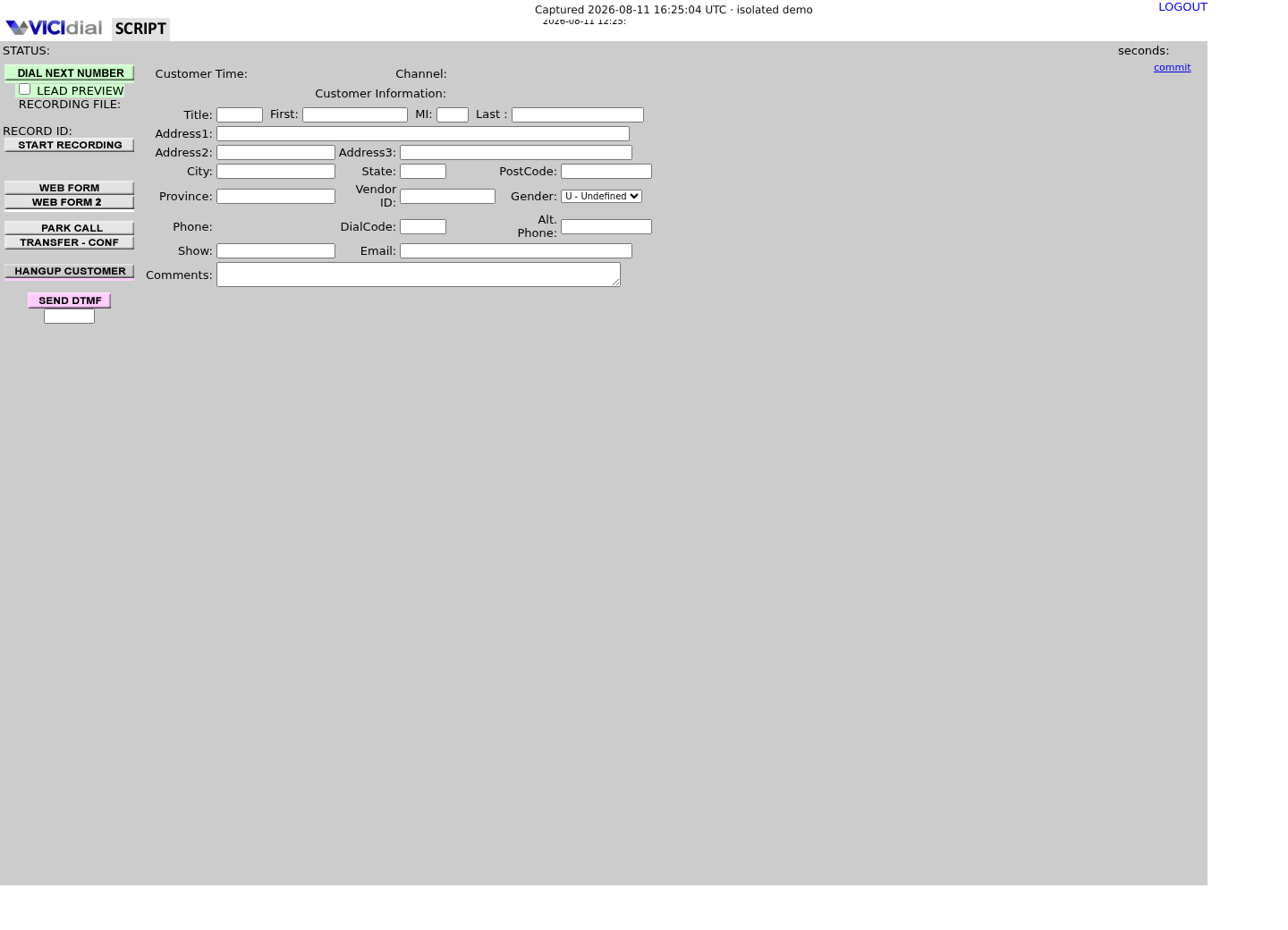
Follow three real demo screens
Captured on an isolated VICIdial demo: Administration screens on September 24, 2026, and the idle Agent screen on August 11, 2026. Each caption states its own capture time, and every sanitized image helps you recognize a related screen; none proves that this article's call, command, or result occurred.Start from DID routing
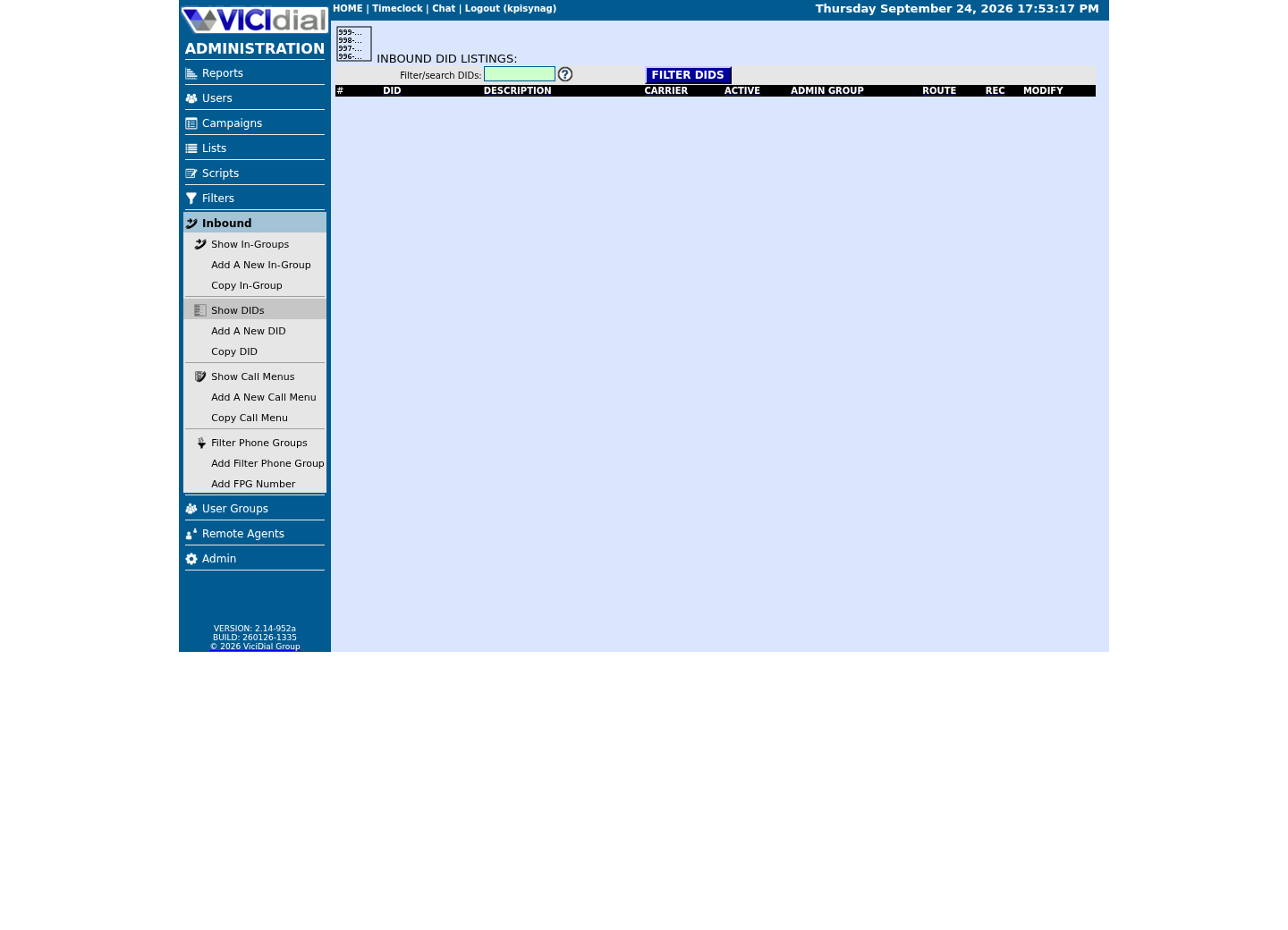
Review the receiving In-Group

See the idle Agent destination
02 / 07
Step 1 — Turn On Allow Inbound and Blended on the Campaign
Open Campaigns → your outbound campaign → Detail. Find `Allow Inbound and Blended` and set it to `Y`, then Submit. This one field is `campaign_allow_inbound` on `vicidial_campaigns`, and it ships with a default of `N` — nothing is blended until you change it.
Setting it to `Y` reveals two more fields on the same screen: `Max Inbound Calls` (a per-campaign cap on simultaneous inbound calls) and `Max Inbound Calls Outcome`, which decides what happens once that cap is hit — `DEFAULT`, `ALLOW_AGENTDIRECT`, `ALLOW_MI_PAUSE`, or `ALLOW_AGENTDIRECT_AND_MI_PAUSE`. It also reveals the `Allowed Inbound Groups` checkbox grid, which is empty and does nothing until you fill it in Step 2.
Leave `dial_method` exactly as it is. Blending is additive — it does not change how this campaign dials leads, it only adds a second source of calls to the same logged-in agents. If this campaign currently uses `RATIO` or one of the `ADAPT_*` methods, it keeps doing that after you flip this switch.
A common failure at this step is stopping here and assuming agents are now blended. `campaign_allow_inbound` = `Y` with an empty `closer_campaigns` grants nothing — it just unlocks the door. Nobody walks through it until Step 2 is done.
- Campaigns → [campaign] → Detail
- Set Allow Inbound and Blended to Y
- Leave dial_method and its pacing fields untouched for now
- Submit before moving to Step 2
SELECT campaign_id, campaign_name, campaign_allow_inbound, allow_closers, max_inbound_calls_outcome, closer_campaignsFROM vicidial_campaignsWHERE campaign_id = '<CAMPAIGN_ID>';Captured demo response · 2026-09-23 21:35 UTC. The displayed command is the command that ran; a safe subset label means it was filtered, redacted, or fixture-scoped. Replays only after you select Replay transcript.
- Before you run it
- Run this from a read-only account before changing anything: mysql --defaults-extra-file=/etc/vicidial-readonly.cnf, then paste the query at the prompt.
- Success looks like
- campaign_allow_inbound comes back N and closer_campaigns is empty or NULL — a clean baseline, confirming this campaign has never been blended before.
- Stop if
- campaign_allow_inbound already reads Y but closer_campaigns is blank — someone turned on the switch and never granted a single in-group, so every agent has logged in blended-eligible and gotten zero inbound calls.
03 / 07
Step 2 — Grant the Campaign's Allowed Inbound Groups
On the same campaign Detail screen, under `Allowed Inbound Groups`, you get one row per in-group with checkboxes plus RANK and GRADE selectors, and columns for CALLS and LIMIT. Tick the in-groups this campaign's agents should be allowed to take as closers. This writes into `closer_campaigns` on `vicidial_campaigns` as a plain space-separated list of `group_id` values — `SALESIN SUPPORTQ`, for example — not a foreign key, just text.
RANK and GRADE are not cosmetic. They get saved per agent per in-group in `vicidial_inbound_group_agents`, and an in-group's `Next Agent Call` method can use either one directly — `inbound_group_rank` routes by RANK, `ingroup_grade_random` by GRADE. Leave every agent at RANK 0 and GRADE 1 and those routing methods have nothing to differentiate on.
Grant only the in-groups this campaign's agents should actually staff. `Allowed Inbound Groups` is campaign-wide: check a box here and every agent who logs into this campaign becomes eligible for that in-group the next time they log in, unless a per-user restriction or `Agent Choose Ingroups` narrows it down in Step 3.
Because `closer_campaigns` is free text, a typo in a `group_id` is silent — the admin screen will not warn you, and the agent will simply never be registered for that misspelled group. Verify the IDs against `vicidial_inbound_groups` directly rather than trusting the saved checkboxes.
- Campaigns → [campaign] → Detail → Allowed Inbound Groups
- Tick each in-group this campaign's agents should staff
- Set RANK and GRADE per agent if the in-group's Next Agent Call method uses them
- Submit, then verify the saved group_id list against vicidial_inbound_groups
#!/bin/bashCAMPAIGN_ID="<CAMPAIGN_ID>"CNF="/etc/vicidial-readonly.cnf" RAW=$(mysql --defaults-extra-file="$CNF" -N -e "SELECT closer_campaigns FROM vicidial_campaigns WHERE campaign_id = '$CAMPAIGN_ID';") if [ -z "$RAW" ] || [ "$RAW" = "NULL" ]; then echo "No Allowed Inbound Groups are set on this campaign yet" exit 0fi for GID in $RAW; do if [ "$GID" = "-" ]; then continue fi FOUND=$(mysql --defaults-extra-file="$CNF" -N -e "SELECT group_id FROM vicidial_inbound_groups WHERE group_id = '$GID' AND active = 'Y';") if [ -z "$FOUND" ]; then echo "MISSING OR INACTIVE: $GID" else echo "OK: $GID" fidoneCaptured demo response · 2026-09-24 21:55 UTC. The displayed command is the command that ran; a safe subset label means it was filtered, redacted, or fixture-scoped. Replays only after you select Replay transcript.
- Before you run it
- Save the campaign's Allowed Inbound Groups first, then run this against the read-only replica to catch typos the admin screen would not.
- Success looks like
- Every group_id prints OK — each one you checked on screen is a real, active row in vicidial_inbound_groups.
- Stop if
- A group_id prints MISSING OR INACTIVE — either it was mistyped when the campaign was created outside the admin grid, or the in-group itself was deactivated after the campaign was pointed at it.
04 / 07
Step 3 — Let Agents Choose Their In-Groups and Blended Mode
Three fields on `vicidial_users`, set under Users → [agent], decide how much choice an agent gets at login. `Agent Choose Ingroups` (`agent_choose_ingroups`, 0 or 1) — set to 1 and the agent sees a picklist of the campaign's Allowed Inbound Groups at login and can uncheck any of them; set to 0 and they are registered for every group the campaign and their own permissions allow, no picking.
`Agent Choose Blended` (`agent_choose_blended`, 0 or 1) is a separate toggle — it lets the agent turn blending on or off for themselves each session, independent of which in-groups they take. `Closer Default Blended` (`closer_default_blended`, 0 or 1) sets what that toggle defaults to before the agent touches it: 1 means they start the session blended, 0 means outbound-only until they opt in.
Behind all three, the login flow runs the `regCLOSER` action in `vdc_db_query.php`. It intersects the campaign's `closer_campaigns` with the agent's own `closer_campaigns` restriction (if one is set on `vicidial_users`) and the agent's login-time picks, then inserts one row per resulting in-group into `vicidial_live_inbound_agents` — carrying over RANK and GRADE from the persistent `vicidial_inbound_group_agents` record for that agent and group. That insert is what actually makes the agent eligible for inbound calls; nothing before this step touches a live table.
`Agent Choose Ingroups` = 0 does not mean the agent takes no in-groups — it means they take all of them, silently, with no screen to object. If a specific agent should never take a specific in-group, do not rely on them declining it; restrict it on their own `closer_campaigns` list on the user record, or leave it out of the campaign's Allowed Inbound Groups entirely.
- Users → [agent] → set Agent Choose Ingroups and Agent Choose Blended
- Set Closer Default Blended for what the agent gets before they touch anything
- Have the agent log out and back in — registration happens at login, not instantly on save
- The shipped change_ingroups Agent API function can update a logged-in agent's in-groups immediately, without waiting for a relogin
- Confirm the resulting rows in vicidial_live_inbound_agents match what you expected
SELECT vla.user, vla.status AS live_status, vla.campaign_id, vlia.group_id, vig.group_name, vlia.group_weight AS rank_value, vlia.group_grade AS grade_valueFROM vicidial_live_inbound_agents vliaJOIN vicidial_inbound_groups vig ON vig.group_id = vlia.group_idLEFT JOIN vicidial_live_agents vla ON vla.user = vlia.userWHERE vlia.group_id = '<INGROUP_ID>'ORDER BY vla.status, vla.user;This sample changes a system, contacts an outside service, needs a live call, or would print real data from a shared server, so it was not run on the demo. Run it only where you are authorized, and compare the result with the success and stop guidance.
- Before you run it
- Not captured on our lab: its only in-group with traffic carries real calls, so run this on your own in-group. Run this while agents are actually logged in for a shift — vicidial_live_inbound_agents rows only exist for an active session, they are not a permanent grant.
- Success looks like
- Every agent you expected to blend into this in-group shows a row, with live_status cycling between READY, INCALL, and CLOSER as the shift runs; rerun it with another in-group ID to check the rest.
- Stop if
- An agent you assigned in Allowed Inbound Groups is missing from the results entirely — they either logged in before you saved the change, or Agent Choose Ingroups let them uncheck that group at login.
05 / 07
What Happens When an Agent Already On an Outbound Call Gets an Inbound Call
`vicidial_live_agents` keeps exactly one status per agent at a time — `READY`, `QUEUE`, `INCALL`, `PAUSED`, `CLOSER`, or `MQUEUE`. An agent mid-call shows `INCALL` for an outbound call or `CLOSER` for an inbound one. There is no seventh value for both at once, and VICIdial does not interrupt a live call to hand the agent a second one. Call waiting on the agent's own line does not exist here.
So when a caller reaches an in-group while every registered agent is `INCALL` or `PAUSED`, the call simply waits. It sits in queue behind whatever the in-group's `Next Agent Call` method is measuring — the shipped default is `longest_wait_time`, so the caller who has waited longest gets the next READY agent first.
The agent finishes the outbound call, works the disposition screen, and only then goes back to `READY`. At that instant they become eligible for whichever comes next: a new outbound call from the hopper, or the oldest waiting call in an in-group they are registered for. Which one actually reaches them first is a genuine race between the dialer's pacing loop and the inbound routing logic — and that race is exactly what `Inbound Queue No Dial`, covered next, is built to referee.
If nobody ever goes READY in time, the in-group's own `drop_call_seconds` (360 seconds by default on `vicidial_inbound_groups`) forces a decision — `drop_action` sends the caller to HANGUP, MESSAGE, VOICEMAIL, another IN_GROUP, a CALLMENU, or VMAIL_NO_INST. In `vicidial_closer_log`, that outcome shows up in `term_reason` as NOAGENT, QUEUETIMEOUT, or ABANDON — the three values to watch when inbound is being neglected.
06 / 07
The Trade-Off: Faster Outbound Pacing Means Slower Inbound Answers
Every second an agent spends `INCALL` on an outbound call, or being routed toward one, is a second they cannot be handed a waiting in-group call. Outbound pacing is controlled by `dial_method` on `vicidial_campaigns` — `MANUAL`, `RATIO`, `ADAPT_HARD_LIMIT`, `ADAPT_TAPERED`, `ADAPT_AVERAGE`, or their `SHARED_` variants — plus `auto_dial_level` for `RATIO` (a straight line-per-agent multiplier) and `adaptive_maximum_level` plus `adaptive_dropped_percentage` for the `ADAPT_*` methods (a ceiling and a target abandon rate the dialer chases automatically). Raise any of those and agents spend more of their shift back-to-back on outbound calls, not READY.
Watch the in-group side to see the cost. `answer_sec_pct_rt_stat_one` and `answer_sec_pct_rt_stat_two` on `vicidial_inbound_groups` (20 and 30 seconds by default) are the service-level thresholds behind the inbound service level report — if the percentage answered inside those windows keeps dropping while you raise `auto_dial_level` or `adaptive_maximum_level`, that is the trade-off landing, not a coincidence.
`Inbound Queue No Dial` (`inbound_queue_no_dial` on `vicidial_campaigns`, default `DISABLED`) is the one setting built specifically to protect inbound from outbound pacing. Set it to `ENABLED` and the dialer will not push a new auto-dial or hopper call onto an agent while a call is already waiting in one of that agent's registered in-groups on this server; `ALL_SERVERS` extends the same check across every dialer server in the cluster, which matters if agents are spread across more than one box. Either setting means outbound pacing effectively pauses during an inbound spike — that pause is the point, and it is exactly what you are trading away.
There is no setting that gives you both a maximum outbound dial level and a guaranteed fast inbound answer. Blending shares a fixed number of READY seconds between the two queues; every field in this section only moves where those seconds go.
Campaign <CAMPAIGN_ID> (outbound, blended) dial_method = RATIO auto_dial_level = 1.4 campaign_allow_inbound = Y (Allow Inbound and Blended) closer_campaigns = SALESIN SUPPORTQ (Allowed Inbound Groups) inbound_queue_no_dial = ENABLED (hold new outbound lines while SALESIN or SUPPORTQ has a call waiting) max_inbound_calls_outcome = DEFAULT In-group SALESIN next_agent_call = longest_wait_time answer_sec_pct_rt_stat_one = 20 answer_sec_pct_rt_stat_two = 30 drop_call_seconds = 360 User <AGENT_USER> closer_default_blended = 1 (blended from the moment they log in) agent_choose_ingroups = 0 (registered for every group <CAMPAIGN_ID> grants, no picking) agent_choose_blended = 0 (cannot turn blending off themselves)This sample is a template or reading aid, not a terminal command. There is no output to show.
- Before you run it
- Use this as a starting point for one pilot campaign and a small group of agents before rolling blending out further.
- Success looks like
- Agents in this campaign show CLOSER in vicidial_live_agents during inbound calls and INCALL during outbound ones, and SALESIN's answered-within-20-seconds percentage holds steady after the change.
- Stop if
- If SALESIN's service level drops right after this goes live, lower auto_dial_level before touching anything else — that is the field doing the most damage to READY time.
07 / 07
Troubleshooting, Rollback, and How to Stop Blending Fast
A common failure is agents logging in blended-eligible and never receiving a single inbound call. Work down this list in order: is `campaign_allow_inbound` really `Y`, is `closer_campaigns` non-empty and typo-free, does the agent's own `closer_campaigns` on `vicidial_users` (if set) silently exclude that group, and — if `Agent Choose Ingroups` is 1 — did the agent actually leave the box checked at login.
A second common failure runs the other way: inbound abandonment climbs right after someone raises `auto_dial_level` or switches an `ADAPT_*` campaign to a higher `adaptive_maximum_level`. Confirm it with `vicidial_closer_log` — a rising count of `ABANDON` or `QUEUETIMEOUT` in `term_reason` for the affected in-group's calls, on the days pacing changed, is the smoking gun.
Rollback is cheap and does not touch a call already in progress — it only stops new ones from routing that way going forward. To roll back the whole campaign, open Campaigns → [campaign] → Detail and set Allow Inbound and Blended back to N; agents already logged in stay registered until they log out and back in, but no new logins will register. To roll back a single agent without touching the campaign, open Users → [agent] and set Closer Default Blended to 0, and, if Agent Choose Blended is 1, have them toggle blended off themselves at next login.
To stop one specific in-group from routing to a specific agent right now, without waiting for a relogin, uncheck SELECTED for that agent under Inbound → In-Groups and submit — that removes the persistent grant. It reaches their live session at next login; to end the session immediately instead, call the shipped logout Agent API function (AGENT_API.txt), which logs the agent out right away, or after their current call is dispositioned if they are on one. To stop an entire in-group from accepting new calls at the source, open Inbound → In-Groups and set that in-group's Active to N; existing queued calls still follow their drop_action, but nothing new arrives.
This closes out the inbound series. For the outbound half of this exact trade-off — what RATIO, ADAPT_HARD_LIMIT, ADAPT_TAPERED, and ADAPT_AVERAGE actually do to dial level, and how to tune adaptive_dropped_percentage without flooding your own agents — see VICIdial dialing modes and pacing.
- Campaigns → [campaign] → Detail: set Allow Inbound and Blended to N to stop the whole campaign from blending
- Users → [agent]: set Closer Default Blended to 0 to stop just that agent by default
- Inbound → In-Groups: uncheck SELECTED for one agent, or call the shipped logout Agent API function, to stop one in-group immediately for one live session
- Inbound → In-Groups: set an in-group's Active to N to stop new calls from entering that queue at all
#!/bin/bashCNF="/etc/vicidial-readonly.cnf"IN_GROUP_ID="<INGROUP_ID>"TODAY=$(date +%Y-%m-%d) mysql --defaults-extra-file="$CNF" -t -e "SELECT term_reason, COUNT(*) AS calls, ROUND(AVG(queue_seconds),1) AS avg_wait_sec FROM vicidial_closer_log WHERE campaign_id = '$IN_GROUP_ID' AND call_date >= '$TODAY 00:00:00' GROUP BY term_reason ORDER BY calls DESC;"This sample changes a system, contacts an outside service, needs a live call, or would print real data from a shared server, so it was not run on the demo. Run it only where you are authorized, and compare the result with the success and stop guidance.
- Before you run it
- Not captured on our lab: its only in-group with traffic carries real calls, so run this on your own in-group. Run this at the end of a shift you suspect had inbound problems. vicidial_closer_log records the in-group in its campaign_id column, not the outbound campaign — use one of the in-groups you blended, not the campaign_id.
- Success looks like
- CALLER (the caller's own hangup after being served) and AGENT dominate the counts, with a low avg_wait_sec.
- Stop if
- ABANDON, QUEUETIMEOUT, or NOAGENT dominate the counts, or avg_wait_sec is climbing — pacing is too aggressive for the number of agents registered on this in-group; enable Inbound Queue No Dial or lower auto_dial_level before adding more in-groups.
Evidence ledger
Verification basis
- vicidial_campaigns.campaign_allow_inbound is ENUM(Y,N) default N, labeled Allow Inbound and Blended in Admin
- vicidial_campaigns.closer_campaigns is a TEXT field of space-separated group_id values, labeled Allowed Inbound Groups
- vicidial_live_agents.status is ENUM(READY,QUEUE,INCALL,PAUSED,CLOSER,MQUEUE) — CLOSER and INCALL are mutually exclusive
- vicidial_live_inbound_agents holds the live, per-session registration of one row per agent per in-group
- vicidial_inbound_group_agents holds the persistent RANK, GRADE, and daily limit grant per agent per in-group
- vicidial_campaigns.inbound_queue_no_dial defaults to DISABLED and also offers ENABLED, ALL_SERVERS, ENABLED_WITH_CHAT, ALL_SERVERS_WITH_CHAT
Primary references
Sources
- VICIdial official statuses and dispositions referenceVICIdial Group · accessed August 5, 2026
- VICIdial agent multi-campaign dialing referenceVICIdial Group · accessed September 23, 2026
- Forum report: ingroup rank or campaign rank not affecting call orderVICIdial forum (community thread, not official documentation) · accessed September 23, 2026
- Forum report: possible admin-level bug in agent in-group selectionVICIdial forum (community thread, not official documentation) · accessed September 23, 2026