Reader setup
Before you start
Run each step in order and move only when the outcome is confirmed.
- A VICIdial campaign or in-group already configured with a Start Call URL, Dispo Call URL, or No Agent Call URL — see VICIdial Call URLs: trigger an external system on call events if none of those fields are set yet
- An account with an SMS provider that publishes a documented HTTPS API, with its API key available only as an environment variable, never typed into a URL or committed to a script
- An API-enabled VICIdial user with modify_leads permission and a user_level of 8 or higher, so update_lead can write the delivery result back onto the lead — see The VICIdial Non-Agent API, with real code for the full permission model
- What you will prove
- A call event fires a text through your own SMS provider, the delivery result is written back onto the lead, and an inbound reply lands on the same lead record — with a clear view of exactly which parts of that chain VICIdial provides and which parts you built yourself.
- Safety boundary
- A Call URL puts lead data, including the phone number you are about to text, directly into a URL, and that URL lands in your web server's access logs by default. Pass only an opaque lead identifier in the Call URL itself, keep the phone number and message body inside your own relay, and never put an SMS provider credential or a VICIdial API password anywhere a URL or a log file can capture it.
Reader path
How to use this article
- Use it when: You need a fixed sequence to make a deployment or configuration change now.
- Expected result: Follow each step and verify the outcome before changing the next layer.
- Start here: Start at the first section and complete every checkpoint before moving to the next.
01 / 08
VICIdial has no native SMS
Fast answer: VICIdial does not send text messages on its own. There is no outbound texting screen, no SMS carrier connection, and nothing resembling a message table for texts anywhere in its schema. What VICIdial does have natively is chat (agent-to-agent, agent-to-manager, and an optional public customer chat), email (agent email, disposition email, and email in-groups), Call URLs that fire an HTTP request on a call event, and the Non-Agent API for reading and writing lead data over HTTP. Wire an SMS provider's own HTTPS API into those last two extension points and you have SMS. That is an integration you build, not a feature you turn on.
In plain language: a lead is one contact record — a phone number plus a name, a status, and a call history. A list is a named batch of leads dialed as a unit. A campaign is the calling project that ties one or more lists, a group of agents, and a set of dialing rules together. An agent is the person logged into the agent screen taking or making calls. A disposition is the outcome code an agent, or the dialer itself, assigns when a call ends — SALE, CALLBK, NA, and dozens more. A DID (Direct Inward Dial number) is the phone number a carrier hands an inbound call to before VICIdial routes it anywhere. A carrier is the phone company or SIP trunk provider that connects VICIdial's Asterisk server to the public telephone network for voice calls — and, in this article, it is also the separate wireless network your SMS provider uses to actually put a text on a handset. VICIdial has no relationship with that second network. Your SMS provider does.
Every mechanism named in this article is something you can verify on your own installation: chat and email are described in the platform's own chat and messaging documentation, Call URL fields are described in the Call URL features reference, and reading or writing a lead is described in the Non-Agent API reference. None of those three ever uses the words text messaging, because none of them send one. Treat any claim of a built-in SMS button as a sign the source is guessing rather than reading the code.
Visual walkthrough
Follow three real demo screens
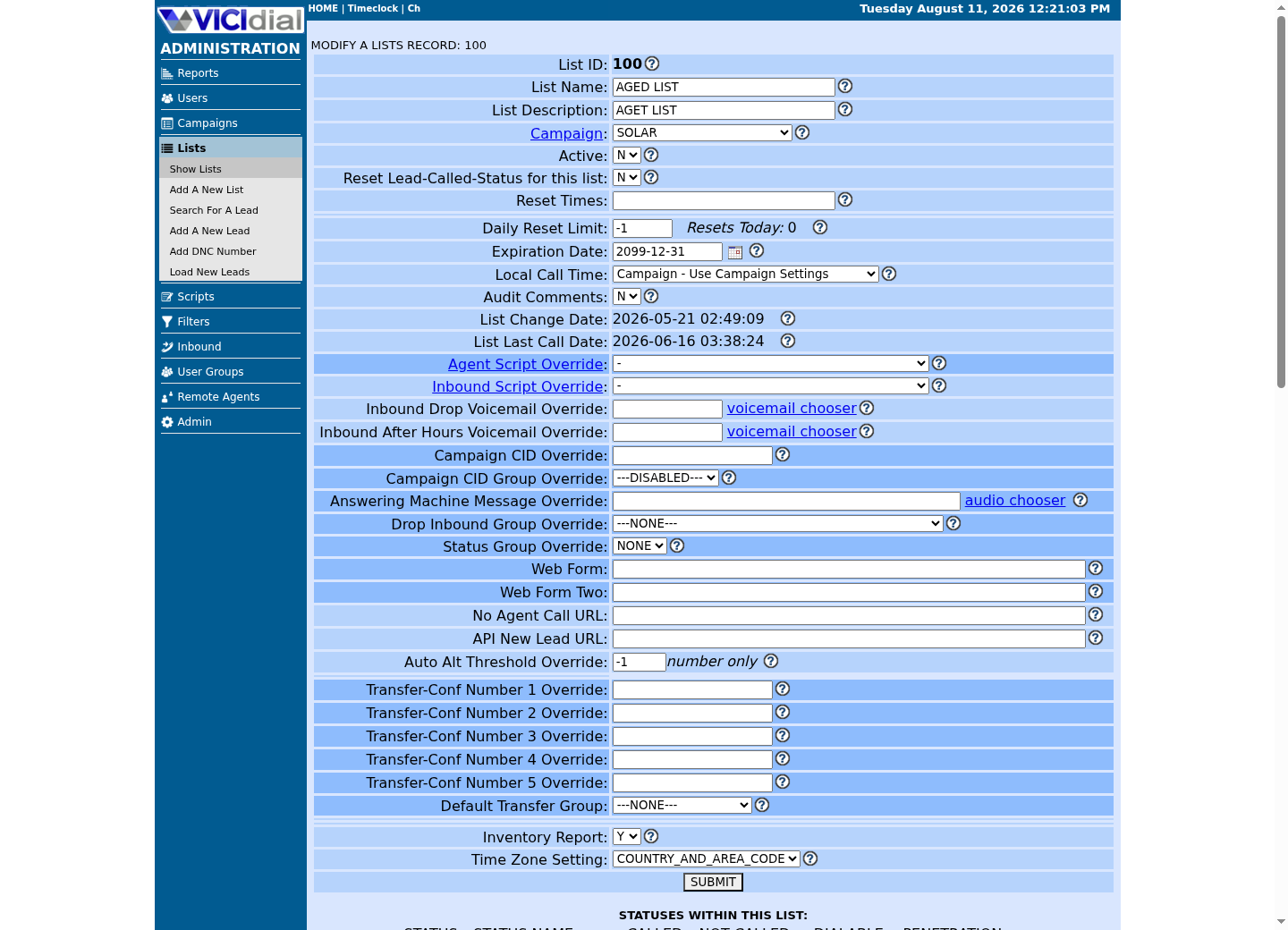
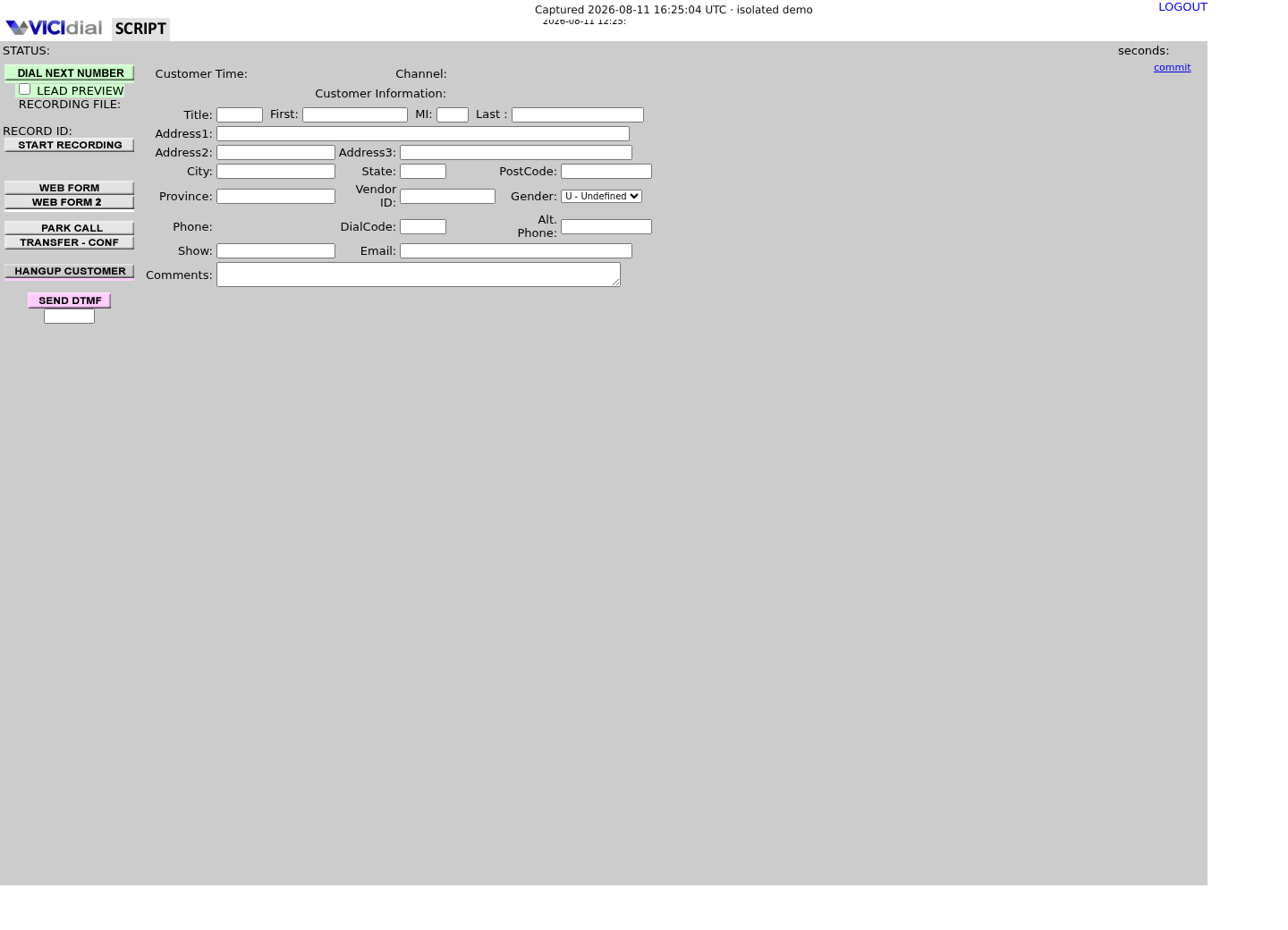
Captured on an isolated VICIdial demo: Administration screens on September 24, 2026, and the idle Agent screen on August 11, 2026. Each caption states its own capture time, and every sanitized image helps you recognize a related screen; none proves that this article's call, command, or result occurred.Open the script workspace

Check list-level form and URL fields
Recognize where the agent sees the workflow
02 / 08
What VICIdial actually has for messaging
VICIdial's own chat system is real, and it is entirely web-based, using its own protocol rather than SMS or any external messaging standard. It lets a website visitor chat with an agent through a page you host, an agent chat with another agent, and a manager broadcast to logged-in agents, all inside the same agent screen a phone call would use. Every message is logged and searchable through the Agent-Manager Chat Log in Admin Utilities. A customer types into a browser widget on your website; nothing about it reaches a phone's messaging app.
Email is the second native channel: agent email, disposition email sent on a chosen outcome, and email in-groups that route inbound email to agents the same way an in-group routes inbound calls. All three exist in the shipped source, though whether they are switched on for a given campaign is a separate System Settings question from whether the code exists at all.
The two extension points that make an SMS integration possible are Call URLs and the Non-Agent API, and both already have their own full articles in this library, so this one does not repeat their syntax. VICIdial Call URLs: trigger an external system on call events covers the --A--field--B-- substitution syntax, the difference between a browser-triggered and a webserver-triggered URL, and why every receiver must be idempotent, meaning that handling the same event twice leaves the system in the same state as handling it once. The VICIdial Non-Agent API, with real code covers authentication, per-function permissions, and the exact request shape for reading and writing a lead over HTTP. Read both before wiring up SMS; this article assumes you have.
Put together, that is the entire native toolbox: chat, email, Call URLs, and the Non-Agent API. SMS is what you get when you point a Call URL at your own relay, have that relay call an SMS provider's HTTPS API, and use the Non-Agent API to write the result back onto the lead. Nothing in that chain is a VICIdial feature; every moving part other than the trigger and the write-back belongs to you and your provider.
- Chat — native, web-based, its own protocol, not SMS
- Email — native, agent email, disposition email, email in-groups
- Call URLs — native, an HTTP request fired on a call event
- Non-Agent API — native, HTTP read and write access to a lead
- SMS — not native; built from the four rows above plus your own provider
03 / 08
Step 1 — Pick the call event that should trigger a text
Decide which point in a call's life should cause a text before you write a line of code. Dispo Call URL fires every time an agent, or the dialer itself, assigns a disposition — the natural trigger for a follow-up text tied to one specific outcome, such as a reminder on a scheduled callback or a payment link on a completed sale. No Agent Call URL fires for calls that never reach an agent at all — drops, no-answers, busy signals, and timeouts — the obvious trigger for a we tried to reach you text. Start Call URL fires when a call is sent to an agent, which is rarely useful for outbound SMS and, per the platform's own documentation, does not fire for manual dial calls at all.
Pick exactly one event per workflow rather than wiring several at once on a first pass. If you only want a text on some dispositions and not others, use the alternate Dispo Call URL mechanism described in VICIdial Call URLs: trigger an external system on call events to scope the URL to specific statuses or lists, instead of filtering inside your own relay after the fact.
Sending a text to a consumer phone number is regulated in most places — get documented consent before the first message and honor an opt-out on every one after it — so confirm the exact rule for your jurisdiction with your own compliance counsel before this goes live, not after.
Event Fires on Good SMS useDispo Call URL Agent or dialer sets a disposition Outcome-specific follow-up, tied to one dispoNo Agent Call URL Drop, no-answer, busy, timeout We tried to reach you, call us backStart Call URL Call is sent to an agent Rarely useful for SMS; does not fire on manual dialThis sample is a template or reading aid, not a terminal command. There is no output to show.
- Before you run it
- You have not configured any Call URL field yet; this table is what you decide between before opening the campaign or in-group screen.
- Success looks like
- You can name the one event this workflow should trigger on, and explain why the other two are wrong for it.
- Stop if
- Wiring more than one event to the same SMS relay on a first pass makes a duplicate or a wrong-context text much harder to trace back to its trigger.
04 / 08
Step 2 — Build a relay that turns the Call URL hit into an SMS send
A Call URL is a plain HTTP GET request with the substituted fields embedded in the query string — there is no request body. Point the campaign's Dispo Call URL at this relay's own address with only lead_id and dispo in the query string — never phone_number: `VARhttps://<RELAY_HOST>/dispo?lead_id=--A--lead_id--B--&dispo=--A--dispo--B--`. The relay calls lead_field_info itself to look the number up before it ever sends a text, exactly the opaque-identifier boundary this article's own safety note promises. Most SMS providers document a POST endpoint that expects a JSON body and an authentication header, not a GET with query parameters. Build a small first-party relay, reachable over HTTPS, that receives the Call URL's GET and re-issues a proper POST to your provider's documented endpoint. This is the same get-to-post reshaping the platform's own guidance recommends for the closely related Agent Events Push mechanism; reuse that pattern here instead of inventing a new one.
Keep the Call URL's query string short and boring. Every value you add becomes part of a URL, and a URL lands in your web server's access logs by default, along with any reverse proxy or monitoring tool sitting in front of it. Pass only what you need to look the lead back up — a lead ID and a disposition code are usually enough — and let the relay itself, not the logged URL, carry the phone number, the message body, and any provider credential.
The provider side of the relay below is deliberately generic: a hostname, an HTTPS POST, a bearer token read from an environment variable, and a JSON body with a destination and a message. Substitute your own provider's documented endpoint path, header name, and body shape for the placeholders — vendors differ on parameter names, and guessing one here would be worse than leaving it generic.
const https = require('node:https');const querystring = require('node:querystring'); const SMS_API_KEY = process.env.SMS_PROVIDER_API_KEY;const VICIDIAL_API_PASS = process.env.VICIDIAL_API_PASS; function sendSms(toNumber, body) { return new Promise((resolve, reject) => { const payload = JSON.stringify({ to: toNumber, body: body }); const req = https.request( { hostname: 'sms.example.com', path: '/v1/messages', method: 'POST', headers: { Authorization: 'Bearer ' + SMS_API_KEY, 'Content-Type': 'application/json', 'Content-Length': Buffer.byteLength(payload), }, }, (res) => { let raw = ''; res.on('data', (chunk) => { raw += chunk; }); res.on('end', () => { if (res.statusCode >= 200 && res.statusCode < 300) { resolve(JSON.parse(raw)); } else { reject(new Error('SMS provider returned ' + res.statusCode)); } }); } ); req.on('error', reject); req.write(payload); req.end(); });} // Every VICIdial read or write below goes through one POST helper, so// no lead_id, phone number or API credential is ever assembled into a URL.function callNonAgentApi(params) { const body = querystring.stringify(params); return new Promise((resolve, reject) => { const req = https.request( { hostname: 'vicidial.example.com', path: '/vicidial/non_agent_api.php', method: 'POST', headers: { 'Content-Type': 'application/x-www-form-urlencoded', 'Content-Length': Buffer.byteLength(body), }, }, (res) => { let raw = ''; res.on('data', (chunk) => { raw += chunk; }); res.on('end', () => resolve(raw.trim())); } ); req.on('error', reject); req.write(body); req.end(); });} // lead_field_info needs only source, lead_id and field_name; it returns the// raw field value on success, so the relay never receives phone_number from// the Call URL itself.function lookupPhoneNumber(leadId) { return callNonAgentApi({ source: 'sms_relay', user: 'smsapi', pass: VICIDIAL_API_PASS, function: 'lead_field_info', lead_id: leadId, field_name: 'phone_number', }).then((raw) => { if (raw.startsWith('ERROR:')) { throw new Error(raw); } return raw; });} function writeResultToLead(leadId, status, messageId) { return callNonAgentApi({ source: 'sms_relay', user: 'smsapi', pass: VICIDIAL_API_PASS, function: 'update_lead', lead_id: leadId, custom_fields: 'Y', sms_status: status, sms_message_id: messageId || 'NONE', });} async function handleDispoCallUrl(fields) { const leadId = fields.lead_id; const dispo = fields.dispo; if (dispo !== 'SMSFOLLOWUP') { return; } try { const phone = await lookupPhoneNumber(leadId); const result = await sendSms(phone, 'Thanks for calling. Reply STOP to opt out.'); await writeResultToLead(leadId, 'SENT', result.id); } catch (err) { await writeResultToLead(leadId, 'FAILED', ''); }} module.exports = { handleDispoCallUrl, sendSms, lookupPhoneNumber, writeResultToLead }; This sample changes a system, contacts an outside service, needs a live call, or would print real data from a shared server, so it was not run on the demo. Run it only where you are authorized, and compare the result with the success and stop guidance.
- Before you run it
- Deploy this behind a real HTTPS listener, set SMS_PROVIDER_API_KEY and VICIDIAL_API_PASS as environment variables outside your source tree, and point the campaign's Dispo Call URL at this relay's own address with only lead_id and dispo in the query string — never phone_number; the relay calls lead_field_info itself to look the number up before texting it.
- Success looks like
- A test call dispositioned as SMSFOLLOWUP results in exactly one lead_field_info lookup, exactly one request to the SMS provider, and exactly one update_lead call recording SENT with a real message ID.
- Stop if
- If sendSms throws and the catch block never runs, check that the promise rejection is not being swallowed elsewhere; a failed send that never reaches writeResultToLead leaves the lead looking untouched instead of FAILED, which is worse than a visible failure. A lookupPhoneNumber rejection means the API user lacks modify_leads, or the lead_id does not exist — the SMS is never attempted in that case.
05 / 08
Step 3 — Log the delivery result back onto the lead
Once the provider answers with a message ID or an error, write that outcome onto the lead so an agent looking at the record, or a report running later, can see it without checking a second system. update_lead, documented in full in The VICIdial Non-Agent API, with real code, takes a custom_fields=Y flag plus any field name already defined on the lead's list through Admin's custom-fields screen — sms_status and sms_message_id are reasonable names to define once and reuse across every workflow.
update_lead requires an API-enabled VICIdial user with modify_leads permission and a user_level of 8 or higher — a real permission requirement, not a suggestion, and a call from a user missing either one fails with a plain-text error rather than a silent no-op. Search by lead_id where possible; the Call URL already handed you --A--lead_id--B--, and matching on it is faster and less ambiguous than a phone-number or vendor-lead-code search across a whole list or campaign.
If you would rather not define new custom fields for a first pass, the built-in comments field on every lead accepts up to 255 characters and needs no setup at all — write a short summary such as SMS sent id MSG-90142 into it instead. That is simpler to start with and harder to report on cleanly later; move to a real custom field once the workflow is proven.
#!/usr/bin/env bashset -euo pipefail # /etc/vicidial-api/writer.cfg (root:root, mode 600) already holds:# url = "https://<VICIDIAL_HOST>/vicidial/non_agent_api.php"# data-urlencode = "source=sms_relay"# data-urlencode = "user=<API_USER>"# data-urlencode = "pass=<API_PASS>" curl --fail-with-body --silent --show-error --config /etc/vicidial-api/writer.cfg \ --data-urlencode "function=update_lead" \ --data-urlencode "lead_id=<LEAD_ID>" \ --data-urlencode "custom_fields=Y" \ --data-urlencode "sms_status=SENT" \ --data-urlencode "sms_message_id=MSG-90142" This sample changes a system, contacts an outside service, needs a live call, or would print real data from a shared server, so it was not run on the demo. Run it only where you are authorized, and compare the result with the success and stop guidance.
- Before you run it
- Create /etc/vicidial-api/writer.cfg once, root:root mode 600, holding the endpoint and this API user's own source/user/pass exactly as The VICIdial Non-Agent API, with real code sets up — never a password on this command line or in shell history.
- Success looks like
- The response body starts with the requested data, not a plain-text ERROR, confirming the lead now carries sms_status and sms_message_id.
- Stop if
- A plain-text ERROR body almost always means the API user is missing modify_leads or does not meet the user_level 8 minimum; a connection failure means the hostname, port, or network path to non_agent_api.php is wrong, not that the update_lead call itself is malformed.
06 / 08
Handle inbound replies the same way, in reverse
VICIdial has nothing that receives an inbound text message; that direction belongs to your SMS provider too. Every provider has its own inbound webhook setting — configure it to POST each reply to a second endpoint you control, separate from the outbound relay in Step 2.
That endpoint should identify the lead the same way the outbound relay did, then call update_lead again to write the reply onto the same record — appending to a reply-tracking custom field, or updating sms_status to REPLIED, rather than only ever writing on the outbound side. A phone number match is the most common lookup here, since a reply arrives carrying the customer's number and little else.
Apply the same idempotent write-back discipline required of any Call URL receiver: a provider's own retry logic can hit your inbound endpoint more than once for the same reply, so key the write on the provider's own message ID as an upsert, not a blind append, or one reply can look like three in a report.
If a reply is an opt-out keyword such as STOP, write that onto the lead immediately and stop sending that lead any further texts from this integration. Check that field before every subsequent send, not only once at the start, since a lead can opt out at any point in an ongoing workflow.
07 / 08
The boundaries: no queueing, no retry, no delivery guarantee
Do not build this integration as if VICIdial were a message queue standing behind it. It is not, on either side of the Call URL. If your relay's call to the SMS provider fails outright, VICIdial has already moved on to the next call; nothing on its side notices, retries, or re-queues that failed send.
The one retry behavior that does exist belongs to VICIdial's own internals, not to your integration: network side effects such as a Call URL request may be retried by legacy jobs on VICIdial's side, an at-most-effort behavior of the platform re-attempting its own outbound HTTP call, not a guarantee your relay can lean on, and it says nothing about whether the SMS provider actually delivered a message to a handset.
There is no ordering guarantee either. Build the relay assuming a call event can arrive once, twice, or with delay, exactly as the Call URLs article requires of any receiver, and never assume a start event arrives before a disposition event for the same call.
Decide up front what happens when the provider call itself fails outright — a network error or a provider 5xx response. Queue it for a bounded retry with your own backoff inside the relay, or drop it and let sms_status = FAILED on the lead be the signal a human follows up on. VICIdial gives you neither option; whichever you pick, you are building it, not configuring it.
- No SMS queue on failure
- No automatic retry of a failed provider call
- No delivery confirmation from a handset
- No inbound texting endpoint of any kind
- Idempotent write-back is your responsibility in both directions
08 / 08
Troubleshoot: no text sent, and how to roll back safely
Work through this in order instead of guessing which layer is broken. Three different systems sit between a call ending and a text arriving, and each one fails differently.
If nothing appears to happen at all, confirm the Call URL fired first, using the same checks as VICIdial Call URLs: trigger an external system on call events — the right column on the right campaign or list, and a request landing in your relay's own access log. A Call URL that never fires is a VICIdial configuration problem, not an SMS problem.
If the relay's log shows the Call URL landed but no text goes out, check the relay's own log for the provider's HTTP response next. A non-2xx status there is the SMS provider rejecting the send — a bad phone number, an unverified sender ID, insufficient account balance — and has nothing to do with VICIdial at all.
If the text sends but the lead never shows a result, confirm the update_lead call used a valid lead_id and that the API user actually has modify_leads and a user_level of 8 or higher. A missing permission or a bad credential returns a plain-text error in the response body, not an HTTP failure code, so a check that only looks at the status code will miss it.
If a relay is sending the wrong message or writing garbage onto leads, do not debug it live. Clear the Call URL field back to blank on the campaign or list first, confirm no further hits reach the relay's log, then fix the relay against your own test calls before pointing it at production traffic again. Stop sending real texts the moment you are unsure the write-back is correct — a wrong sms_status is a small bug to fix later; a customer who gets the same text three times because an inbound handler was not idempotent is a compliance problem you cannot walk back.
SELECT lead_id, status, comments FROM vicidial_list WHERE lead_id = '<LEAD_ID>';SELECT lead_id, sms_status, sms_message_id FROM custom_<LIST_ID> WHERE lead_id = '<LEAD_ID>';This sample changes a system, contacts an outside service, needs a live call, or would print real data from a shared server, so it was not run on the demo. Run it only where you are authorized, and compare the result with the success and stop guidance.
- Before you run it
- Replace <LEAD_ID> with a real lead_id from your own test call, and confirm <LIST_ID> is the actual list_id that lead belongs to before querying its custom_ table; treat this as a template for your own test call, not a query to run unscoped against a shared server's real leads.
- Success looks like
- The first query shows the lead's normal status and comments; the second shows sms_status and sms_message_id populated with the values your relay wrote.
- Stop if
- An unknown table error on the second query means you guessed the wrong custom_<LIST_ID> table name — confirm the lead's real list_id first, since custom_<LIST_ID> is a naming pattern, not a fixed table name.
Evidence ledger
Verification basis
- CHAT_MESSAGING.txt describes VICIdial's chat system as entirely web-based with its own protocol, logged through the Agent-Manager Chat Log, and names no SMS or text-messaging capability anywhere in the document.
- CALL_URL_FEATURES.txt documents Start Call URL, Dispo Call URL, No Agent Call URL, and the --A--field--B-- substitution syntax used to pass lead data to an external system; a Call URL that uses variables must begin with the literal VAR prefix.
- NON-AGENT_API.txt documents update_lead, including its modify_leads and user_level 8 permission requirement and its custom_fields=Y flag for writing arbitrary lead fields, and documents lead_field_info, which needs user_level 7 or higher and modify_leads, for reading one named field — such as phone_number — off a lead by lead_id without ever putting it in a Call URL.
Primary references
Sources
- Official Chat Messaging documentationVICIdial Group · accessed August 5, 2026
- Official Call URL featuresVICIdial Group · accessed August 5, 2026
- Official VICIdial Non-Agent API documentVICIdial Group · accessed August 5, 2026
- Official Agent Events PushVICIdial Group · accessed August 5, 2026