Reader setup
Before you choose
List your constraints, required evidence and stop rules before you score options.
- A running VICIdial installation where Call URLs or the Non-Agent API are already understood, not this article's first exposure to either.
- A named owner for any data that leaves the dialer, because sending audio or transcripts to a third party is a privacy decision, not only a technical one.
- A test lead and an inactive campaign to try any relay against before it touches a real disposition.
- What you will prove
- A working definition of where an AI SDR tool can attach to a VICIdial call, plus a short, vendor-verified list of tools worth evaluating instead of a generic feature comparison.
- Safety boundary
- This is not legal advice, and no tool named here is confirmed to connect to VICIdial directly; every integration described is something you build and test yourself.
Reader path
How to use this article
- Use it when: You are comparing options and need decision evidence before approval.
- Expected result: Turn options into explicit acceptance criteria and documented stop conditions.
- Start here: Score what is mandatory, keep unknowns visible, then decide only when risks are understood.
Start with the integration surface, not the feature list
Fast answer: almost none of today's artificial intelligence (AI) sales development representative (SDR) tools advertise a native VICIdial connector, because VICIdial is a self-hosted, open source dialer, not a customer relationship management (CRM) system that vendors build plug-ins for. What actually matters is whether a tool exposes a webhook or an application programming interface (API) you can drive from VICIdial's own Call URLs and Non-Agent API, and at which point in a call's life it would need to sit.
New to agent, campaign, lead, list, disposition, or DID? “VICIdial terminology for complete beginners: users, phones, campaigns and leads” defines each of those before this article leans on any of them.
This article checks the AI SDR category the way a VICIdial operator actually has to: by what a tool will do with a webhook and a database write, not by its marketing copy. Eight tools below have been checked against their own current website; none is confirmed to speak to VICIdial's dialer directly, so every one of them requires building the bridge yourself using extension points VICIdial already documents.
- This is a decision framework: it names an integration surface and a verified tool list, not a product recommendation or a ranking of best tools.
- No tool below is confirmed to integrate with VICIdial; every connection described here is something you build with Call URLs, the Non-Agent API, or both.
- Treat any price quoted here as accurate only as of the stated access date; plans and features in this category change often.
Visual walkthrough
Follow three real demo screens
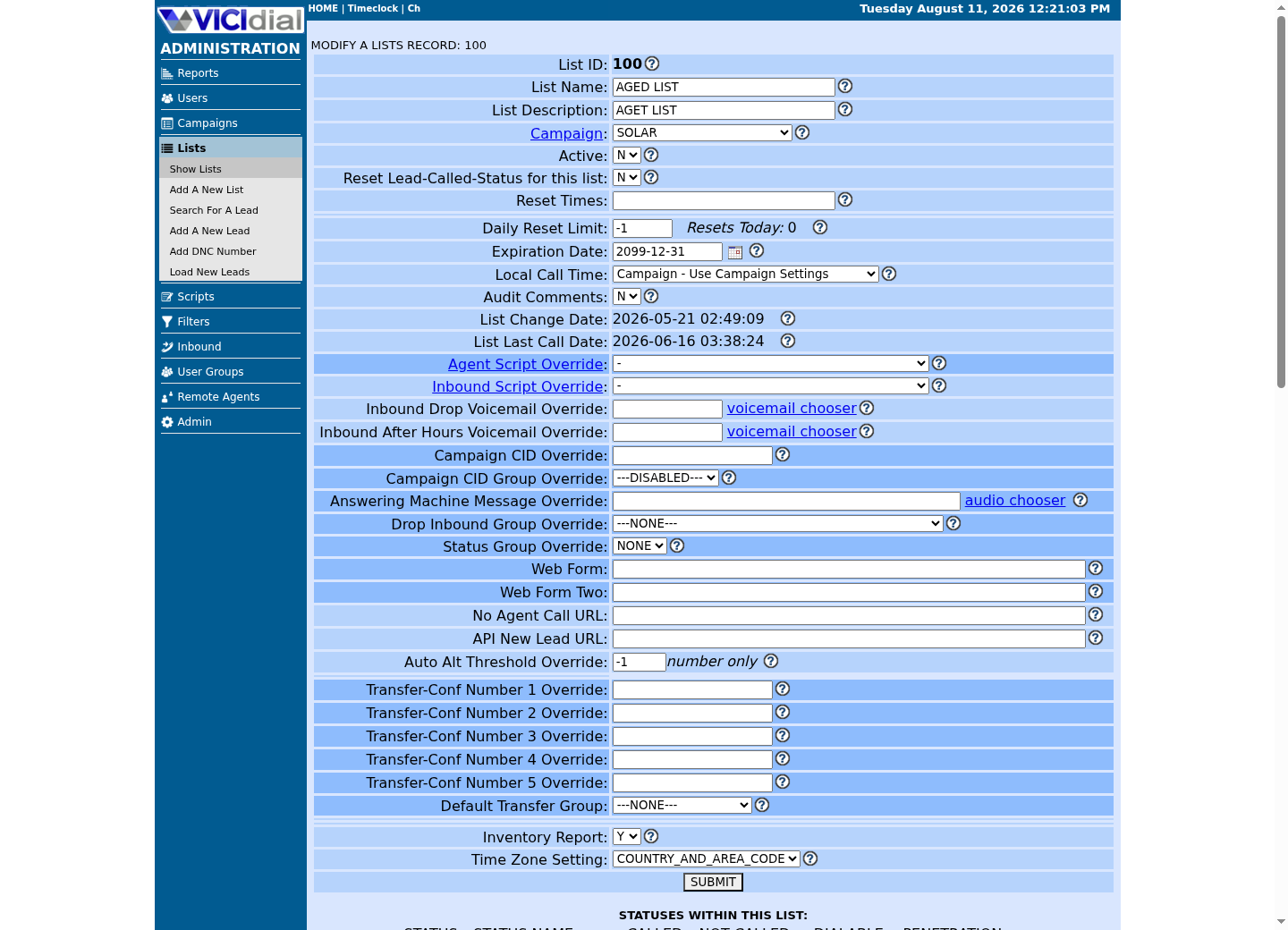
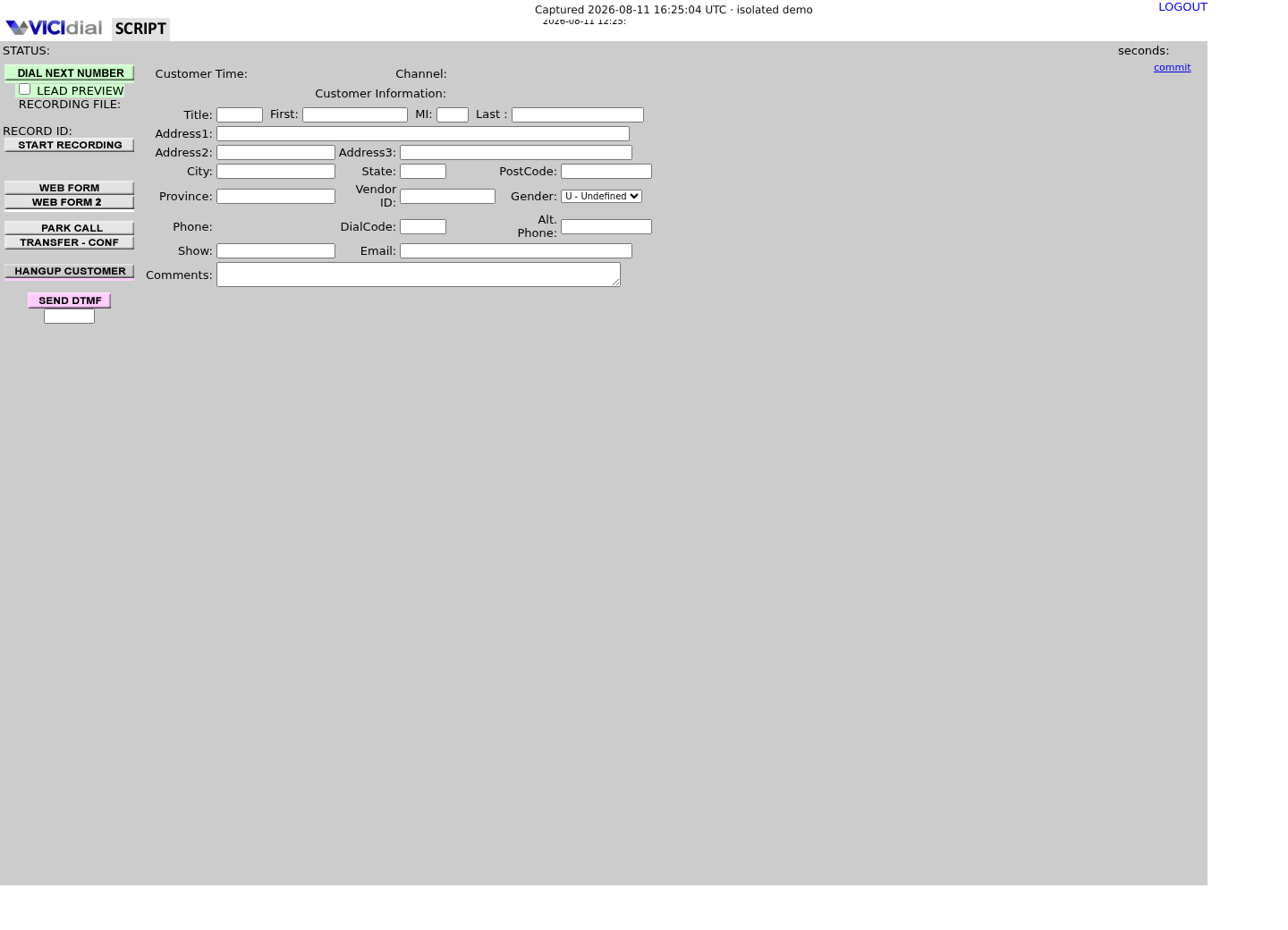
Captured on an isolated VICIdial demo: Administration screens on September 24, 2026, and the idle Agent screen on August 11, 2026. Each caption states its own capture time, and every sanitized image helps you recognize a related screen; none proves that this article's call, command, or result occurred.Open the script workspace

Check list-level form and URL fields
Recognize where the agent sees the workflow
Why the honest starting point is that nothing plugs in
VICIdial is self-hosted and open source, and it was built to run a call center's telephony and campaign logic, not to be the system of record that sales-tool vendors integrate against by default. The AI SDR category has grown up almost entirely around cloud CRM and sales-engagement platforms, because that is where the contact and account data already lives and where a vendor's engineering effort turns into an app-marketplace listing. A self-hosted dialer with no public app directory does not get that attention, however capable it is at actually placing calls.
VICIdial has been down this road before, and the pattern already has a name in this publication. Adding text messaging to a campaign runs into the same wall, because SMS is not a native VICIdial feature either; “Add SMS to VICIdial: no native feature, just an integration” lays out the same shape that applies here — VICIdial exposes lifecycle hooks and a database-backed API, and every external capability, whether it is a text message or an AI vendor's summary, gets wired on through those hooks rather than through a built-in connector.
That reframes the evaluation question. It is not “does this tool integrate with VICIdial,” because the honest answer is almost always no. It is “does this tool expose a documented webhook or API I can drive myself, and where in the call would I actually call it.”
Where such a tool could plausibly sit: before, during, and after the call
Before a call happens, an AI SDR tool's job looks like list building, enrichment, and prioritization: build a list, attach firmographic or intent data to a contact, and rank which leads are worth dialing first. None of that needs anything from VICIdial except the lead record itself, and the natural attachment point is the lead side, using the Non-Agent API's add_lead and update_lead functions or a scheduled import against a list. No call audio or live channel state is involved at this stage.
During the call is a different problem, because real-time coaching or live transcription can only work if the tool can hear the call, which on VICIdial means access to the live channel or the recording stream, an architectural change rather than a webhook. VICIdial's own recording and media pipeline, including Monitor and MonitorStereo actions, the Audio Store, and the recording_log table, was built to capture and store audio for playback and quality review, not to fan a live stream out to a third-party API in real time.
After the call is the easiest attachment point precisely because it does not have to be live. The Dispo Call URL fires once a disposition is set, already carrying the call's talk time, notes, and status, so a relay can hand a summary or transcript to a vendor and write a suggested next action back onto the lead afterward, on the receiver's own schedule rather than the call's.
- Before the call needs only lead data, not audio, and fits the Non-Agent API's lead and list functions.
- During the call needs live audio or channel access, a substantial architecture and privacy decision on a system that already records calls for its own purposes.
- After the call can run entirely on fields the Dispo Call URL already collected, with no audio access required unless a full transcript is wanted.
Eight AI SDR tools checked against their own websites on August 5, 2026
The content plan behind this article called for a top-10 list. Eight tools below have specific, checkable capability claims on their own current website; stretching the list to ten would have meant adding vendors from memory or reputation instead of verification, so the list stops at eight. Every claim here is what the vendor's own site said on the access date, not a summary of reviews or a category ranking; no tool is declared best, and none is confirmed to talk to VICIdial.
Apollo.io positions itself as a unified sales platform: a database of more than 240 million contacts, AI-generated multichannel campaigns, real-time enrichment for inbound leads, and AI-written call summaries and follow-up tasks, syncing to Salesforce and HubSpot. Clay sits closer to infrastructure than to an SDR itself: it connects to more than 200 data providers, runs “Claygent” research agents against target accounts, and on its Growth plan exposes an HTTP API and a command-line interface, which is the kind of programmatic surface a VICIdial-side relay would actually need.
Artisan's Ava and 11x's Alice are both marketed as an autonomous AI business development representative (BDR): each finds prospects from its own contact database, writes and sends multichannel outreach, handles replies, and books meetings directly onto a rep's calendar, syncing two-way with Salesforce and HubSpot. Ava queues call steps into what Artisan calls a native dialer for a human rep to execute; Alice's site lists phone and SMS alongside email and social as outreach channels, and separately lists an API among its integrations. Regie.ai frames itself the same way but adds a named AI Dialer and one workflow spanning enrichment, dialing, email, sequencing, and reporting. AiSDR adds multimedia messages such as video and voice notes plus a live, plain-English prospect search, and specifically lists Aircall, a cloud calling product and not VICIdial, as an integration for call insights.
Nooks is a parallel AI dialer with call scoring, roleplay, and coaching layered on top, built around skipping phone trees and a native two-way Salesforce and HubSpot sync; it competes with a VICIdial-style dialer more than it plugs into one. Salesloft describes itself as an AI revenue orchestration platform with cadence automation, AI email agents, conversation intelligence, and a chat agent for inbound website visitors, but its own site gives no more integration detail than an integrations marketplace and does not name VICIdial or any open source dialer.
Of the eight, only Clay, AiSDR, and Regie.ai publish a specific price on their own site, and Regie.ai's figure below is re-checked September 23, 2026 rather than dated to this article's original access date, because its own pricing page changed in between. Clay's Growth plan starts at $446 a month billed monthly, or $185 a month billed annually, for 40,000 actions and 6,000 data credits. AiSDR's Explore plan is $900 a month on a quarterly contract for 800 AI-researched contacts. Regie.ai no longer publishes the per-seat AI SEP tier this article originally cited; it now publishes only RegieGO Pro at $49 a month, a credit-based plan (5,000 credits a month) with no stated seat minimum or contract, while team and volume pricing and its separate AI Dialer are both quote-only. Apollo.io, Artisan, 11x, Nooks, and Salesloft all require contacting sales for a quote as of this access date, so no figure for those five appears in this article.
TOOL: Apollo.io | CATEGORY: unified sales platform with AI agents | NEEDS_CALL_AUDIO: no, call summaries come from its own dialer and CRM data | PRICING: not published, contact salesTOOL: Clay | CATEGORY: data enrichment and agentic research (Claygents) | NEEDS_CALL_AUDIO: no | PRICING: published, Growth plan from $446 a monthTOOL: Artisan (Ava) | CATEGORY: autonomous AI BDR | NEEDS_CALL_AUDIO: only if using its own native dialer | PRICING: not published, contact salesTOOL: 11x (Alice) | CATEGORY: autonomous AI SDR | NEEDS_CALL_AUDIO: only for its own phone and SMS channel | PRICING: not published, contact salesTOOL: Regie.ai | CATEGORY: AI SDR plus AI Dialer | NEEDS_CALL_AUDIO: yes, for its dialer and call coaching | PRICING: published, RegieGO Pro at $49/mo (credit-based); team and AI Dialer pricing not publishedTOOL: AiSDR | CATEGORY: multi-channel AI SDR | NEEDS_CALL_AUDIO: no, calling is routed through Aircall | PRICING: published, Explore plan at $900 a monthTOOL: Nooks | CATEGORY: AI parallel dialer with coaching | NEEDS_CALL_AUDIO: yes, that is the product | PRICING: not published, contact salesTOOL: Salesloft | CATEGORY: sales engagement platform with AI agents | NEEDS_CALL_AUDIO: for its conversation intelligence feature | PRICING: not published, contact salesThis sample is a template or reading aid, not a terminal command. There is no output to show.
- Before you run it
- Copy this snapshot into your own evaluation notes and re-verify every row directly on the vendor's site before relying on it; this category updates its features and plans often.
- Success looks like
- Every row you plan to act on has been checked against the vendor's current site within the last few weeks, not copied from this article alone.
- Stop if
- Treat a stale or unverifiable row as unknown, not as a passing grade, and do not wire a VICIdial relay to a capability you have not reconfirmed yourself.
How you would actually wire one in: Call URLs out, the Non-Agent API back
VICIdial's documented extension points are the whole integration surface here, and they are the same two covered in “VICIdial Call URLs: trigger an external system on call events” — the Dispo Call URL fires an HTTP request to an address you control every time an agent or the auto-dialer finishes a call, carrying fields such as --A--lead_id--B--, --A--dispo--B--, --A--talk_time--B--, and --A--call_notes--B--. Nothing about that request is aware of any AI vendor; it is a plain webhook, and the vendor call happens entirely inside the relay you write to receive it.
The way back is “The VICIdial Non-Agent API, with real code”: once your relay has whatever the AI SDR tool returned, such as a summary, a suggested disposition, or a follow-up draft, it writes that onto the lead using update_lead or batch_update_lead against /vicidial/non_agent_api.php, with a dedicated, least-privilege API user, and a plain-text ERROR response treated as failure even when the HTTP status is 200.
Treat the vendor's response as untrusted input to that write: cap field length, write only into the exact custom field or notes field you intend to fill, and never let a vendor's suggested disposition auto-apply a compliance-sensitive status such as do-not-call without a person confirming it first.
# /etc/vicidial-api/writer.cfg (root:root, mode 600) holds:# url = "https://<VICIDIAL_HOST>/vicidial/non_agent_api.php"# data-urlencode = "user=<API_USER>"# data-urlencode = "pass=<API_PASS>"# data-urlencode = "source=ai_sdr_relay"# The Dispo Call URL already fired and your relay already called the AI# vendor's own API; this step only writes the result back onto the lead.response=$(curl --fail-with-body --silent --show-error \ --config /etc/vicidial-api/writer.cfg \ --data-urlencode 'function=update_lead' \ --data-urlencode 'lead_id=<LEAD_ID>' \ --data-urlencode 'comments=AI summary: interested, wants pricing by email') case $response in SUCCESS:*) printf '%s\n' 'lead updated from AI SDR relay' ;; ERROR:*) printf '%s\n' 'VICIdial returned ERROR, not applied' >&2; exit 1 ;; *) printf '%s\n' 'unexpected response, treat as failure' >&2; exit 1 ;;esacThis sample changes a system, contacts an outside service, needs a live call, or would print real data from a shared server, so it was not run on the demo. Run it only where you are authorized, and compare the result with the success and stop guidance.
- Before you run it
- Create /etc/vicidial-api/writer.cfg exactly as commented above first, root:root and mode 600, with a dedicated least-privilege API user; never put the host, API user, password, or function in this script or in the Call URL itself. source is a required field on every Non-Agent API write, capped at 20 characters.
- Success looks like
- The script prints that the lead was updated, and only the intended notes or custom field changed on the lead.
- Stop if
- Stop on ERROR or an unexpected response; do not retry a write function automatically without confirming the first attempt did not already apply.
The recording and transcript question deserves its own section
VICIdial already records calls for its own purposes, and the platform's own operational risk register is blunt about what that data represents: a standard sales-export report already includes customer names, addresses, phone numbers, email, a security phrase, and free-text comments, and a wrong recording can get matched to the wrong lead if the selection logic falls back to a phone-number substring. Sending that same audio, or a transcript derived from it, to a third-party AI SDR vendor is a materially bigger version of that exposure, not a smaller one, because the data leaves an environment you control entirely.
Concretely, any during-the-call capability, such as live coaching or live transcription, needs either a tap on the live channel or a copy of VICIdial's own recording pipeline: Monitor and MonitorStereo actions, the recording_log table, and the Audio Store. An after-the-call capability that only wants a transcript still needs the finished recording file — the Non-Agent API's own recording_lookup function is the shipped way to find it, looking a recording up by user and date or by lead_id rather than searching the filesystem directly — and that file is exactly the asset the platform's known risk register already flags for restricted access, encrypted transport, and minimized retention.
“Secure VICIdial recordings with authenticated storage, encryption, and retention” covers the storage side of this problem for recordings that stay inside your own infrastructure. Sending a copy to a vendor outside that boundary is a separate decision layered on top of it, not a substitute for it.
- Do not point a live audio feed or a recording export at a vendor until consent, retention, and data-residency questions have actual answers, not assumptions.
- Treat a transcript the same as the recording it came from for access and retention purposes; text is not less sensitive than the audio it came from.
- Keep a record of which vendor received which call's data and for how long, the same way a recording export already needs one.
INTEGRATION SURFACE: does the tool expose a documented webhook or API, or only a browser dashboard?CALL LIFECYCLE POINT: before, during, or after the call, and does that match a Call URL or the Non-Agent API?AUDIO OR TRANSCRIPT ACCESS: does this capability need the live channel or the recording file, or only lead and disposition data?WHERE THE DATA GOES: which fields, files, or audio leave the dialer, to which vendor, hosted in which country?RETENTION AT THE VENDOR: how long does the vendor keep what it received, and can you get it deleted on request?ON VENDOR FAILURE: if the vendor's API times out or returns an error, does the call still get dispositioned, and does the lead stay accurate?This sample is a template or reading aid, not a terminal command. There is no output to show.
- Before you run it
- Fill this in for one candidate tool and one call event before writing any relay code, using the tool's own site and your own dialer's configuration, not a sales conversation alone.
- Success looks like
- Every line has a specific answer, and the audio-or-transcript line is answered before deciding where the relay hooks in.
- Stop if
- An unanswered audio, retention, or vendor-failure line is a reason to stop, not a detail to fill in after the relay is already sending real call data.
Plan for the vendor being slow, wrong, or gone
VICIdial's own documentation is explicit that call-triggered URLs are not a transaction log: events are not guaranteed to arrive in a fixed order, a browser close can prevent a final logout event, and a legacy job may retry a URL hit more than once. Build the relay to expect a duplicate Dispo Call URL hit, a slow or unreachable vendor endpoint, and a call that never gets a response at all, and make sure the agent's own disposition write, which VICIdial performs synchronously, never waits on the vendor being available.
The practical rule is that the AI vendor's output should be additive, not load-bearing: a suggested disposition or a drafted follow-up email is useful when it shows up, and its absence should never be the reason a lead does not get dispositioned, does not get a scheduled callback, or does not get removed from a do-not-call list. Log every relay call's outcome in your own system, since the vendor's own uptime history is not something you can verify later from outside.
Re-check the eight tools above against their own sites before acting on this article. Capabilities, integrations, and prices in this fast-moving category can change within months of anything being written down, so a claim you have not reconfirmed recently should be treated as unverified, not current.
- Make the vendor call idempotent and safe to retry, since VICIdial's own event delivery is already not guaranteed to be exactly once.
- Never let a missing or slow vendor response block or delay the disposition, callback, or do-not-call write that VICIdial itself is responsible for.
- Re-verify pricing and capability claims directly on the vendor's site before a renewal or a new integration decision, not from this article alone.
Evidence ledger
Verification basis
- Capability claims for Apollo.io, Artisan, 11x, Regie.ai, AiSDR, Clay, Nooks, and Salesloft come from each vendor's own website, accessed August 5, 2026; no other AI SDR vendor is described in this article.
- None of the eight verified vendors advertises a native VICIdial connector; every wiring path described here uses VICIdial's own documented Call URL and Non-Agent API extension points instead of a vendor-built plug-in.
- Only Clay, AiSDR, and Regie.ai publish a specific price on their own pricing page; Regie.ai's is re-checked September 23, 2026 (RegieGO Pro at $49/mo, credit-based) rather than the August 5, 2026 figure this article originally recorded, since that figure changed. The other five vendors require contacting sales, and no other price is stated in this article.
- This is not legal advice. Consent, retention, and cross-border data transfer questions raised by sending call recordings or transcripts to a third party need review by qualified counsel in each relevant jurisdiction.
Primary references
Sources
- Apollo.io — platform overviewApollo.io · accessed August 5, 2026
- Apollo.io — pricing pageApollo.io · accessed August 5, 2026
- Artisan — Ava AI BDR overviewArtisan AI · accessed August 5, 2026
- Artisan — pricing pageArtisan AI · accessed August 5, 2026
- 11x.ai — Alice AI SDR overview11x · accessed August 5, 2026
- Regie.ai — platform overviewRegie.ai · accessed August 5, 2026
- Regie.ai — pricing pageRegie.ai · accessed August 5, 2026
- AiSDR — platform overviewAiSDR · accessed August 5, 2026
- AiSDR — pricing pageAiSDR · accessed August 5, 2026
- Clay — platform overviewClay · accessed August 5, 2026
- Clay — pricing pageClay · accessed August 5, 2026
- Nooks — platform overviewNooks · accessed August 5, 2026
- Nooks — pricing pageNooks · accessed August 5, 2026
- Salesloft — platform overviewSalesloft · accessed August 5, 2026
- Salesloft — pricing pageSalesloft · accessed August 5, 2026
- Official Call URL featuresVICIdial · accessed August 5, 2026
- Official VICIdial Non-Agent API documentVICIdial · accessed August 5, 2026