Reader setup
Before you start
Run each step in order and move only when the outcome is confirmed.
- Admin access to VICIdial with permission to modify carriers and campaigns (modify_carriers and modify_campaigns) — Dial Prefix lives on the campaign screen, not a separate flag.
- Read-only database access through /etc/vicidial-readonly.cnf (see vicidial-read-only-database-account if you do not have one yet), for checking carrier records and later measuring real call outcomes.
- At least two carrier accounts already working on their own: one you intend to prefer for a specific destination range, and one to fall back to.
- What you will prove
- You will have a documented destination-to-carrier mapping, a dialplan entry that routes that range to the cheaper carrier with an ordered fallback, and a read-only query that reports real connected minutes and answer rate per carrier instead of a rate-sheet guess.
- Safety boundary
- Every pattern change here affects live call routing the moment it saves and regenerates. Test each new or changed carrier route on a narrow, already-verified destination before pointing full campaign volume at it, and keep a backup of vicidial_server_carriers before every change.
Reader path
How to use this article
- Use it when: You need a fixed sequence to make a deployment or configuration change now.
- Expected result: Follow each step and verify the outcome before changing the next layer.
- Start here: Start at the first section and complete every checkpoint before moving to the next.
01 / 08
What least-cost routing actually means in VICIdial
Fast answer: least-cost routing (LCR), sometimes called Asterisk LCR when the routing logic lives in the dialplan rather than in a carrier's own product, is the practice of sending each outbound call over whichever working carrier is cheapest for that destination. VICIdial does not ship a rate-table engine that shops carriers automatically; it decides the carrier the same way Asterisk always has, through a campaign's dial prefix and a matching pattern inside a carrier's stored dialplan entry. Building least-cost routing here means designing those prefixes and patterns yourself, then verifying the result against real call data instead of a price list.
In plain language: a carrier is the telecom provider whose network actually carries your call to the public phone system; a trunk is the Session Initiation Protocol (SIP) or PJSIP connection VICIdial dials out through to reach that carrier; a DID, short for direct inward dialing, is a phone number a carrier assigns you so it can route inbound calls back to your system; a channel is one live call path Asterisk is currently handling; and a campaign is one calling project, meaning which leads get dialed, by which agents, under which dial settings.
ViciBox 12 ships agi-LCR-Route.agi in Asterisk's agi-bin directory. Its internal selection logic is not documented in any shipped reference doc, so treat it as a hook only: on the evidence available, it can select an outbound route using whatever logic you configure, and the carrier list, rates, and selection rules remain your responsibility to build and maintain. There is no shipped rate table that compares carriers for you. What every installation actually has, and what this guide builds on, is the dial prefix on a campaign or list and the dialplan entry stored against each row in vicidial_server_carriers; Asterisk's own pattern matching is the routing engine.
- Confirm which VICIdial revision and Asterisk version are installed before editing any carrier record.
- List every currently active row in vicidial_server_carriers before adding a new one.
- Write down the campaign's current dial_prefix value before changing anything.
Visual walkthrough
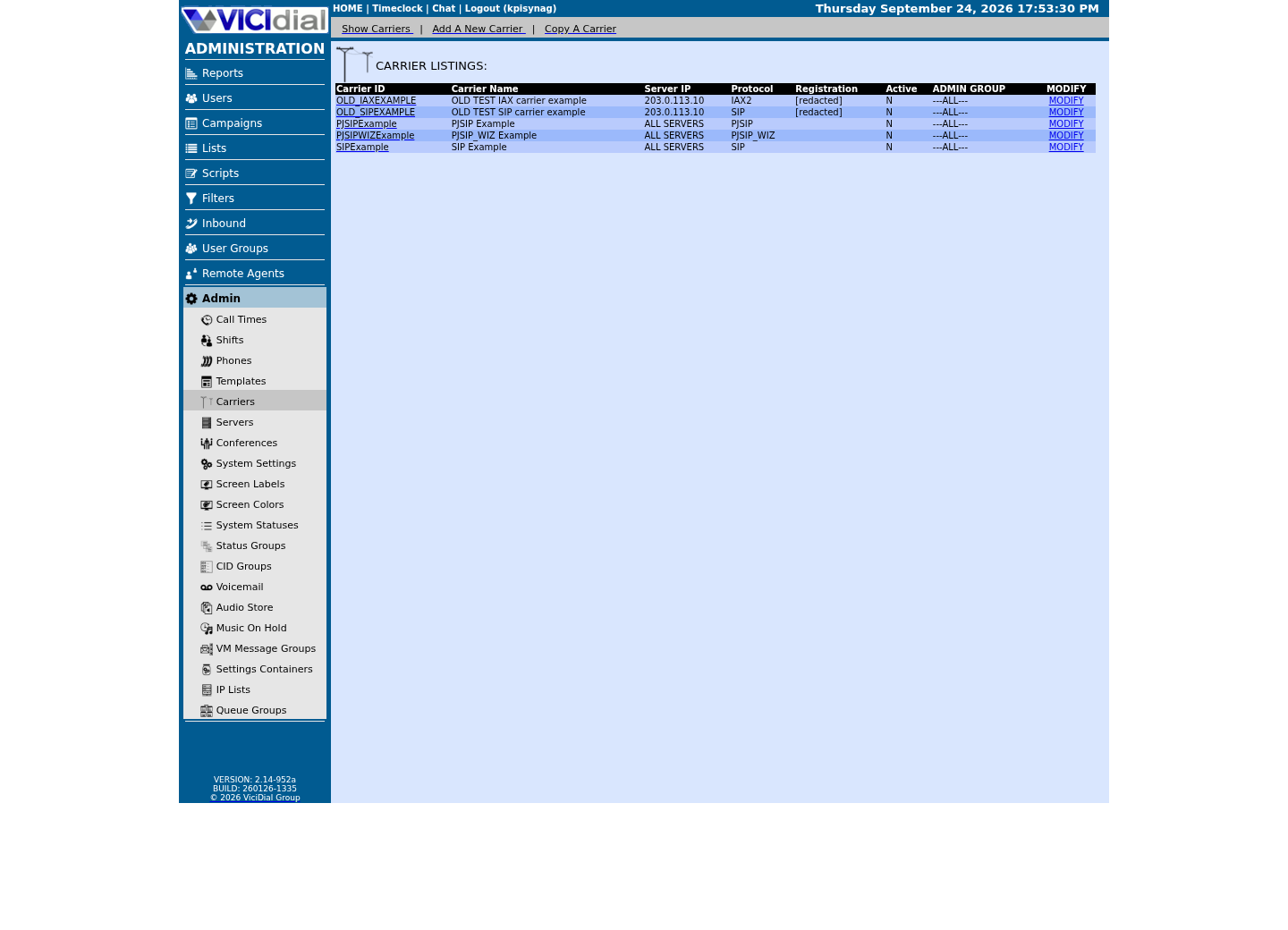
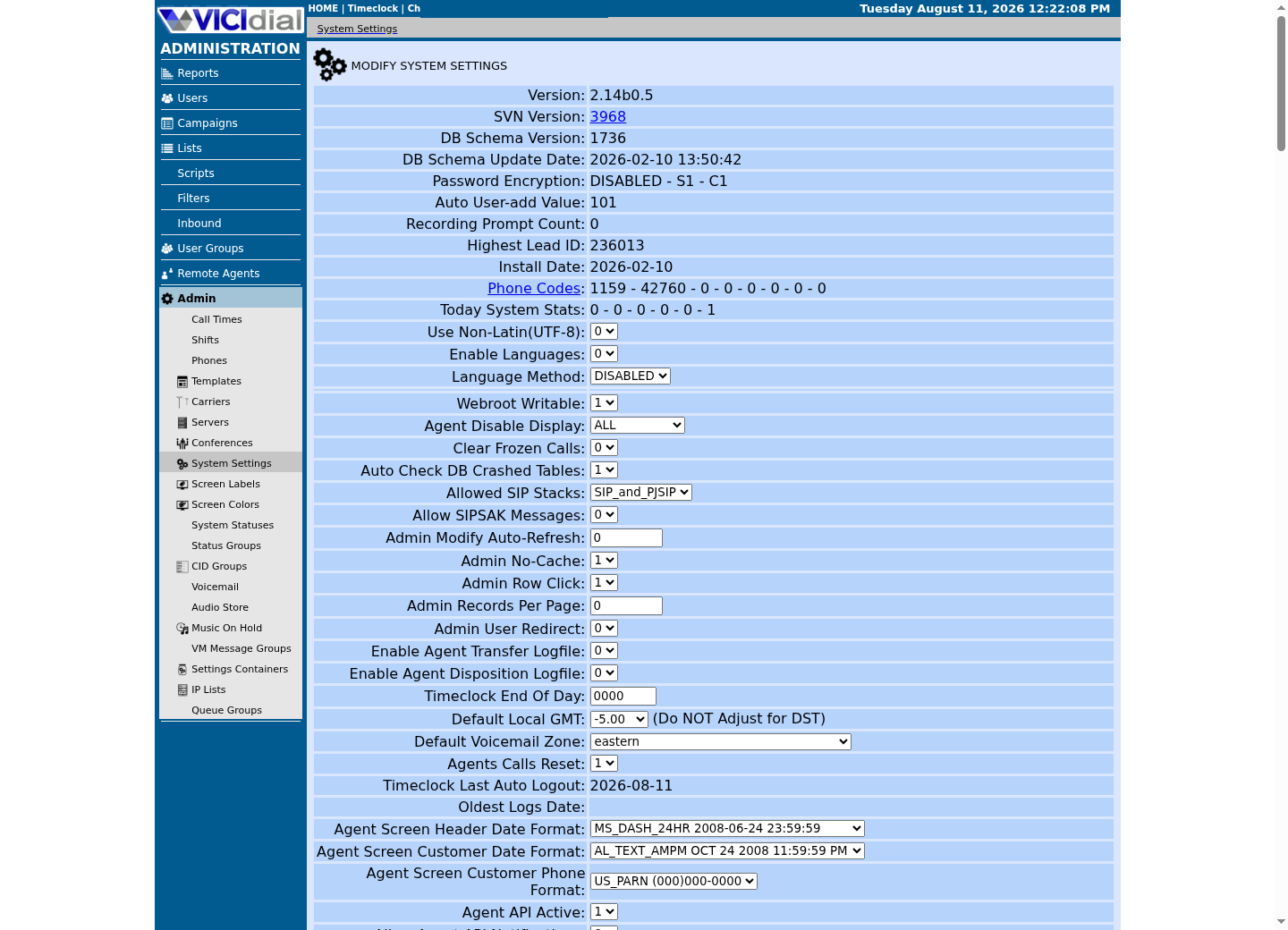
Follow three real demo screens
Captured on an isolated VICIdial demo: Administration screens on September 24, 2026, and the idle Agent screen on August 11, 2026. Each caption states its own capture time, and every sanitized image helps you recognize a related screen; none proves that this article's call, command, or result occurred.Find carrier administration
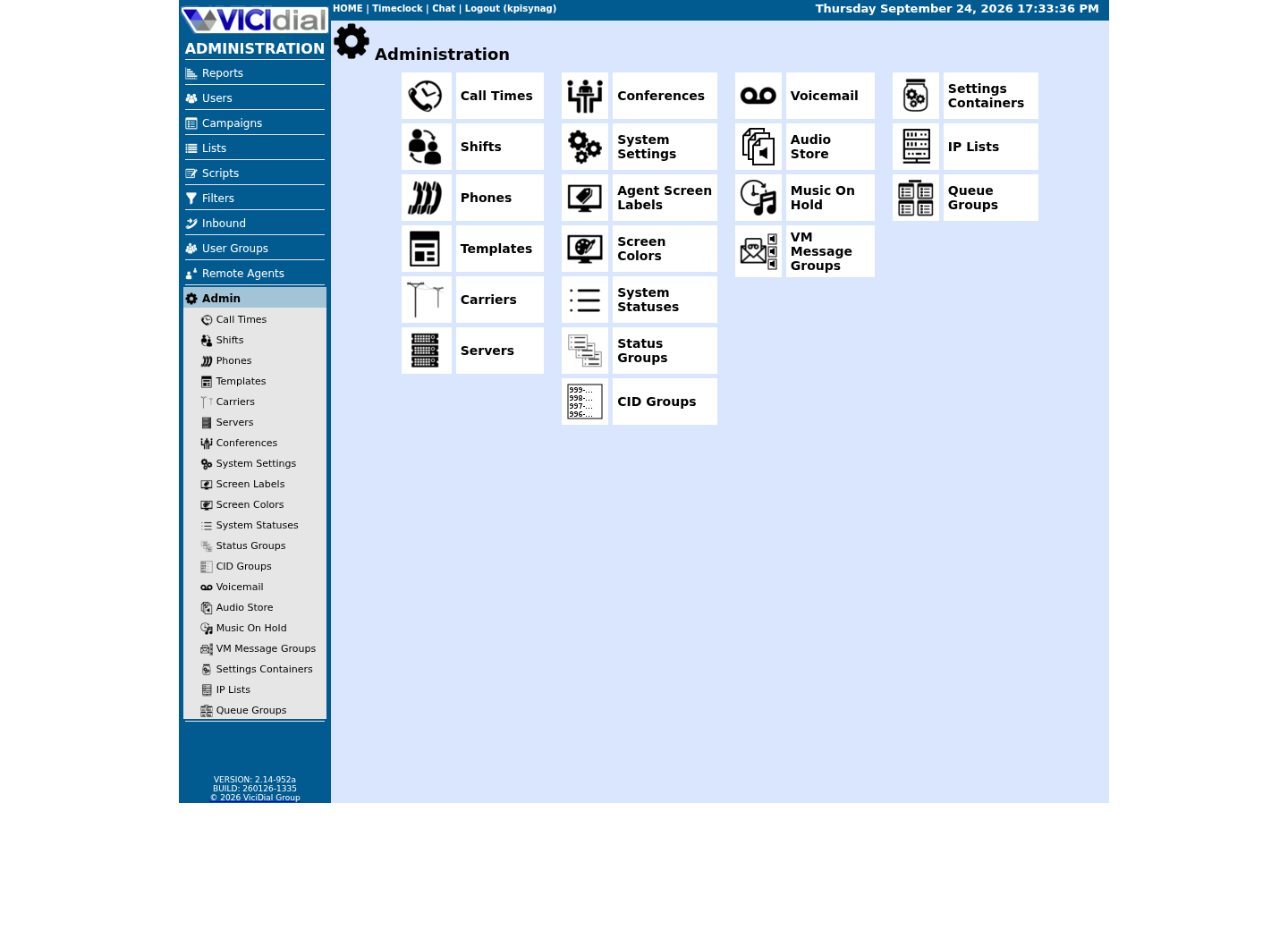
Open Carrier Listings
Check the allowed SIP-stack setting
02 / 08
How VICIdial actually decides which carrier a call uses
Every carrier your VICIdial install can dial through lives as one row in vicidial_server_carriers, with columns for carrier_id, protocol (SIP, PJSIP, PJSIP_WIZ, Zap, IAX2 or EXTERNAL), account_entry (the peer or endpoint configuration), and dialplan_entry, a block of raw Asterisk dialplan text you write yourself in Admin's carrier screen. When a carrier record changes, VICIdial's own configuration generator rewrites the server's generated Asterisk configuration and reloads it; you never hand-edit the generated include files, because the next regeneration overwrites them.
On the campaign side, vicidial_campaigns.dial_prefix (default 9) is the digit string VICIdial prepends to every number before it dials out. Admin's own Dial Prefix field explains the pattern it produces: enter 9 and a call to a North American number is placed as 91NXXNXXXXXX, or enter X for no prefix at all. A list can override that prefix for just its own leads, which is a second lever for steering one segment of numbers toward one route.
Put those two pieces together and the routing decision is just Asterisk pattern matching: the campaign builds a prefixed extension string and originates it into a context, falling back to the context named default when none is set; every active carrier's dialplan_entry fragment is concatenated into that context in carrier order; and Asterisk always picks whichever exten pattern is the most specific match for the dialed string. A pattern that pins a literal area code beats a general wildcard pattern for the same digits, and that specificity rule is the entire mechanism a working least-cost route depends on.
mysql --defaults-extra-file=/etc/vicidial-readonly.cnf <<'SQL'SELECT carrier_id, protocol, active, carrier_description FROM vicidial_server_carriers WHERE carrier_id = '<CARRIER_ID>';SELECT campaign_id, dial_prefix FROM vicidial_campaigns WHERE campaign_id = '<CAMPAIGN_ID>';SQLCaptured demo response · 2026-09-24 22:25 UTC. The displayed command is the command that ran; a safe subset label means it was filtered, redacted, or fixture-scoped. Replays only after you select Replay transcript.
- Before you run it
- Run this with mysql --defaults-extra-file=/etc/vicidial-readonly.cnf against the database host before changing anything, replacing <CARRIER_ID> and <CAMPAIGN_ID> with your own, so you know the carrier's current state and the campaign's existing dial prefix.
- Success looks like
- The carrier appears with active = Y, and the campaign's dial_prefix matches what you assumed it was.
- Stop if
- Stop if a carrier you thought was active shows N, or if the campaign's dial_prefix is not what your dialing scripts assume; fix that mismatch before adding a new route on top of it.
03 / 08
Step 1 — Map destination ranges to carriers before writing a pattern
Least-cost routing work starts on paper, not in Admin. Get a real quote or rate sheet from every carrier you are considering, then decide exactly which destination slice, a country code, an area code, or a defined number block, should move off your default carrier and onto the cheaper one. Only after that decision is written down should you translate it into an Asterisk extension pattern.
Asterisk patterns use N for any digit 2 through 9 and X for any digit 0 through 9, so the general North American pattern Admin documents, 91NXXNXXXXXX, matches any ten-digit number behind the dial prefix. Narrowing that pattern to one destination is just replacing wildcard positions with literal digits: 91212NXXXXXX matches only numbers in area code 212, while every other area code still falls to whatever pattern your default carrier already owns.
Write the new pattern down next to the carrier_id that should own it before you open Admin's carrier screen. If two active carriers could both match the same dialed string, Asterisk resolves the conflict by pattern specificity, not by carrier order in the table, so a vague pattern in a second carrier's dialplan_entry can silently steal traffic you meant to keep on the first one.
- Get a real quote or rate sheet from every candidate carrier before writing a single pattern.
- Decide the destination range, country code, area code, or number block, that will move to the cheaper carrier.
- Write the exact Asterisk pattern for that range on paper before touching Admin.
04 / 08
Step 2 — Write the cheap carrier's dialplan entry
Open the carrier record for the cheap route in Admin's add/modify carrier screen, the same form that names carrier_id, protocol, and the Dialplan Entry field, and paste in the pattern you designed in Step 1. The example below sends the area code 212 slice through a carrier named LOWCOST1 over PJSIP, stripping the one-digit dial prefix with the EXTEN:1 syntax before the number reaches the trunk. The first line calls VICIdial's own call-logging AGI (agi://127.0.0.1:4577/call_log) before anything else happens — every Dialplan Entry in this library keeps that line first, because replacing it with a NoOp or any other action silently stops that call from being logged at all.
Save the record, then let VICIdial's own configuration generator rebuild and reload the dialplan. Do not edit the generated extensions file directly, because the next save or keepalive cycle overwrites hand edits without warning.
exten => _91212NXXXXXX,1,AGI(agi://127.0.0.1:4577/call_log) same => n,Dial(PJSIP/${EXTEN:1}@LOWCOST1,${CAMPDTO},To) same => n,Hangup()This sample is a template or reading aid, not a terminal command. There is no output to show.
- Before you run it
- Paste this into the Dialplan Entry field for carrier_id LOWCOST1 in Admin's carrier screen; do not save it to a file on the server — VICIdial's own generator writes the real config.
- Success looks like
- After saving and the normal regeneration cycle, dialplan show for the pattern reports it under the expected context, with LOWCOST1 as the Dial target and no other carrier's pattern reported instead.
- Stop if
- Stop if the generated dialplan shows a different carrier handling the pattern, if the endpoint name in Dial() does not match an active carrier_id built the way vicidial-add-sip-carrier shows, or if the pattern is broader than the one range you decided on in Step 1.
05 / 08
Step 3 — Order the attempts so a failure falls through to the next carrier
A single-attempt route is a bet: if LOWCOST1 is down, congested, or simply fails to answer, that failure just ends the call with nothing to show for it. Add a second attempt in the same carrier's dialplan_entry that checks the result of the first Dial() and falls through to another carrier's endpoint before giving up — but only for the failures that are actually the carrier's fault.
Fail over only on CHANUNAVAIL or CONGESTION — the carrier's own network refused the call. BUSY, NOANSWER, and ANSWER all mean the customer's line was reached in some way; retrying those on a second carrier just double-dials the same person, which is worse than the original failure.
The order of the two Dial() lines is the entire failover policy: whichever carrier's line runs first gets first refusal at every call matching that pattern, and every later Dial() only fires once every earlier one has already failed on one of those two carrier-side statuses. Keep that order deliberate and documented, because it is easy to reverse by accident during a later edit.
exten => _91212NXXXXXX,1,AGI(agi://127.0.0.1:4577/call_log) same => n,Dial(PJSIP/${EXTEN:1}@LOWCOST1,${CAMPDTO},To) same => n,GotoIf($["${DIALSTATUS}" = "CHANUNAVAIL" | "${DIALSTATUS}" = "CONGESTION"]?backup) same => n(done),Hangup() same => n(backup),NoOp(LOWCOST1 failed with status ${DIALSTATUS}, trying BACKUP1) same => n,Dial(PJSIP/${EXTEN:1}@BACKUP1,${CAMPDTO},To) same => n,Hangup()This sample is a template or reading aid, not a terminal command. There is no output to show.
- Before you run it
- Replace the single-attempt block from Step 2 with this version, pasted the same way into carrier_id LOWCOST1's Dialplan Entry field, once you have confirmed BACKUP1 is an active, working carrier on its own.
- Success looks like
- A forced CHANUNAVAIL or CONGESTION on LOWCOST1 still completes the call over BACKUP1, and DIALSTATUS reflects the second attempt's real outcome; a BUSY or NOANSWER on LOWCOST1 ends the call there, exactly as it would with no fallback at all.
- Stop if
- Stop if the call also fails over BACKUP1 in a case where BACKUP1 is known to work alone; that points at a dialplan ordering mistake rather than a carrier problem.
06 / 08
Why cheapest is not always right: ASR, audio, and caller ID
A cheaper per-minute rate only pays off if the call actually connects and stays connected. The answer-seizure ratio (ASR), the share of dialed attempts that get answered, is the first number to ask a low-cost carrier for, because a carrier that is a fraction of a cent cheaper but answers ten points fewer of your attempts is not saving you anything: your dialer just redials the same lead more times to get one live conversation, burning agent time and hopper capacity along the way.
Audio quality is the second trade-off. A route with choppy audio, one-way audio, or excess post-dial delay produces hang-ups and repeat calls that a rate sheet never shows, and those repeat attempts count against the same lead's call limits and local call time window.
Caller-ID and identity treatment is the third. Some low-cost routes rewrite, strip, or fail to pass your caller ID at all, and a carrier that changes what the called party sees can affect both answer behavior and how that call is perceived downstream. None of that shows up on a per-minute quote either.
- Ask each carrier for its answer-seizure ratio and typical post-dial delay, not just its rate.
- Listen to a handful of live calls on the cheap route before trusting it with volume.
- Check whether the carrier passes your caller ID unchanged or substitutes its own.
07 / 08
Measure actual cost per connected minute, not the rate sheet
A rate sheet describes what a carrier says it charges. What you actually pay for is connected minutes: seconds of real conversation, not seconds spent ringing, failing, or fighting through a redial. VICIdial already logs both halves of that story if you know where to join them.
vicidial_carrier_log records one row per outbound attempt, including dialstatus (Asterisk's own ANSWER, BUSY, CONGESTION, NOANSWER and CHANUNAVAIL values) and the channel string Asterisk used for that attempt. Because VICIdial dials each carrier as PJSIP/number@carrier_id or SIP/number@carrier_id, the resulting channel name always carries the carrier_id between the slash and the trailing dash-and-sequence number, so you can pull the carrier back out of a call log row that never stored a carrier_id column directly.
Join that to vicidial_log on uniqueid for length_in_sec, the actual talk time in seconds, and you can compute attempts, answered calls, the answer-seizure ratio, and connected minutes for one carrier over any date range, entirely from stored call history and without touching a single rate sheet. Run it once per carrier_id to compare them against each other.
SELECT SUBSTRING_INDEX(SUBSTRING_INDEX(vcl.channel, '-', 1), '/', -1) AS carrier_id, COUNT(*) AS attempts, SUM(vcl.dialstatus = 'ANSWER') AS answered, ROUND(SUM(vcl.dialstatus = 'ANSWER') / COUNT(*), 4) AS answer_seizure_ratio, SUM(CASE WHEN vcl.dialstatus = 'ANSWER' THEN vl.length_in_sec ELSE 0 END) AS connected_seconds, ROUND(SUM(CASE WHEN vcl.dialstatus = 'ANSWER' THEN vl.length_in_sec ELSE 0 END) / 60, 2) AS connected_minutesFROM vicidial_carrier_log vclJOIN vicidial_log vl ON vl.uniqueid = vcl.uniqueidWHERE vcl.call_date >= CURDATE() - INTERVAL 1 DAY AND vcl.channel LIKE '%<CARRIER_ID>%'GROUP BY carrier_idORDER BY connected_minutes DESC;Captured demo response · 2026-09-24 22:25 UTC. The displayed command is the command that ran; a safe subset label means it was filtered, redacted, or fixture-scoped. Replays only after you select Replay transcript.
- Before you run it
- Run this with mysql --defaults-extra-file=/etc/vicidial-readonly.cnf, replacing <CARRIER_ID> with the carrier you are costing out and narrowing the call_date range to the period you actually want; repeat per carrier_id to compare them.
- Success looks like
- The carrier_id appears with a plausible attempts count, an answer_seizure_ratio you can sanity-check against what the carrier quoted you, and a connected_minutes figure you can divide into your actual invoice for that carrier.
- Stop if
- Zero rows on a carrier you know took calls in that window means the channel-naming assumption does not hold for it; a carrier using a technology or dial string this pattern does not match will need its own extraction logic before the numbers can be trusted.
08 / 08
Troubleshoot a route change and prepare a rollback
Back up vicidial_server_carriers before you touch it: mariadb-dump does not read the read-only option file's [mysql] database the way mysql -e does, so give it the database name explicitly — find it in /etc/vicidial-readonly.cnf's own [mysql] section as <VARDB_database>, then run mariadb-dump --single-transaction --skip-comments --result-file=/root/vicidial-carrier-backups/vicidial_server_carriers.sql <VARDB_database> vicidial_server_carriers. This writes to your own filesystem; it changes nothing in the database and is safe to run any time.
After saving a new or changed carrier record and letting the normal regeneration cycle run, verify the live dialplan and endpoints directly on the Asterisk CLI rather than assuming the save worked. A pattern that looks right in Admin can still fail to load if the dialplan_entry text has a syntax mistake the generator silently drops. asterisk -rx 'dialplan show <DID_PATTERN>@default' is the most direct check, but run it only against your own install: on a box that carries other carriers' real traffic, that same command will show whichever carrier's pattern actually owns that digit string, not necessarily the one you just wrote.
If a rollback is needed, restore the backed-up vicidial_server_carriers row, or reinstate the previous dialplan_entry text through Admin, save again, and let the regeneration cycle rewrite the dialplan a second time; then repeat the same verification checks before sending live traffic back through that carrier. VICIdial's own save-triggered regeneration handles reloading Asterisk for you — do not declare the rollback finished until you have re-verified the pattern, not just re-run the save.
asterisk -rx 'pjsip show endpoint <CARRIER_ID>'asterisk -rx 'pjsip show endpoint <BACKUP_CARRIER_ID>'Captured demo response · 2026-09-24 22:25 UTC. The displayed command is the command that ran; a safe subset label means it was filtered, redacted, or fixture-scoped. Replays only after you select Replay transcript.
- Before you run it
- Run these immediately after every save, whether it is the first change or a rollback, replacing <CARRIER_ID> and <BACKUP_CARRIER_ID> with your real carrier_id values.
- Success looks like
- pjsip show endpoint reports each referenced carrier as available, matching the carrier you intended for this route.
- Stop if
- 'Unable to find object' for your backup carrier is expected until you have actually built and activated it — VICIdial's generator only writes active carriers into the live config. Stop and roll back immediately if an endpoint you believe is already active instead reports Unavail; do not leave live traffic pointed at an unverified pattern while you investigate.
Evidence ledger
Verification basis
- vicidial_server_carriers (protocol, account_entry, dialplan_entry) and vicidial_campaigns.dial_prefix are the stored columns that decide outbound routing; ViciBox 12 also ships an agi-LCR-Route.agi routing hook in Asterisk's agi-bin directory, but its internal selection logic is not documented in any shipped reference doc, so carrier, rate, and configuration responsibility is treated here as external to VICIdial, not something this guide can benchmark against a shipped rate table.
- vicidial_carrier_log (dialstatus, channel, dial_time, answered_time) and vicidial_log (length_in_sec) were confirmed as the tables that let a carrier be identified from a call's channel string and joined to real connected duration; no production call records, carrier rates, or account_entry contents were reviewed for this article.
Primary references
Sources
- VICIdial PJSIP SupportVICIdial · accessed August 5, 2026
- VICIdial StatusesVICIdial · accessed August 5, 2026
- Configuring res_pjsip (Asterisk PJSIP channel driver)Asterisk · accessed August 5, 2026
- Official VICIdial SVN and configuration guidanceVICIdial · accessed August 5, 2026
- Dial() dialplan application (DIALSTATUS values)Asterisk · accessed September 23, 2026